Last updated August 2026
I was in Claude a while ago trying to connect Metricool (my social media scheduler), and it wasn't there as a native connector. I went to browse connectors, scrolled, searched the name again just in case I'd missed it, and…nothing 🫣.
Not every tool you run your business on is going to have a listing in Claude's official directory, and for a while I assumed that meant I was stuck copy-pasting data across manually forever.
But the good news….
It doesn't. If a tool has an MCP server, you can add it to Claude yourself as a custom connector, no code required, and it works exactly like a directory connector once it's in.
This means that if this is the first time you’ve heard of custom connectors, you’ve been missing out on connecting your business tools to Claude. Let’s make today the day that changes!
TL;DR:
A custom connector is the same MCP technology as a directory connector, just added by URL instead of picked from a list.
All Claude needs is the MCP server's URL. No code, no developer, just a name and a link.
Some tools publish their own official MCP (Metricool is one); others only exist through third-party MCP servers built by outside developers.
Once it's authorised, it works everywhere: chat, Projects, and Cowork, without reconnecting each time.
Not every tool has an MCP server yet. If one doesn't exist, a custom connector can't invent it.
New here? This blog is for the solo founder who wears every hat in the business and wants real AI systems and workflows running things, not just piecing it together in the chat. Start here →
What a Custom Connector Actually Is
Claude's connectors directory lists 400+ tools you can connect with a couple of clicks, like Gmail, Notion, Canva, Slack, and a lot more.
A custom connector uses the exact same underlying technology, MCP (Model Context Protocol). The only difference is you're adding it by URL instead of picking it off a shelf.
Think of MCP as the bridge, not the destination. It's what lets Claude read from, and sometimes act inside, a tool it wasn't originally built to know about.
The directory is Anthropic's reviewed, one-click version of that bridge. A custom connector is the same bridge, just built by the tool's own team or by an independent developer, and added manually.
That distinction matters more than it sounds like it should. Metricool has its own official MCP, built and maintained by Metricool. Add it, and you're talking to the tool's actual team.
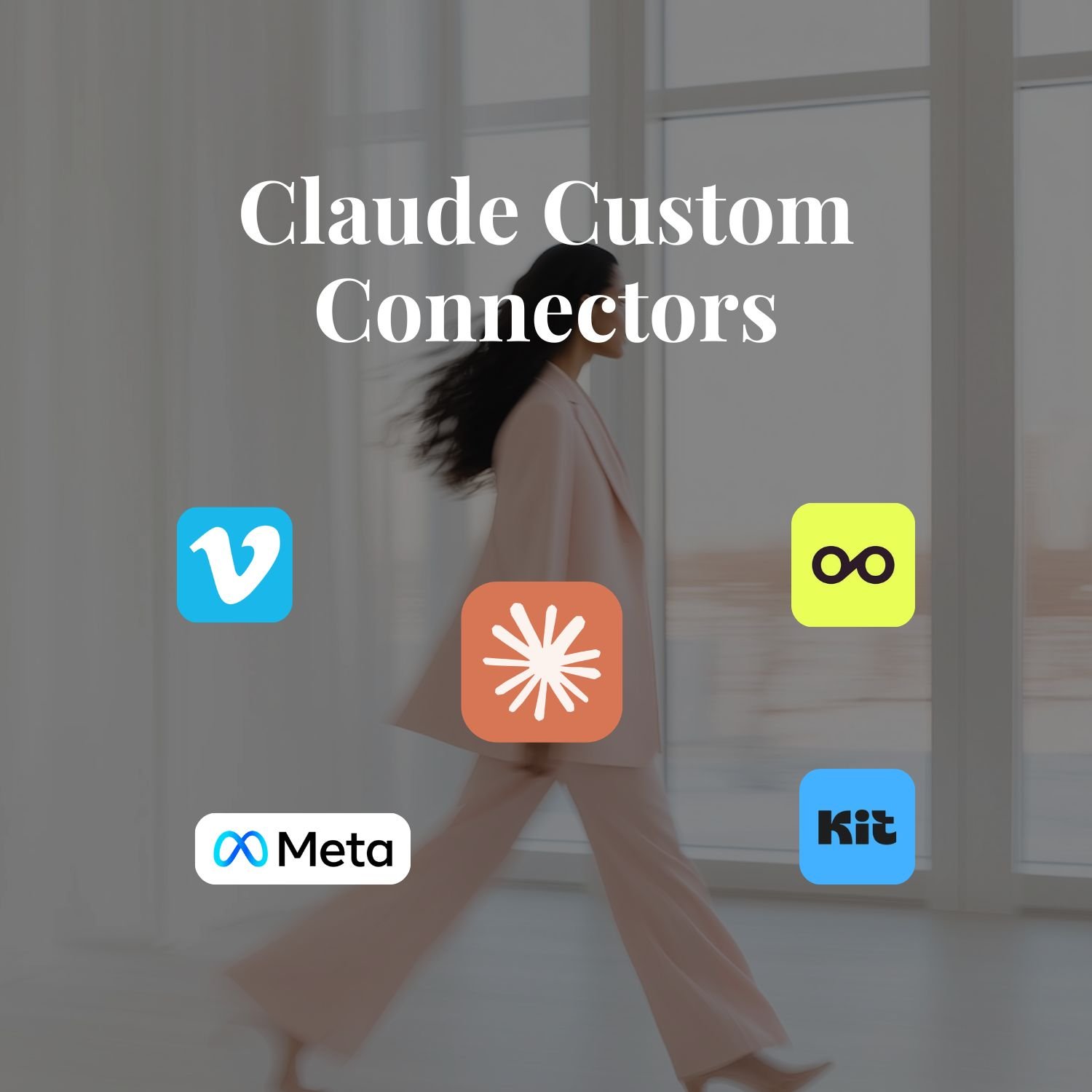
Other tools I run my business on, like Kit, Meta Ads, Tally, and Vimeo, also have their own official MCPs.
The learning here is that the tool you're missing from the directory isn't necessarily missing from Claude. It's just missing a listing.
How to Add a Custom Connector to Claude, Step by Step
Adding a custom connector takes three things: the tool's MCP URL, a name for it, and about sixty seconds.
Find the MCP URL. Check the tool's own site or help docs (search "[tool name] MCP"), that's how I found Metricool's. You’re looking for a URL that they will likely label an MCP URL.
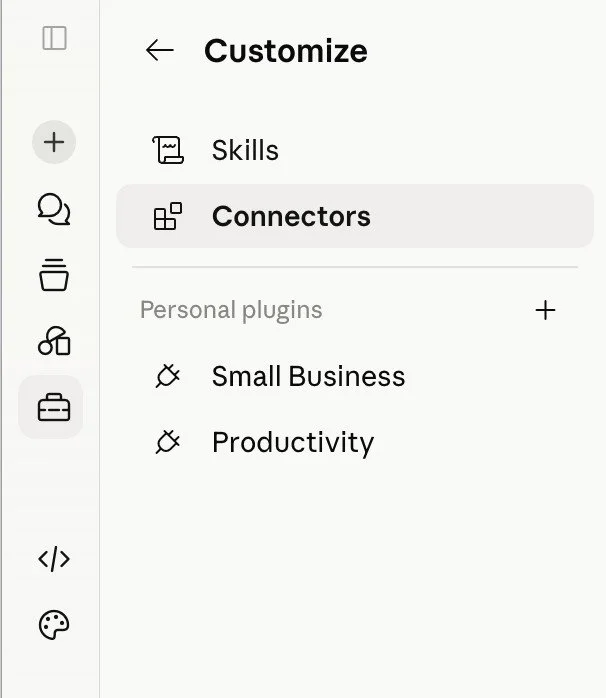
1. Go to Customize then Connectors: Same place you'd browse the directory.
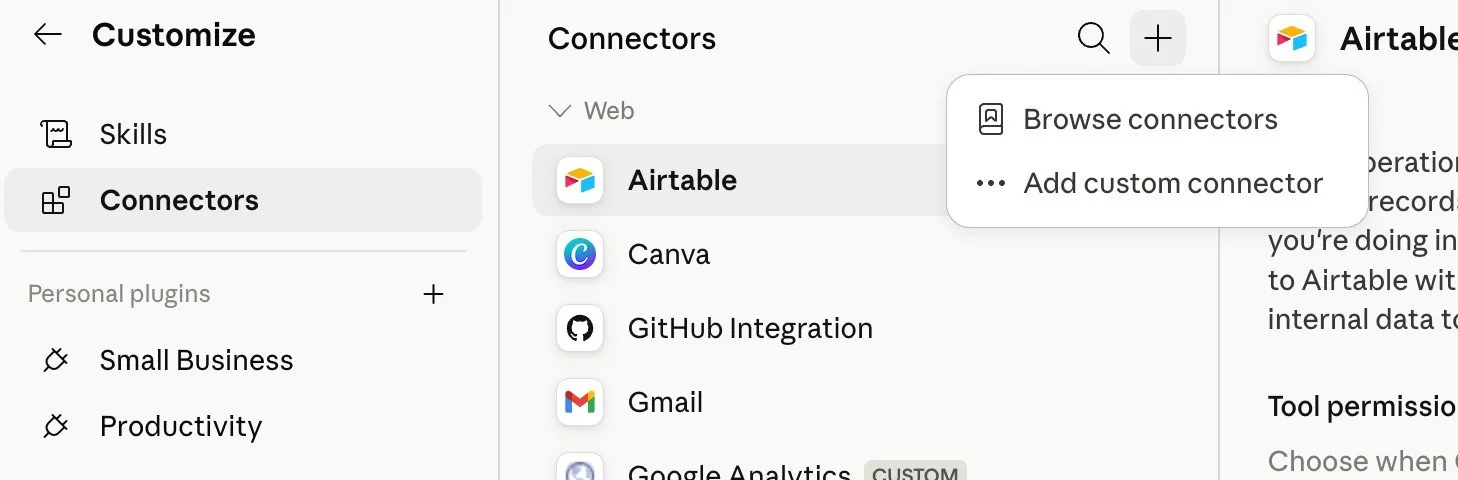
2. Click the "+" and choose "Add custom connector": This is the option below the directory browse button.
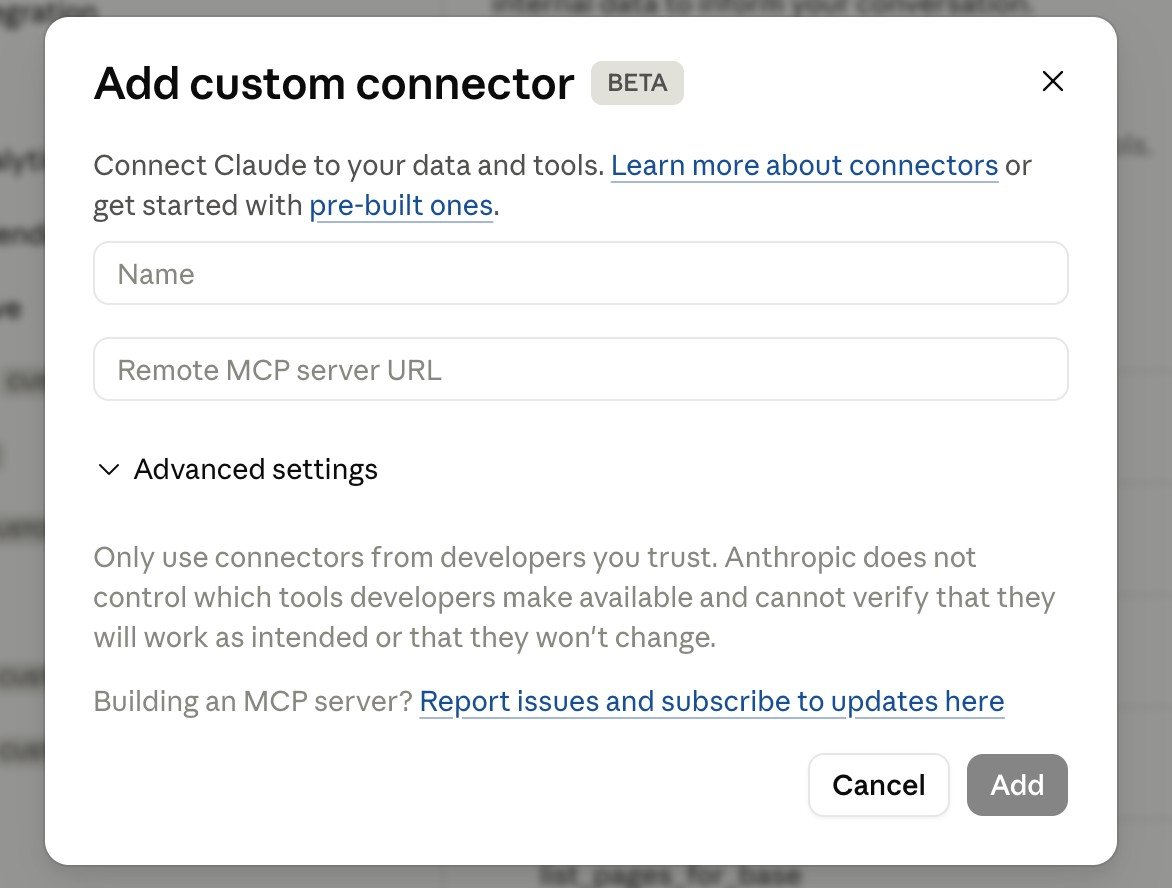
3. Give it a name and paste in the MCP Server URL. The https web address ending in /mcp that you found for your tool. Give it a name so you'll recognise it later. If the server needs OAuth credentials, there's an optional field for that too, but most of the time the URL alone is enough. Click Add.
4. Click Add and authorise: If the tool requires a login, an authorisation window opens, the same as any other connector. Approve it, and you're connected.
That's it. Once it's authorised, it stays authorised across every chat, every Project, and Cowork, you're not reconnecting it each time you open a new conversation. It behaves precisely like anything already sitting in the directory.
If you can't find an MCP server for your tool, it usually means the tool hasn't built one yet. In that case, Make.com or Zapier can often bridge the gap by connecting your tool to something Claude can already reach. But for a growing number of the platforms solo founders actually use, the custom connector route is there if you need it.
Watch Me Do It
I recorded a video showing you exactly how to add a custom connector so you can see it all step-by-step. Watch below.
Once the tool is connected, the question left is what to give Claude to do with it.
20 Jobs Claude Can Take Off Your Plate is a free guide to the work you shouldn't still be doing by hand. It lists twenty jobs, sorted by where your week actually goes: the inbox, the money you're chasing, your clients, your content and your calendar. Each one shows the problem, what Claude does, and what it needs connected, and half of them run on their own. Then it helps you pick the one costing you the most and walks you through handing it over, so you leave with that job off your plate at least once.
It's completely free.

4 Custom Connectors Solo Founders Actually Need
Most of the custom connectors worth setting up aren't glamorous, they're the unsexy back-office tools that don't make anyone's top-10 list but are running underneath your actual business.
These four are ones I've connected myself:
1. Metricool: Metricool is my social media scheduler. Claude can create, update, and schedule posts, and pull social performance data straight from the account, without exporting a spreadsheet to check what worked last week.
2. Kit: Claude pulls email performance reports, sorts and tags subscribers, and can draft emails directly inside Kit, which is a different thing from writing a draft in a chat window and pasting it across.
3. Meta Ads: Ad reporting stopped being a manual pull-the-numbers-together job. Claude reads performance straight from the account, which is what makes a proper weekly ads check actually happen instead of getting pushed to "later."
4. Vimeo: My course videos live in Vimeo. Claude pulls the transcript straight from a lesson, so a video I recorded once becomes blog copy, captions or a text companion without me re-watching anything. It also reads the retention data, so I can see where people drop off.
If your tool does have an official directory listing, What Are Claude Connectors? How They Work and Which to Set Up First breaks down the most useful ones with real prompts, and the full ranked list of 10 covers the rest, including Xero, Stripe, and Make.com.
If you want the full Claude setup walked through end to end, connectors included alongside Projects and Skills, that's exactly what's inside Claude Unlocked.
What to Check Before You Connect Anything
A custom connector hasn't been through Anthropic's review process the way a directory one has, so the checking is on you.
Only connect a server from a source you'd trust with that tool's actual login, i.e. the tool's own website or developer docs for an official one. When you authorise it, read what it's actually asking permission for before you click through. And if you stop using a connector, disconnect it. It's an unused door so there’s no reason to leave it open.
If you've never set up a connector at all yet, What Are Claude Connectors? How They Work and Which to Set Up First walks through the basics before you get to the custom path.
And if you want the bigger picture of where connectors sit inside a proper Claude setup, How to Use Claude as a Solo Founder lays out the whole framework.
Key Takeaways
Custom connectors close the directory gap: Claude's 400+ listed tools cover a lot, but a custom connector uses the same MCP technology to link almost anything else that has a public MCP server.
All you need is a URL: adding a custom connector takes the MCP server's URL and a name, optional OAuth details if the tool requires them, nothing technical beyond that.
Official MCPs are the way to go: Metricool, Meta Ads, Tally, Vimeo and Kit, for example, all have official MCPs published.
It connects once and works everywhere: authorise a connector, and it stays live across chat, Projects, and Cowork, no reconnecting per conversation.
Trust the source before you trust the connector: custom connectors skip Anthropic's review, so only add ones from a source you'd hand that tool's login to directly.
Frequently Asked Questions
What's the difference between a Claude connector and a custom connector?
A directory connector is listed in Claude's official Connectors page and has been through Anthropic's review. A custom connector uses the same MCP technology but is added manually by URL, which means it can be for any tool with an MCP server, reviewed or not.
Do I need to know how to code to add a custom connector?
No. You need the connector's name and its MCP URL, both of which you copy and paste. If the server needs OAuth credentials there's a field for that too, but most tools don't require it.
Where do I find the MCP URL for the tool I want to connect?
Check the tool's own website or help docs first and search "[tool name] MCP", that's how official ones like Metricool's turn up.
Is it safe to connect a tool that isn't in Claude's official directory?
It can be, but the checking is on you rather than Anthropic. Only connect a server from a source you'd trust with that tool's login, review what permissions it's asking for, and disconnect anything you stop using.
Does a custom connector work in Cowork and Projects, or only in regular chat?
Once authorised, it works across all three: Chat, Projects, and Cowork, without reconnecting each time you open a new conversation.
What if the tool I want to connect doesn't have an MCP server at all?
Then there's no connector path yet, official or custom. A custom connector can only use an MCP server that already exists somewhere; it can't create one for a tool that hasn't built any way in.
What to Do Next
If you've been copy-pasting between Claude and a tool that runs a real part of your business, the fix is usually a fifteen-minute search away, not a developer. Check whether that tool has an MCP server, add it, and see what changes when Claude can actually see it.
If you want the entire setup done properly in one sitting…
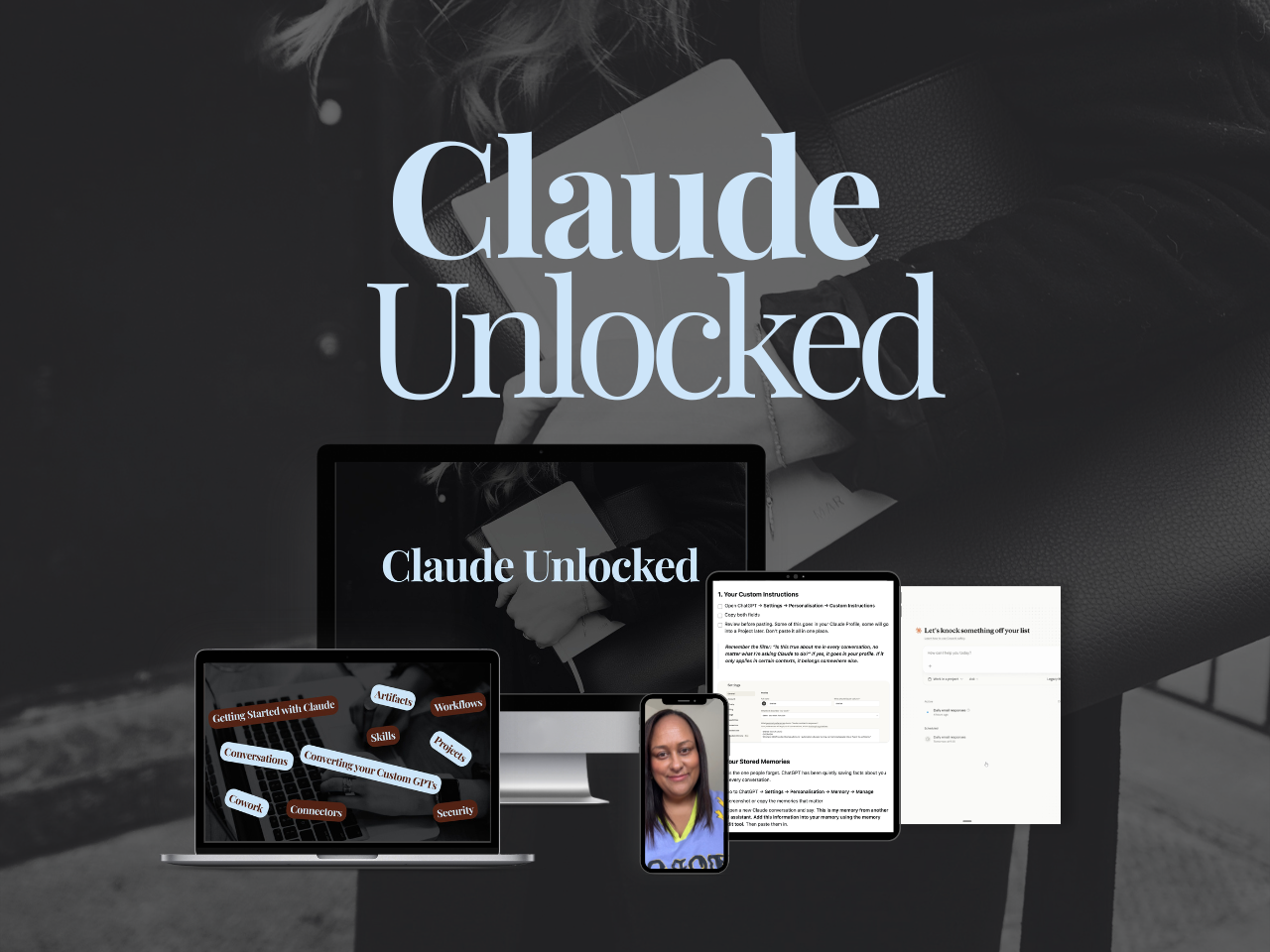
Projects, Skills, Cowork, and Connectors, including the custom ones - Claude Unlocked takes an afternoon to complete, and the setup is yours to use indefinitely. It's the fastest way to go from using Claude as a clever chat box to having it actually set up around how your business works.
And if you're ready to build actual systems, not just learn the tools, SheScales is where that happens.
Each month I build a real system in my own business, pull it apart, and hand over every component so you can build yours. The use cases above aren't hypotheticals. They're what's being built inside SheScales right now.
MEET THE AUTHOR

HEY, I'M SHERISE
I'm an AI strategist and educator based on the Central Coast of NSW, Australia. I help solo founders install AI systems that scale their business without scaling their workload and remove low-value work from their business so they can spend more time in strategy, creativity, and the work that actually moves the needle.
I run SheScales, the AI implementation community built for the person who IS the business and the whole team. I'm the founder behind 40+ AI assistants across ChatGPT and Claude, the Brand Playbook App, and a growing library of skills and systems used daily by hundreds of solo businesses.
I teach the Architect Method: the shift from chatting with AI to giving AI a job. It's the thinking framework for spotting where AI can genuinely help in your business, knowing how to architect the system, and deciding whether something should be a Skill, a Project, a GPT, an automation, a combination of these, or stay manual.
I'm not here to inspire you. I'm here to hand you the architecture.