How to Use Claude as a Solo Founder (The 4-Stage Framework)
Last updated August 2026
Every Monday morning, a report lands in my inbox. It tells me which blog posts are gaining traction, which are stalling, which are getting impressions but no clicks, and exactly what to do about each one. It includes a VA task list with the wording for every change and a strategic priority list for the week.
I didn't write the report. Claude did.
Not "Claude helped me write it." Claude ran the whole thing…pulled the data, did the analysis, wrote the report, formatted the task list, even suggested new topics and angles based on what people are currently searching.
My job in the workflow is to read it and make decisions. The production belongs to Claude.
That's Stage 4. And if you're using Claude the way most people use it — new tab, type something, edit it back into shape, copy and paste, close it — you're in Stage 1.
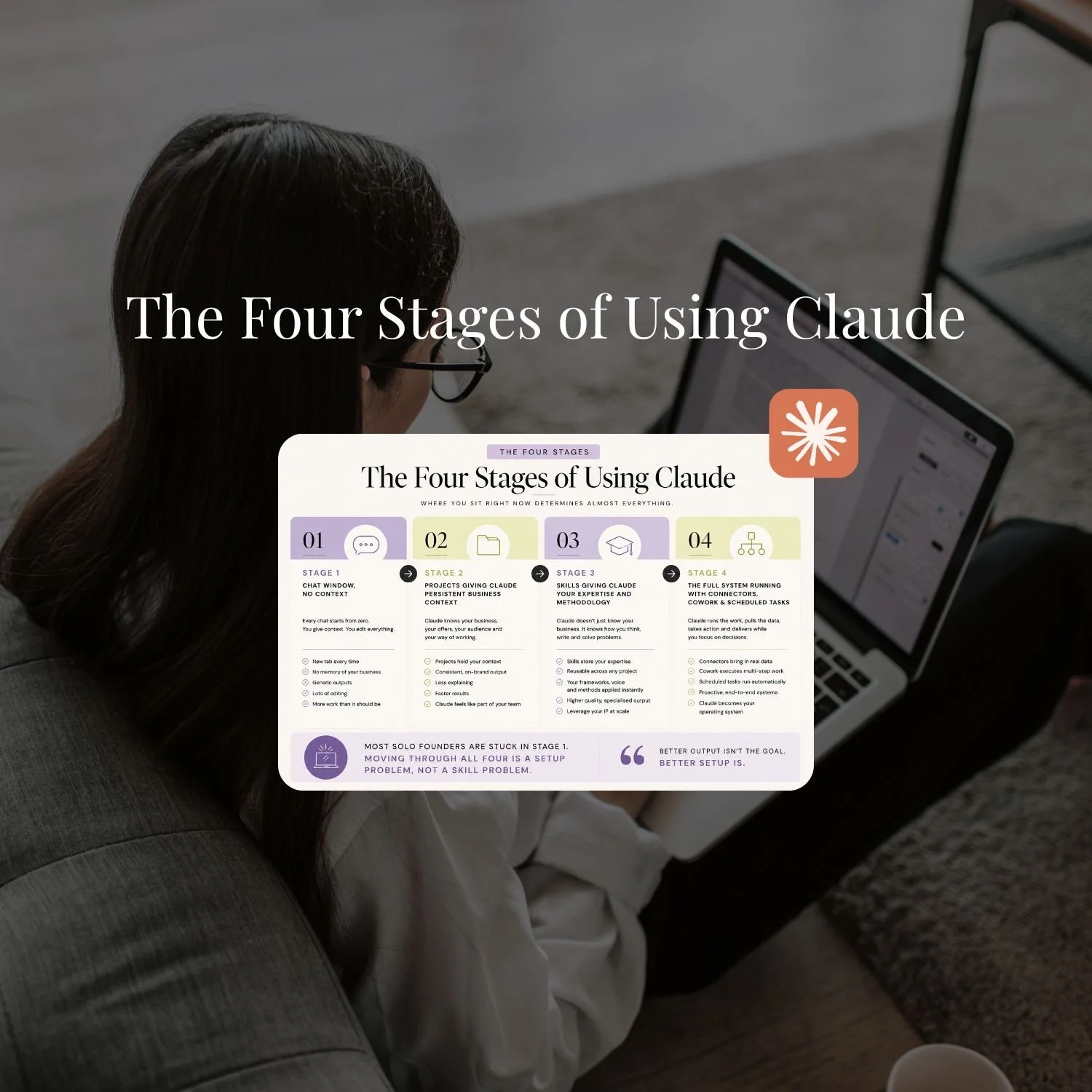
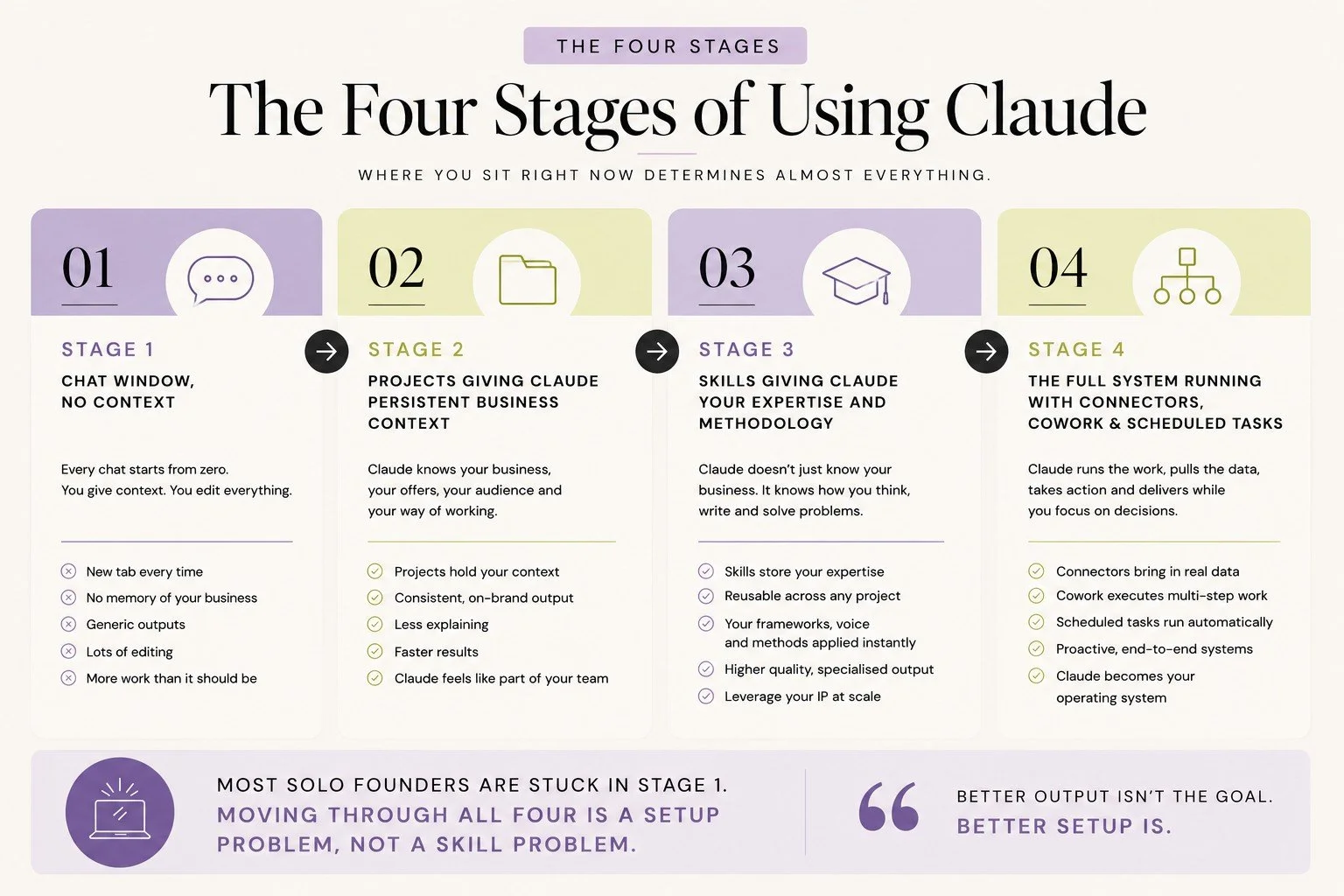
There are four stages to using Claude in a solo business. Where you sit right now determines almost everything: the quality of what you get back, how much time you're actually saving, and whether Claude is becoming infrastructure or just a fancier search bar.
This post maps all four stages, and by the end, you'll know exactly what stage you’re at, what's keeping you there, and what it takes to move forward.
The four stages of using Claude are:
Stage 1 (chat window, no context), Stage 2 (Projects giving Claude persistent business context), Stage 3 (Skills giving Claude your expertise and methodology), and Stage 4 (the full system running with Connectors, Cowork, and Scheduled Tasks).
Most solo founders are stuck in Stage 1 and are not even close to making the most out of Claude. Getting to stage 4 is all about the setup.
TL;DR:
Stage 1 is the chat window: every conversation starts from zero and you're rewriting output back into something usable every single time.
Stage 2 (Projects) is a one-time setup that permanently changes what Claude produces — first drafts go from generic to close.
Stage 3 (Skills) is what makes Claude feel trained in your methodology, not just aware of your business.
Stage 4 is the full system: Connectors, Cowork, and Scheduled Tasks running real functions without you in the middle.
Most solo founders stay in Stage 1 longer than they need to. Moving forward is a setup problem, not a skill problem.
New here? This blog is for the solo founder who wears every hat in the business, and wants real AI systems and workflows running things, not just piecing it together in the chat. Start here →
Stage 1: The Chat Window
You need to write an email to your list. You open Claude, type "write me an email about my new offer launching next week," and get something back. It's fine. A bit generic. The opening line would never come out of your mouth. You rewrite the first paragraph, swap a few phrases, fix the sign-off, and send it.
Twenty minutes. Would have taken forty without Claude, so you count it as a win.
The next day you need a caption. New tab. Same process. The day after, a sales page section. New tab. Same process. A week passes and you've used Claude six times, spent a chunk of each session editing the output back into something recognisable, and you're still not sure you're using it properly because it still feels like a lot of work for something that's supposed to make things easier.
Here's what's actually happening. You are the human glue between every single exchange. Claude produces something, you translate it into something that sounds like your business, and you do that every single time…because Claude has no idea who you are. It doesn't know your offers, your audience, how you communicate, or that you'd sooner delete a sentence than use the word "empower." Every conversation starts from zero.
This is Claude on day one, with no briefing, no context about the business, and no understanding of how you work. You wouldn't expect a brand-new hire to produce your best work without any of that. The output would be fine — technically competent, mostly usable, missing the specifics that make it actually yours.
That's Stage 1. It's where everyone starts. The problem is that most people stay here far longer than they need to, because the output is good enough that they keep going — never realising there's a different way to set things up that changes the experience entirely.
The Stage 1 tell: you open a new tab every time you need something from Claude, and you spend meaningful time editing the output back into your voice.
What keeps people stuck: thinking the output is "good enough" (it is, it's just not close to as good as it gets), not knowing Projects and Skills exist, or knowing they exist but not having built them yet. The mild frustration compounds. The ceiling keeps getting hit. And it starts to feel like maybe AI just isn't that good for this kind of work.
It is. This is a setup problem.

If you've just recognised yourself in Stage 1, the Claude Setup Kit is where to start.
This free kit walks you through the full process, from turning on the right settings to understanding how Projects, Skills, and connectors work. It also includes the exact prompt to export your ChatGPT memory so you're not starting from scratch.
It's the guide I wish I had when I started.
Stage 2: Claude Knows Your Business
The shift from Stage 1 to Stage 2 is not a technical skill. It is a setup task. A few hours, done once, and it changes how Claude works for you from that point forward.
Stage 2 is when Claude has real context about your business. Not a note at the top of a chat that says "btw I'm a business coach," but structured, persistent context that carries into every conversation automatically.
This happens through Claude Projects.
A Project is a workspace with memory. You write custom instructions once, and every conversation inside that project inherits those instructions. You can also upload Knowledge Files to the project which every conversation inside the project has access to which means Claude doesn't start from scratch anymore…it starts from knowing your business.
A Project's memory is not the only memory Claude has. How Claude's Memory Works covers how the rest of it works: the separate pools it keeps, how it now syncs with Cowork, and what changed in August 2026.
Think of it as completing the onboarding you never did in Stage 1. You're giving Claude the brief a good new hire would get on their first day: here's the business, here's the client, here's how we work, here's what matters to us. Once that's done, the output reflects it immediately.
![Screenshot of a Claude Project titled "[OS] Pinterest Operating System" showing saved conversation history, project instructions, and an uploaded pinterest-operating-system.md reference file in the Files panel](https://images.squarespace-cdn.com/content/v1/6508e9f23f99976b8995c93c/2623f3fc-e570-43b9-8216-79001a031d85/claude-project-pinterest-operating-system-screenshot.jpeg)
When you write your instructions, they should cover:
Role - What Claude does in this project. You are a [role] who [what you do] for [who you serve]. This anchors everything else.
Context - Any context the project needs to do its job well. Give Claude enough background to make good decisions about tone, angle, and approach too e.g. My audience is [who they are]. They are [key traits]. They want [what they care about]. They don’t want [what to avoid].
Rules - Your non-negotiables. The always and never list. Three things to get right:
Keep to 8–10 rules max. Claude follows 8–10 reliably. At 15+, it starts quietly deprioritising some and you won’t know which ones got dropped.
Put the most important rules first. Claude enforces rules that appear earlier more strongly. Non-negotiables at the top.
Be specific. “Write in my voice” is not a rule Claude can follow. “Warm, conversational tone. Short paragraphs. No corporate speak. Sound like a smart friend, not a marketer” is actionable.
Process - How Claude should approach tasks and what to do when you give it a request. You can have multiple processes for different task types e.g. “When I ask for a caption: [process]. When I ask for content ideas: [different process].”
Output Format - How you want the output structured and formatted. This section prevents Claude from formatting things in ways you don’t want. If you don’t specify, Claude makes its own choices about structure and they might not match your preferences.
Project Knowledge - What’s in the project knowledge files, and how and when to use that knowledge (e.g. caption examples, links, formats).
Then you need to upload your Knowledge files that you want Claude to reference e.g. a brand playbook if you have one, writing samples, your offer suite, or a client profile. These sit in the project's knowledge base and Claude draws on them when they're relevant.
A content writing Project might look like this:
Content Writing Project — Knowledge Files
└─ brand-voice-guide.docx
└─ ideal-client-profile.docx
└─ offer-details-shescales.docx
└─ offer-details-claude-unlocked.docx
└─ caption-examples.docx
The output quality in Stage 2 is genuinely different from Stage 1 because you gave it the context it needed to do the job properly.
First drafts are close. Editing shifts from "rewrite the whole thing" to "adjust a few specifics." The gap you were filling manually starts to close.
For a step-by-step walkthrough of building your first Project, How to Build a Claude Project covers it with real business examples.
Stage 3: Claude Has Your Expertise
Stage 2 is Claude knowing your business. Stage 3 is Claude knowing how to do your work.
They sound similar. They're not.
Knowing your business means Claude understands the context: who you are, who you serve, how you communicate. That's Projects. But context alone doesn't tell Claude how to write a blog post the way you write one, how to approach a sales email, or what your process looks like for onboarding a new client. That's expertise. And expertise lives in Skills.
A Claude Skill is a set of instructions and reference files that Claude can access across all your projects and conversations. It acts as an SOP. You build it once. It's available everywhere, automatically.
My blog writer Skill has five files: a main instruction file that covers the full writing methodology (topic confirmation, competitive research, title generation, outline, draft, SEO metadata), a blog ideation file, a structure file, a playbook covering voice calibration and sentence-level craft, and an internal links tracker listing every published post.
When I'm writing a blog post, Claude loads the Skill, follows the methodology, and produces something structured consistently every time. I don't re-explain the process. The Skill carries it.
The difference this makes is compounding. Every time you use a Skill, Claude applies your methodology. The brand voice Skill means Claude sounds like you in every project, not just the one you briefed it in. The content Skill means Claude follows your content process, not a standard one. The onboarding Skill means client-facing documents follow your exact approach without you re-explaining it each time.
Stage 2 closed the context gap. Stage 3 closes the expertise gap.
Stage 3 is also where Claude starts to feel like it's actually trained in your business, not just aware of it. That shift matters. It's the difference between a new hire who knows the company and a skilled team member who knows how to do the work.
For a full breakdown of how Skills work and how they differ from Custom GPTs, Claude Skills vs Custom GPTs covers it.
How to Use Claude Skills is the practical guide for this stage: what's in a Skill, what's already built into your account, and how to install your first custom one. Once you want to make your own, How to Build Your First Claude Skill takes you through it.
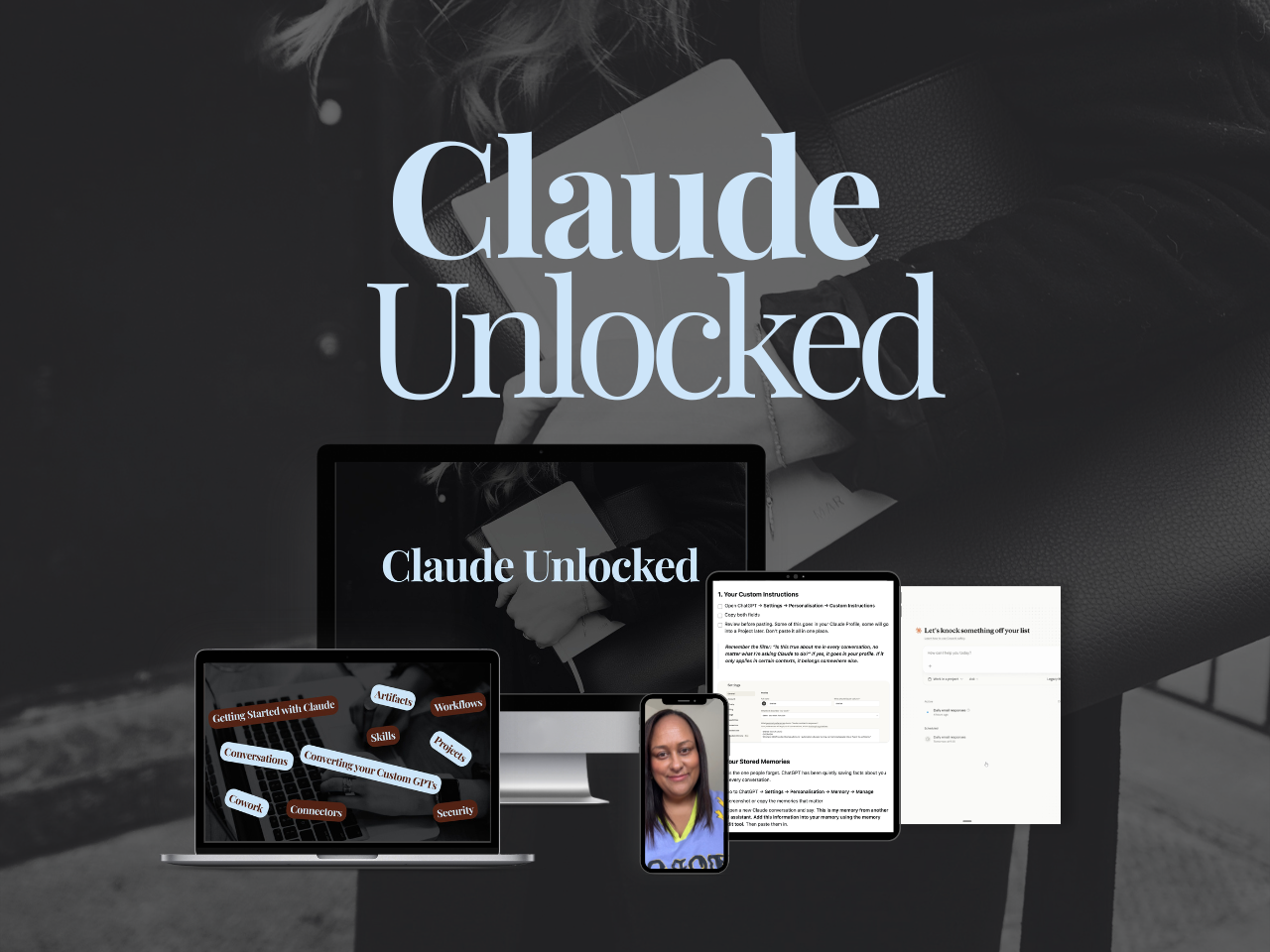
If you want to go past the setup and build Claude into a proper business system - Projects configured for your specific use cases, Skills that run your recurring work, Connectors that link Claude to the tools you already use, tasks running without you sitting there watching - that's what Claude Unlocked covers.
It's the fastest way to move through the 4 stages of using Claude as a solo founder.
It's $47 for a limited time and takes an afternoon to complete.
Stage 4: The Whole System Running
Stage 4 is where everything built in Stages 2 and 3 starts working together.
The Projects are providing the business context. The Skills are carrying the expertise and methodology. Now Connectors give Claude access to your live data and the tools your business already runs on. And Cowork and Scheduled Tasks handle the execution.
The result is a system where Claude is running actual functions, producing outputs you review rather than outputs you have to generate yourself.
Running things at this level does use more of your plan than chatting does, so it is worth knowing where your usage actually goes before you build much more.
This is not a different tool. It's the same Claude, doing the same kinds of tasks — but now it has everything it needs to do them without you being the glue between every step.
A few things the Stage 4 layer adds:
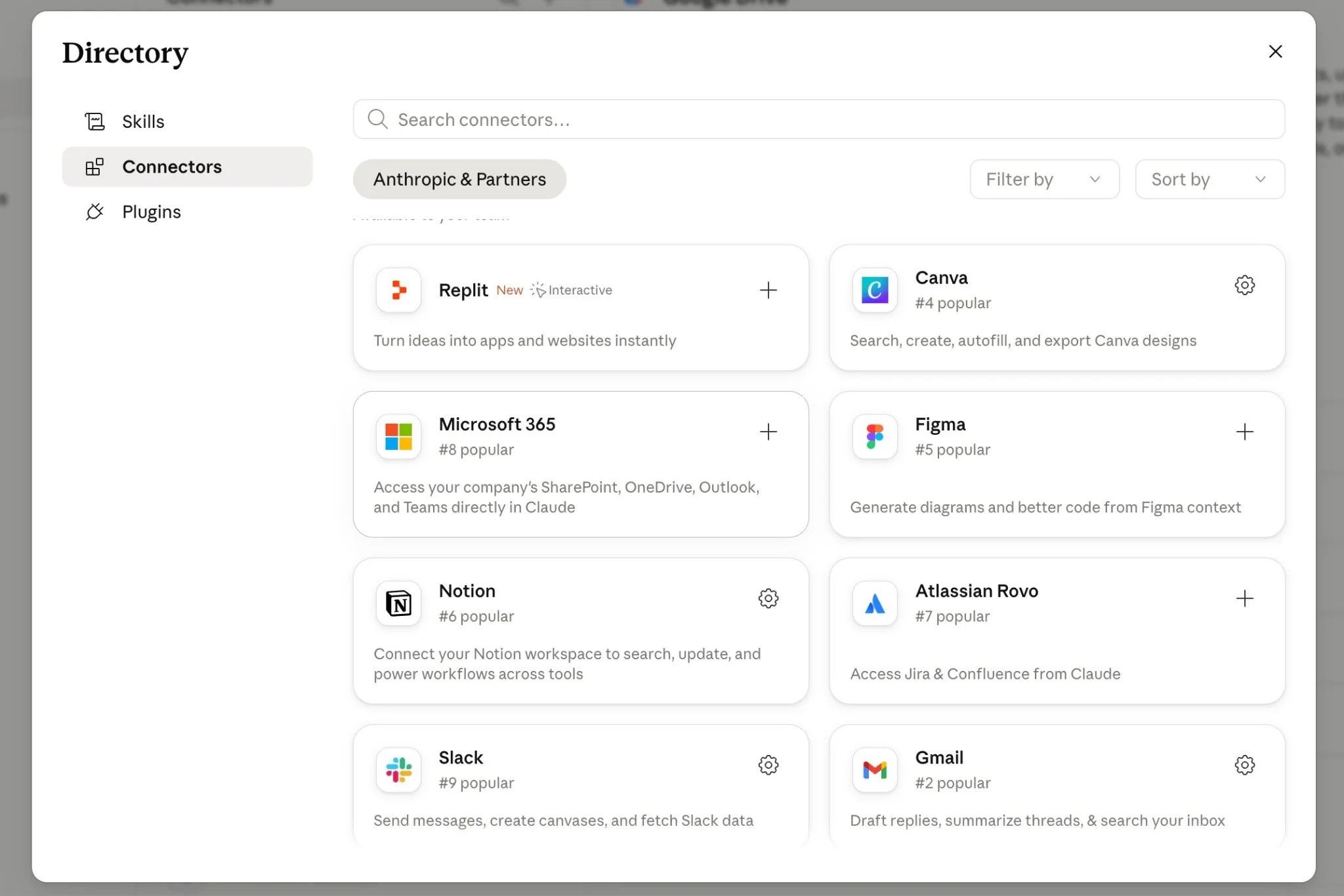
Connectors link Claude to the platforms your business already uses: Google Drive, Gmail, Notion, Google Calendar, and more. They mean Claude can pull your actual documents, reference your real data, and work from live information rather than whatever you paste into a conversation. What Are Claude Connectors covers which ones to prioritise. When you are ready to choose, these are the ten worth setting up first.
Cowork is Claude working for you rather than with you. In a regular Claude conversation, you go back and forth. In Cowork, you give Claude a task and it goes and does it — reading files, creating documents, working across multiple steps — without you managing every piece.
Scheduled Tasks take it further. These are tasks Claude runs on a schedule, without you initiating them. Weekly reports, recurring content tasks, data pulls — these happen automatically and land in your inbox or your files.
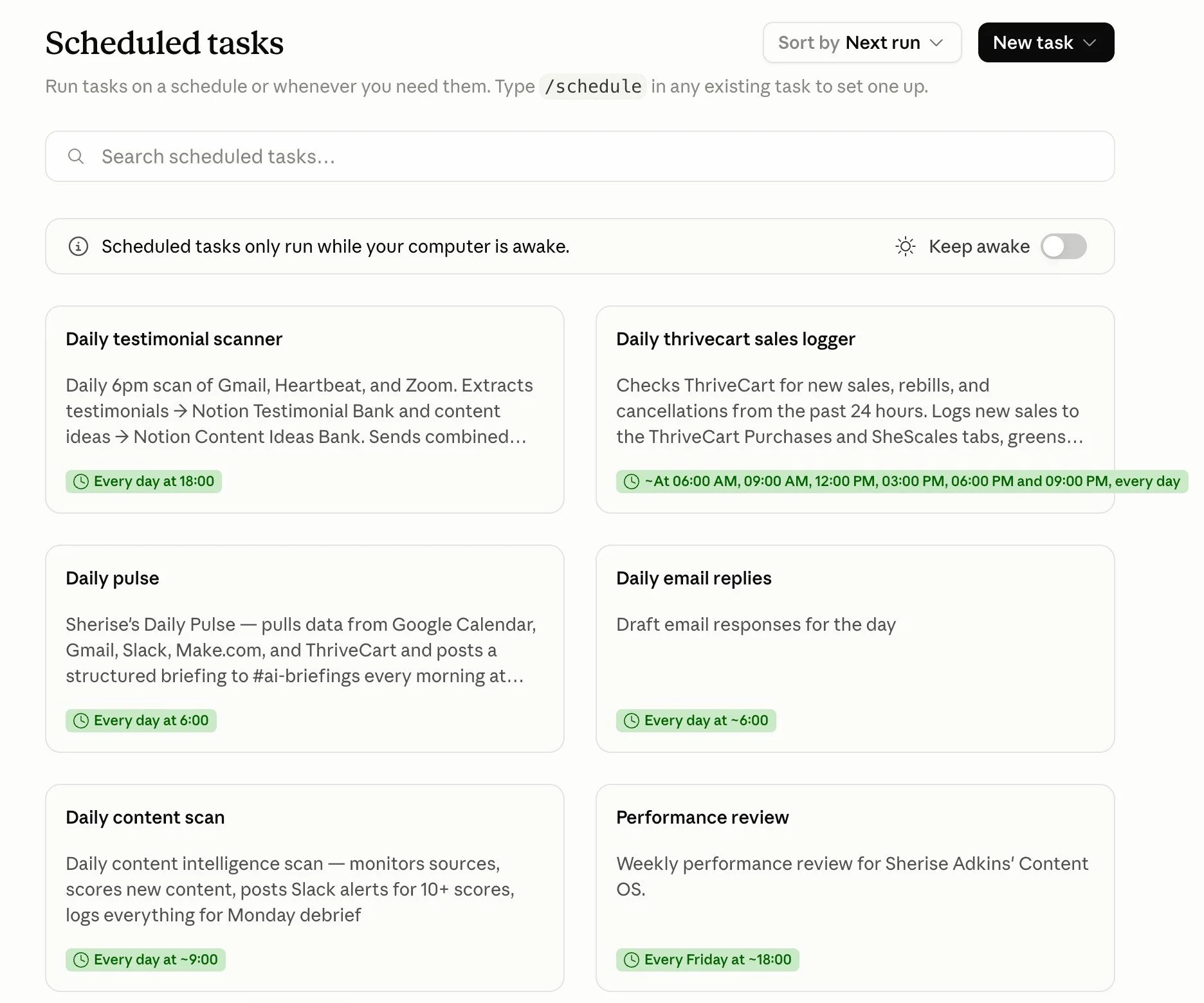
Here's what Stage 4 looks like in my business:
Every week, Claude runs a blog intelligence report. It pulls data from Google Search Console and Google Analytics, analyses what's performing and what's stalled, identifies which posts need attention, flags the strategic priorities for the week, produces a VA task list with exact wording for each action, and writes the full report. I read it. I make decisions based on it. I don't produce it. That function belongs to Claude now.
When I do an internal link audit across every live post on this blog, Claude reads every post in full, maps the existing link network, identifies the gaps, and produces a brief with exact instructions for each addition — the anchor text, the surrounding sentence, the placement on the page — formatted so a VA can action it without interpretation.
The blog writer Skill I mentioned in Stage 3 doesn't just live in one project. It works with the internal links tracker (which Claude keeps updated) and the SEO data from the weekly report, so every new post is built with current information across the board.
None of these are tasks I'm helping Claude with in real time. They're jobs Claude is running.
The way to think about Stage 4 is the 10-80-10 split. The first 10% is yours: the direction, the strategy, the standard you're working to, and what done looks like. The middle 80% is Claude's: the execution, the drafting, the analysis, the formatting, the parts that take hours but don't need your judgment. The final 10% is yours again: the review, the decisions, the sign-off before anything ships or publishes.
You stay the author. Claude handles the doing.
Stage 4 doesn't mean you disappear. Your thinking, your standards, and your judgment are still the foundation everything runs on. What changes is the execution layer, and with it, how much of your week is spent doing work that didn't need to be yours.
The Framework That Moves You Through All Four
There's a way of thinking about AI that makes it intentional rather than accidental. It's what I teach inside SheScales and what underpins every system I've built in my own business. I call it the Architect Method.
The Architect Method has Five Components:
Identifying use cases. Look at your week and your business and spot two things. The tasks that are eating your time (the captions, the emails, the sales pages) and the functions that are missing entirely (the Pinterest strategy you don't have, the data review you can't get to, the follow-up sequence you keep meaning to build). If they are repeatable processes then they qualify and are jobs for AI.
Most people approach AI the other way around: they discover a tool, then look for a problem it might solve. The architect starts from the business. What's manual? What's repetitive? What are you doing every week that isn't the work — it's the scaffolding around the work? Those are your use cases.
When a SheScales member submitted this in her build request: "There's still a lot of human glue between steps" she'd already identified her use case. She'd spotted the gap. That's where architect thinking starts.
Knowing what to build. Once you've spotted a use case, work out what context AI needs to do the job well. This is the foundations layer. Your brand voice. Your audience. Your offers. Your standards. Your "never say" list. AI doesn't create clarity. It amplifies whatever's already there. If your foundations are vague, AI will produce vague output faster. If your foundations are documented, AI does the job almost without supervision.
Choosing the right architecture. Decide how to build it. Is this a Skill (a piece of reusable knowledge AI carries into every conversation)? A Project (a workspace with persistent context for one specific job)? A multi-step workflow that connects Claude to other tools? A Cowork task that runs autonomously? Or does this thing actually need to stay manual because the judgment can't be delegated yet? Tool selection matters, but it sits inside a bigger thinking framework.
This is where most AI education gets stuck. It teaches the tools without the decision-making framework. "Here's how to build an AI assistant" is useful. "Here's how to decide whether something should be a trained assistant, an automation, a connected workflow, or stay manual" is what actually changes how you work.
Shifting from chatting to employing. This is the mindset shift, and it's the hardest one. Most people are still using AI like a search engine with personality. The shift is from "help me write a caption" to "here's your job: produce this week's content using my brand voice, my pillars, and my schedule." You stop asking AI questions. You start giving AI work.
Giving AI a job means defining what it's responsible for, what it knows, what its output should look like, and what standard it should meet. It means writing the job description before you open the chat. It means thinking about AI as something you employ, not something you consult.
Building systems, not collecting tools. A single tool doing a single job is helpful. A system running an entire function is transformational. The Pinterest workflow I described earlier isn't one tool. It's a connected sequence: blog post in, pins titles and descriptions out, graphics created, pins scheduled, pins posted, tracked. That's a system. Most solo founders are still in the prompt-collecting phase. The win is one system that runs end-to-end.
Collections don't compound. You can have 40 AI tools and still be doing everything manually. Systems compound. You build once, and it runs.
This is the thinking that transfers across platforms. Tools change. The architecture thinking doesn't. Whatever Claude looks like in twelve months, the framework still works. That's the part worth investing your brain in.
The SheScales model: Each month inside SheScales, I build a real system in my own business, pull it apart, explain every decision, and hand over every component. Members build their version. The goal isn't to copy my system. It's to install it and adapt it to your business, and to develop the thinking that lets you architect your own.
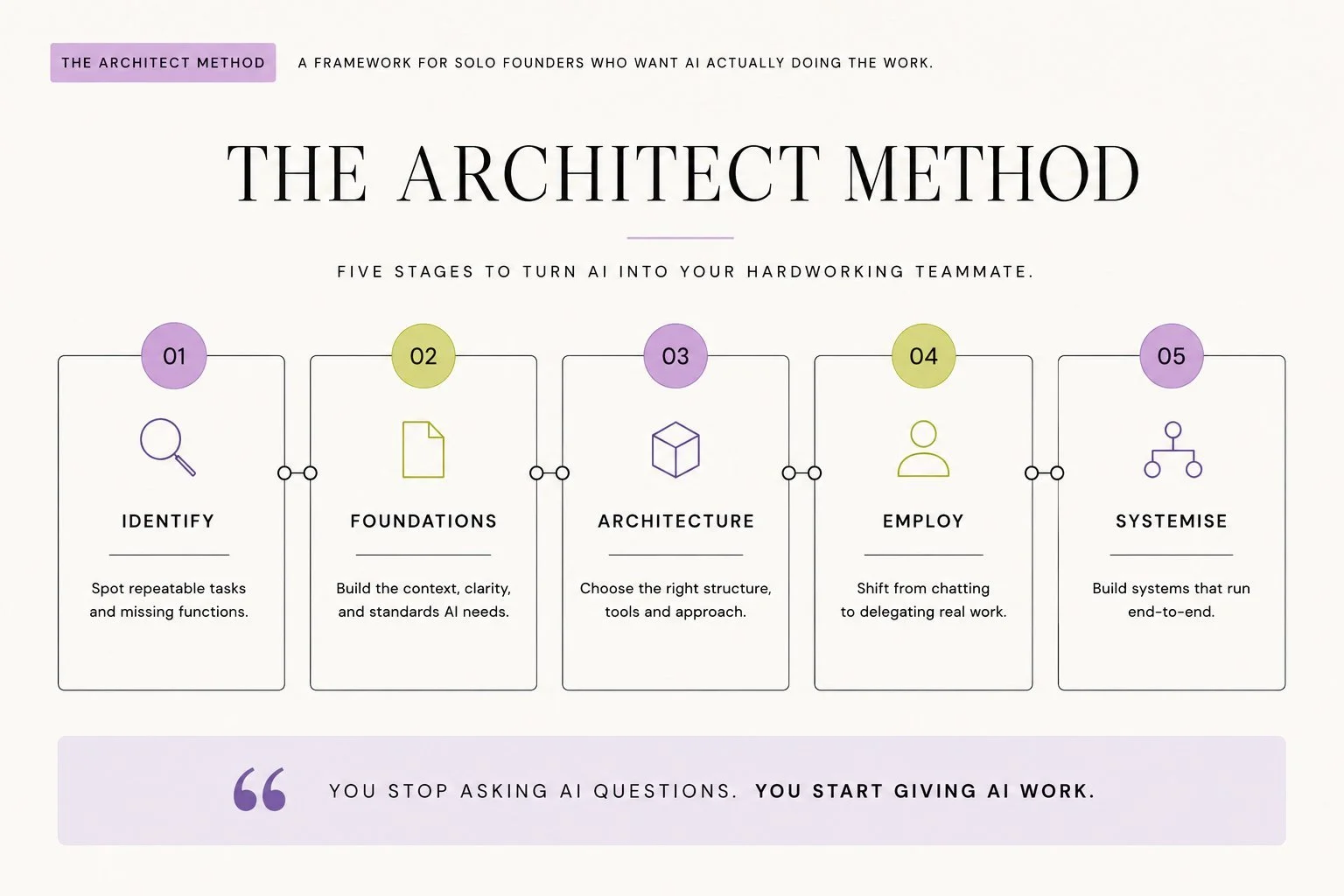
For the full breakdown of the Architect Method and what it looks like in a solo business, What Is an AI Architect covers it properly. And if you want to see how the full Claude setup (Projects, Skills, Connectors, Cowork) fits together as a complete system, Claude for Solopreneurs: Complete Guide has the full picture.
Where to Start Based on Where You Are
If you're in Stage 1:
Start with the free Claude Setup Kit. It walks you through the settings most people miss, the difference between Projects and Skills, and how to get Claude actually set up for your business. Then build your first Project for the workflow you run most often. Write specific instructions. Upload one knowledge file. The difference in your first conversation inside that project will tell you everything you need to know about why this matters.
If you're in Stage 2:
You have the foundation. The next move is your first Skill. Start with brand voice because once Claude carries your voice as a Skill, everything improves across every project and every conversation automatically. Claude Skills vs Custom GPTs explains how to build one.
If you're in Stage 3:
You're set up and compounding. The question now is what to systemise first. Pick the recurring task that costs you the most time each week. Work backwards: what does Claude need to run this with minimal input from you? Connect the tools it needs access to. Build the workflow. Test it on one real task. Refine it.
If you're in Stage 4 (or close):
You already know the compounding effect is real. The next question is what else can move. Every function that shifts from "you doing it manually" to "Claude running it" is time back in your week, permanently.
Key Takeaways
The short version of everything above:
Stage 1 is a setup problem: The quality gap between Stage 1 and the later stages isn't about how capable Claude is — it's about whether Claude has any context about your business, your voice, or how you work.
Projects close the context gap: A Claude Project with specific custom instructions and knowledge files means Claude starts every conversation knowing your business instead of starting from zero.
Skills close the expertise gap: Skills carry your methodology, voice, and processes across every Project and conversation, so Claude knows how to do your work, not just what your business is.
Stage 4 runs on the 10-80-10 split: You provide the direction (10%), Claude handles the execution (80%), you do the final review (10%) — you stay the author, Claude handles the doing.
Architecture thinking beats tool collecting: The Architect Method builds compounding systems by giving Claude a job to own, not a task to help with.
FAQs
What are the four stages of using Claude?
Stage 1 is using Claude through the chat window with no persistent context — you re-explain your business every time and spend significant effort editing output into something usable. Stage 2 is setting up Projects so Claude has persistent context about your business and produces on-brand output without the back-and-forth. Stage 3 is building Skills so Claude carries your expertise, methodology, and recurring processes across everything — not just knowing who you are, but knowing how you work. Stage 4 is the full system running: Projects, Skills, and Connectors working together, with Cowork and Scheduled Tasks handling execution, so Claude is running real functions in your business rather than just handling individual tasks.
How do I know which stage I'm at?
If you open a new tab every time you need something from Claude and spend meaningful time editing to make it sound like you, you're in Stage 1. If you have Projects with custom instructions and knowledge files and first drafts are genuinely close, you're in Stage 2. If you have Skills that carry your methodology across conversations and Claude consistently applies your process without you re-explaining it, you're in Stage 3. If Claude is running recurring functions in your business — producing outputs you review rather than create, with the underlying context and expertise already built in — you're in Stage 4.
What is the Architect Method?
The Architect Method is the thinking framework I use for building AI into a solo business. It has five components: identifying the right use cases, knowing what context to build, choosing the right architecture (Skill, Project, Connector, automation, or manual), giving AI an actual job rather than asking it for help, and building systems that run functions end to end rather than collections of individual tools. It's the framework taught inside SheScales.
Do I need to be technical to reach Stage 4?
No. Everything described in this post was built without writing a single line of code. Reaching Stage 4 is about thinking clearly about what AI needs to run a job, building the right context and expertise layers underneath, and connecting the right tools. None of that requires technical skill. It requires knowing your business well enough to brief someone on how to run it — and as the person who IS the business, you already do.
What to Do Next

If you're just getting started, grab the free Claude Setup Kit.
It walks you through the full foundation: settings, Projects, Skills, and Connectors — with the exact steps to get Claude actually working for your business.
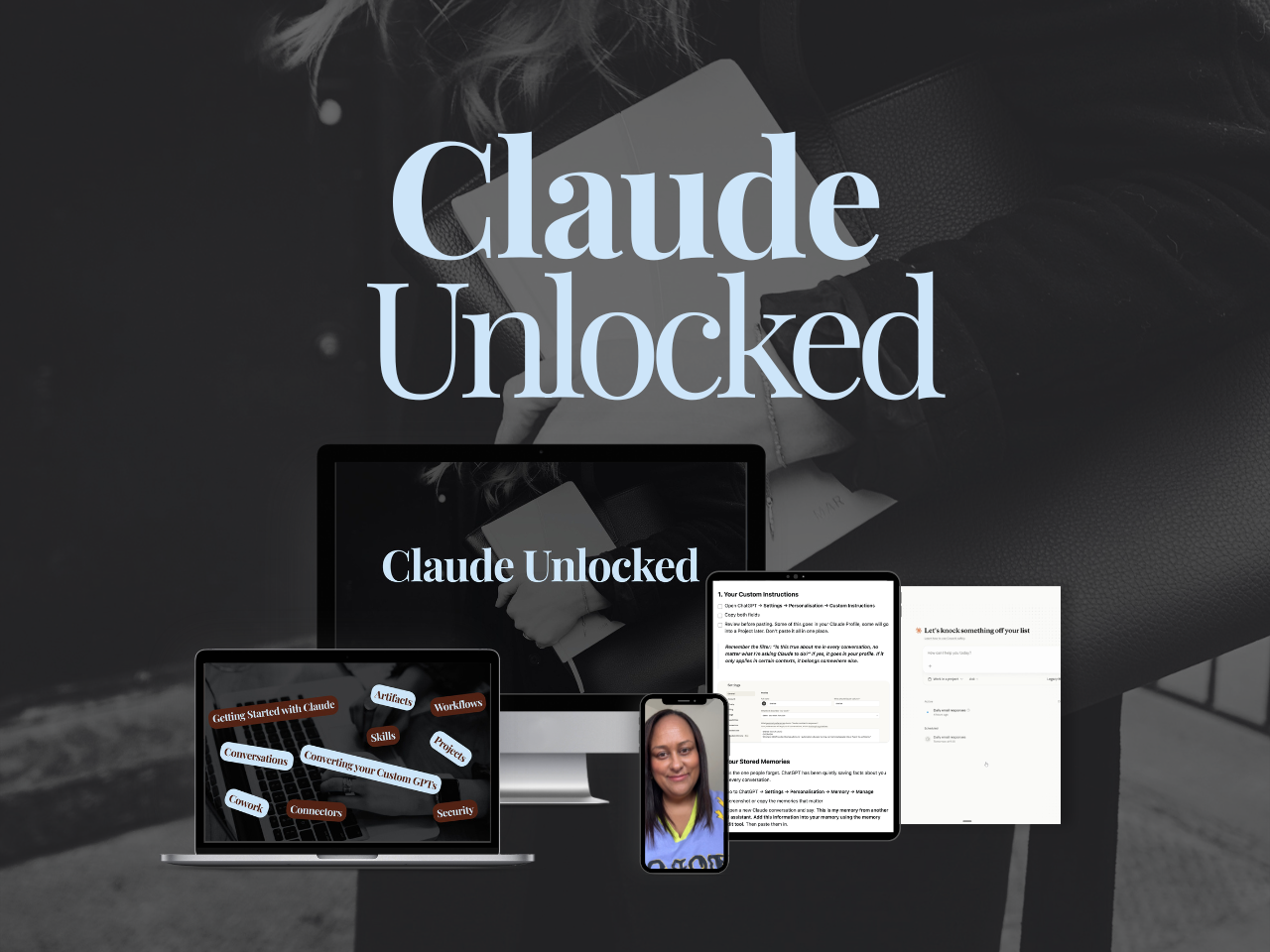
If you want to move through the stages faster and get the full setup done properly, Claude Unlocked covers everything with real examples from a solo business. Most people have their first Project running before they finish it.
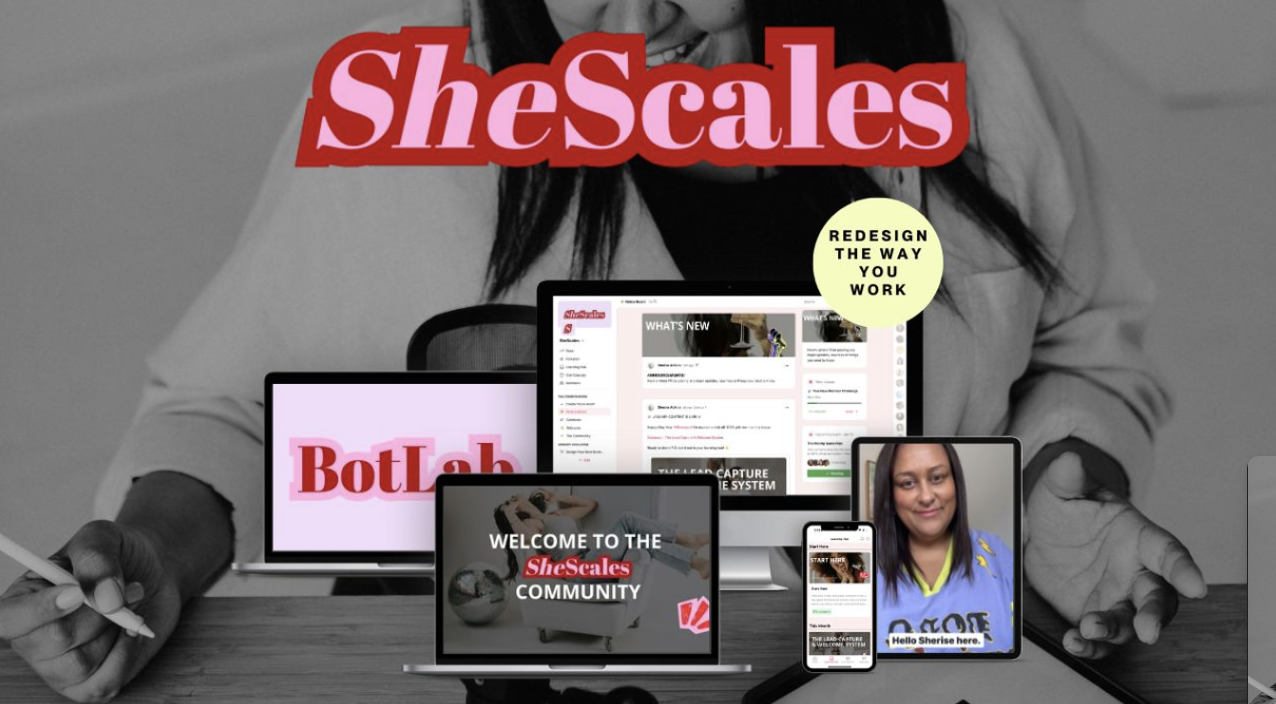
If you're past the setup stage and want to build Stage 4 systems in your business, SheScales is where that happens. Each month I take a real function in my own business, build the system that runs it, and hand over every component so you can build your version. Live calls, daily support, a room full of solo founders actually building.
MEET THE AUTHOR

HEY, I'M SHERISE
I'm an AI strategist and educator based on the Central Coast of NSW, Australia. I help solo founders install AI systems that scale their business without scaling their workload and remove low-value work from their business so they can spend more time in strategy, creativity, and the work that actually moves the needle.
I run SheScales, the AI implementation community built for the person who IS the business and the whole team. I'm the founder behind 40+ AI assistants across ChatGPT and Claude, the Brand Playbook App, and a growing library of skills and systems used daily by hundreds of solo businesses.
I teach the Architect Method: the shift from chatting with AI to giving AI a job. It's the thinking framework for spotting where AI can genuinely help in your business, knowing how to architect the system, and deciding whether something should be a Skill, a Project, a GPT, an automation, a combination of these, or stay manual.
I'm not here to inspire you. I'm here to hand you the architecture.