What Is ChatGPT Work? (And What It Actually Does)
Last updated October 2026
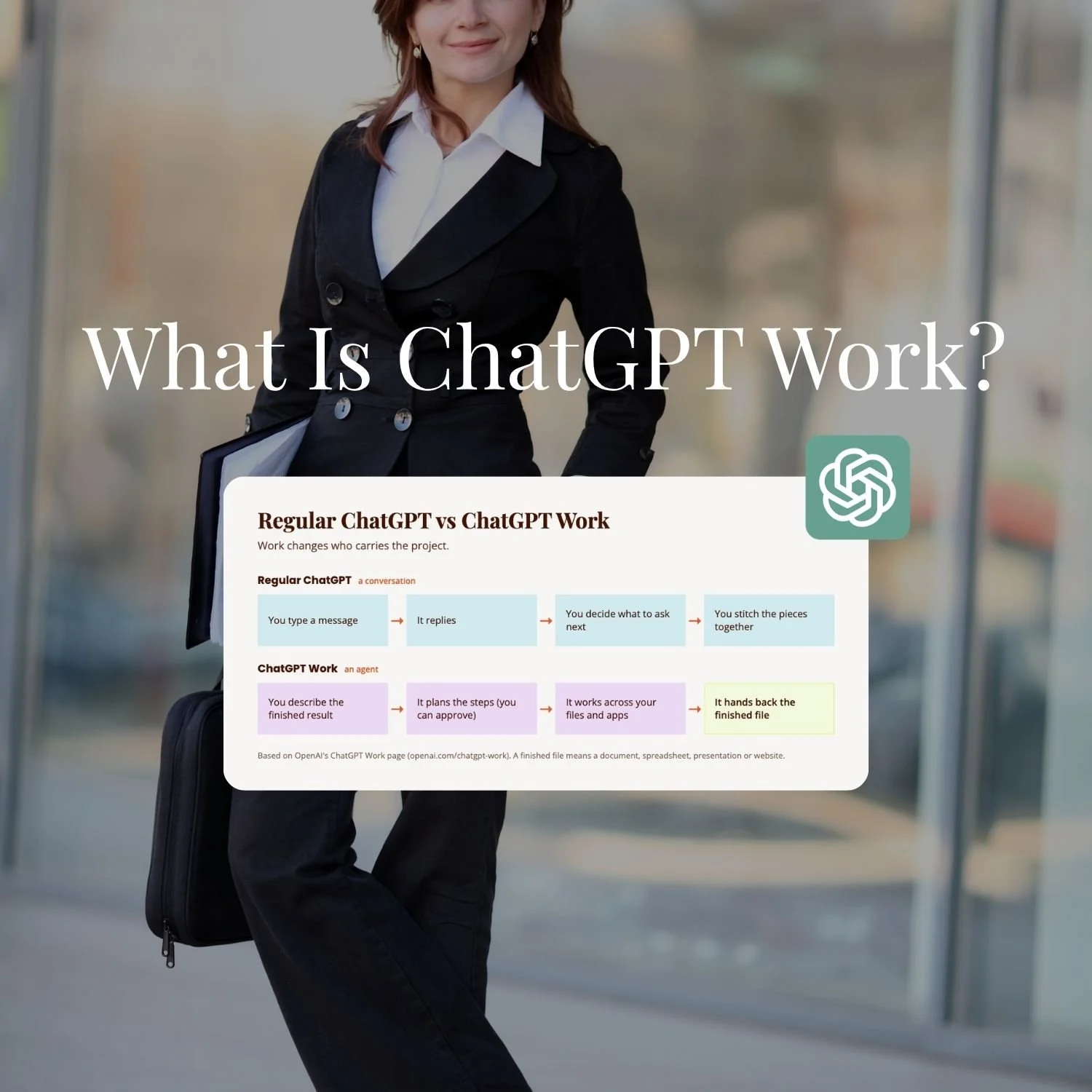
ChatGPT Work is OpenAI's answer to Claude Cowork: an agent inside ChatGPT that takes a whole job from you, works through it in steps, and hands back a finished file.
It launched in July 2026 and it's on every ChatGPT plan through the desktop app, with the fuller version starting at Plus.
Regular ChatGPT is the friend you text for advice. Work is the assistant you hand a brief.
TL;DR:
ChatGPT Work is ChatGPT's agent for whole jobs: you describe the finished result, it plans the steps, works across your files and apps, and hands back the document, spreadsheet, slides or site.
It's on every plan through the macOS and Windows desktop app, with limited access on Free and Go, and Plus (A$30 a month on OpenAI's Australian pricing page) opens it up on web and mobile too.
Inside it you get Plan mode, more than 1,400 plugins, Sites, scheduled tasks and a built-in browser, with the browser on the desktop app.
Start on the free desktop app with one job that ends in a file, and read Work's plan before you approve it.
A solo founder gets the most from it on jobs that end in a document, spreadsheet or site, and it's only as good as the context and tools you give it.
New here? This blog is for the solo founder who wears every hat in the business and wants real AI systems and workflows running things, not just piecing it together in the chat. Start here →
Here’s what we’ll be covering:
What Does ChatGPT Work Actually Do?
The thing that makes Work click is realising you have to stop asking it questions and start giving it jobs. You’ll find more of that in my walkthrough of the new ChatGPT.
ChatGPT Work takes a goal, gathers context from your tools and files, plans an approach, and then takes action across them to produce the finished thing: a spreadsheet, a document, a set of slides, a report or a website. OpenAI says it can also follow your templates and preferred formats, which is handy if you have a brand playbook and a very particular idea of what a proposal looks like.
A question like "what are my competitors charging?" gets you a paragraph. A job like "pull together a competitor pricing comparison for these five businesses and hand me a spreadsheet" gets you the spreadsheet. Finished.
How Is ChatGPT Work Different From Regular ChatGPT?
Regular ChatGPT is a conversation, and it's good at the message in front of it. The catch is that the project lives in your head, not in the chat. If you've ever got a great answer and then spent the next hour turning it into the actual document, that's the gap Work is built for.
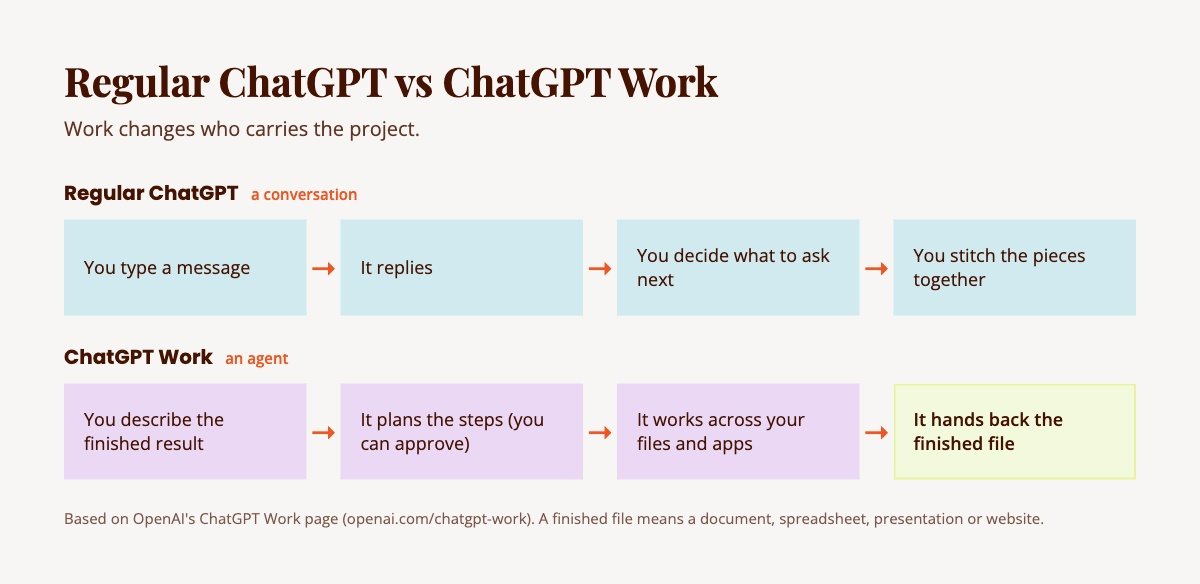
Work changes who carries the project. It's an agent, which just means a model that can use tools and keep going through several steps instead of stopping after one reply. Three things make that happen in practice.
It plans before it acts. In Plan mode, ChatGPT gathers context, asks you questions and writes a step-by-step plan. You can suggest changes or approve it, and only then does the work start.
It works where your stuff already is. It can act across your tools, files and desktop apps, and the desktop app has a built-in browser with multiple tabs, so it can work through websites and accounts as well.
It keeps going without you watching. You can check progress from your phone when you're away from your desk.
Is ChatGPT Work the Same as Claude Cowork?
ChatGPT Work is the closest thing ChatGPT has to Claude Cowork. Both take an outcome from you, use the tools and files you've connected, work through the job in steps, and return the actual thing rather than a chat reply. I'm platform agnostic, so I'm not here to sell you a side.
My system is set up so I can point Claude, or ChatGPT Work, at it, depending on the job. The full head-to-head is in ChatGPT Work vs Claude Cowork: Which Should You Use?
My read since launch week is that learning to hand either one a proper brief carries across both.
The Parts of ChatGPT Work Worth Knowing About
A good brief needs something to carry it out, and beyond Plan mode and the built-in browser, three parts of Work do that.
Plugins. OpenAI says there are more than 1,400 plugins available, which is how ChatGPT pulls context from the tools and workflows you already use. Whether the tool you care about is on that list is the first thing I'd check, because 1,400 sounds like plenty right up until yours isn't one of them 😅
Sites. Sites turns ideas, plans and data into interactive websites and web apps you can share, and keeps them up to date as the information changes. Think dashboards, project trackers, launch calendars and reports. Sites is the one I'd try first. In my walkthrough: "I love, love, love Sites. It's the one feature in this entire rebuild that I think genuinely beats what Claude currently offers for the same job, and I don't say that lightly given where my loyalty sits."
Scheduled tasks. You can set one-time or recurring tasks and have it monitor for updates, which is the piece that lets Work keep going while you're away.
All of these work better when ChatGPT already knows how you like things done.
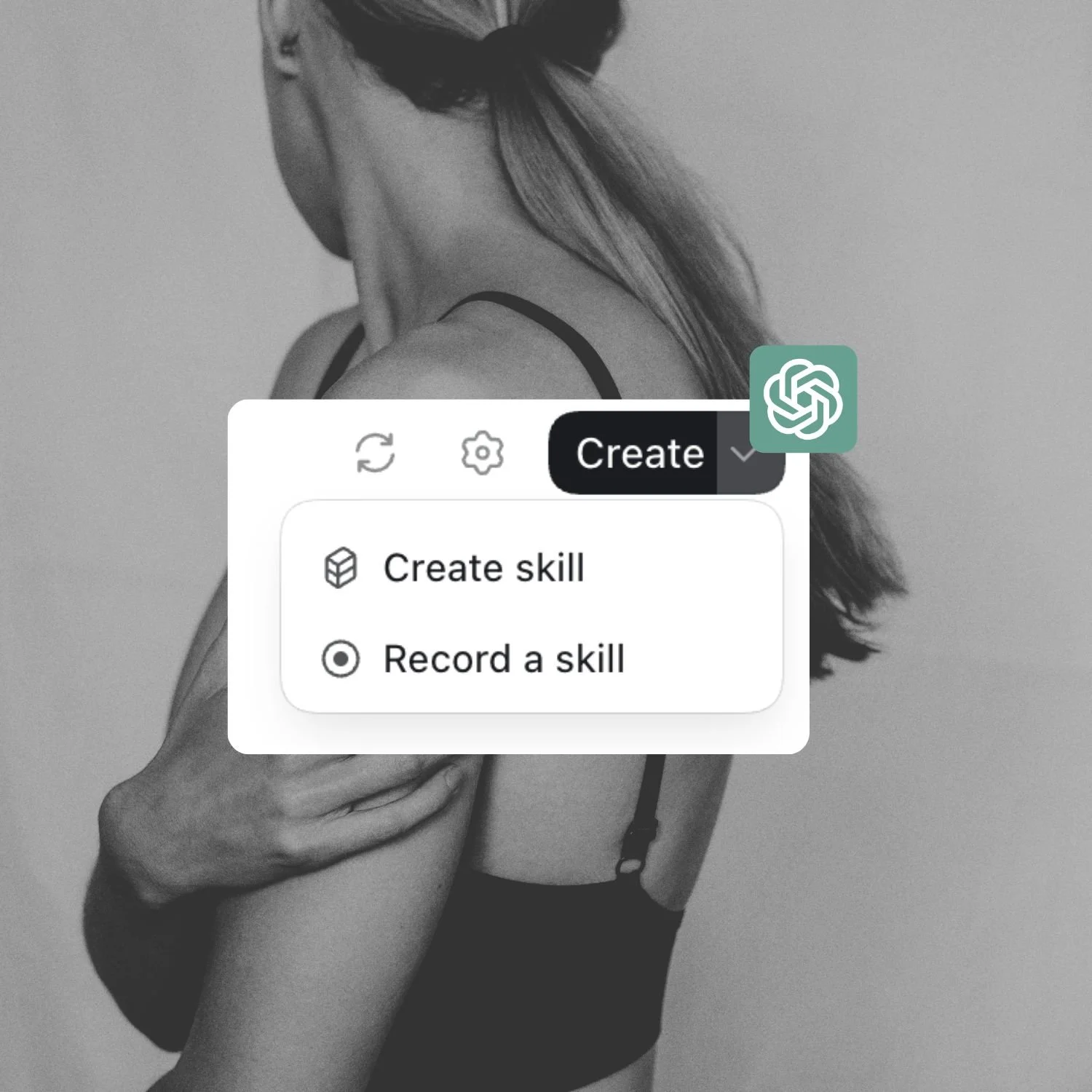
A Skill is a saved set of instructions for how you want a job done, so Work follows your way instead of starting cold every time. My free ChatGPT Skills Guide will show you exactly how to set them up.
Which ChatGPT Plan Do You Need for Work?
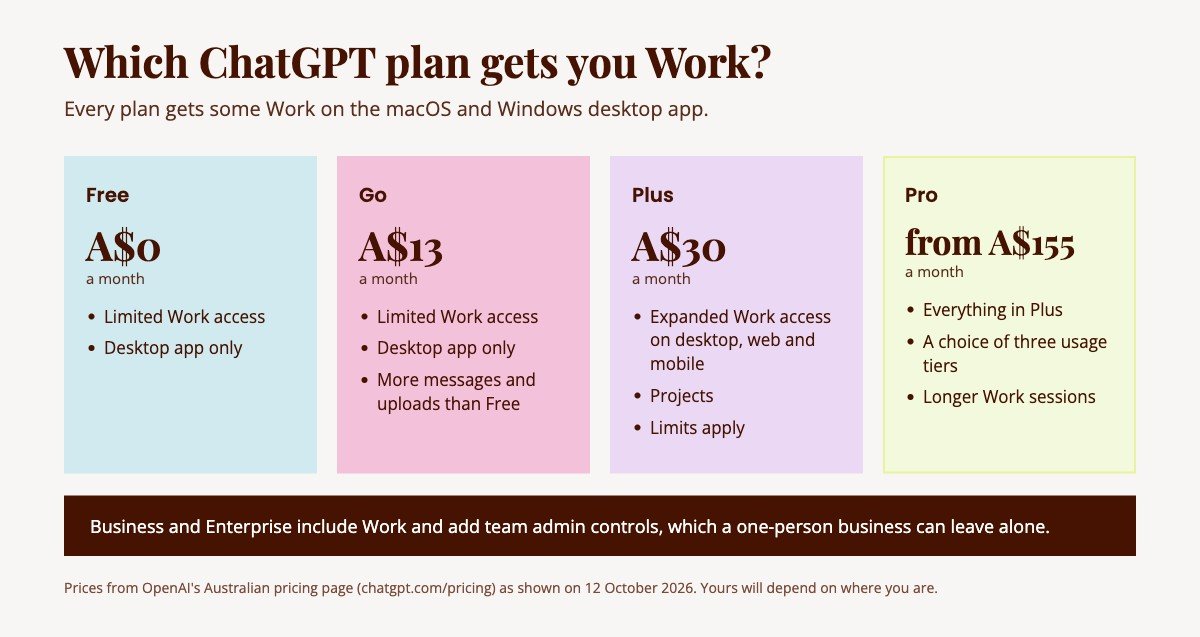
Most people asking this want to know whether they have to pay to try it, and you don't. OpenAI says Work is available on all plans on the macOS and Windows desktop app, and on Plus, Pro, Business, Enterprise and Edu on web and mobile as well.
Here's what that looks like on OpenAI's pricing page, in Australian dollars as it showed on 12 October 2026 (yours will depend on where you are):
Free, A$0 a month. Limited ChatGPT Work access on desktop.
Go, A$13 a month. Everything in Free plus more messages, uploads and image creation, with the same limited Work access on desktop.
Plus, A$30 a month. Expanded access to ChatGPT Work on desktop, web and mobile, plus projects. Limits apply.
Pro, from A$155 a month. Everything in Plus with a choice of three usage tiers and longer Work sessions. For the record, I'm on Pro.
Business and Enterprise plans include Work too and add team admin controls, which a one-person business can leave alone.
Does a Solo Founder Actually Need ChatGPT Work?
ChatGPT Work suits a solo founder's jobs that end in a deliverable and get done occasionally rather than every morning. My own verdict on the automate-and-walk-away side is one line from my walkthrough: "For anything you'd automate and walk away from, I'd still reach for Claude first."
I use ChatGPT Work every couple of days, and these are the tyes of jobs it suits:
A competitor pricing comparison as a spreadsheet.
A one-page site tracking a launch.
A report pulled together from files that already sit in your Drive or inbox.
What decides how good the result is comes down to setup.
Work pulls context from the tools and files you connect, so a job described in one line with nothing connected gets you a generic result, and the same job with your templates, your files and your tools behind it gets you something you'd send.
That setup is the part we pull apart inside SheScales, my AI implementation community, where each month I build one real system in my own business and hand over every component: the Skills, the Project instructions and the workflows.
Where ChatGPT Work Falls Short
ChatGPT Work's scheduled tasks annoyed me most, because they're hard to find, and they have a max limit. As I wrote in the walkthrough, "The setup isn't hard once you find it. Finding it is the friction."
The other limits come from the plans. Free and Go get limited Work access and only on desktop, and even Plus says limits apply, so a job that runs for a long time on a lot of files can meet a ceiling before it finishes.
There’s also a maximum number of scheduled tasks you can have running which is very limiting.
And then there's access. Work can reach into your tools and files, so how much you let it see matters.
How Do You Start With ChatGPT Work?
Step one: install the desktop app. It's the one place every plan, including Free and Go, gets some Work, so it costs nothing to see whether it earns a place in your week.
Step two: switch on Work. In the desktop app, choose ChatGPT (not Codex) in the top left corner and start a new chat. At the top of the chat there's a toggle between Chat and Work, so pick Work.
Step three: describe a finished thing. Pick one job that ends in a file, and write it the way you'd brief a person: what it's for, what it should contain, what format you want it back in. "A competitor pricing comparison for these five businesses, as a spreadsheet" is a brief. "Tell me about my competitors" is a question, and a question gets you a chat.
Step four: read the plan before you approve it. Plan mode shows you the steps before anything happens. That's the cheapest moment to correct a wrong assumption.
Step five: correct it mid-flight. As I put it in the walkthrough, "Work is built to be corrected mid-flight." Starting a fresh chat every time it gets something slightly wrong throws away all the context you just gave it.
What to Do Next
If you've been curious about ChatGPT Work, give it one job this week. Then see what comes back 😊
SheScales is my AI implementation community, built for the person who IS the business and the whole team. Each month I build a real system inside my own business, pull it apart, explain every decision, and hand over every component so you can build your version, whichever tools you end up using. I’d love for you to join us in there.
Key Takeaways
ChatGPT Work takes a whole job and returns the finished file, where regular ChatGPT answers one message at a time.
Every plan gets some Work on the desktop app, and Plus is where it opens up on web and mobile.
Plan mode, plugins, Sites, scheduled tasks and the built-in browser are the parts that matter, and Sites is the one I'd try first.
It's OpenAI's counterpart to Claude Cowork, and learning to hand either one a proper brief carries across both.
The quality of what you get back depends on the context and tools you connect, so the setup is the real work.
FAQs
What is ChatGPT Work?
ChatGPT Work is an agent inside ChatGPT that takes a whole job, plans the steps, works across your files and connected apps, and returns a finished document, spreadsheet, presentation or website. It launched in July 2026 and sits alongside regular chat and Codex, OpenAI's coding agent, in the ChatGPT app. You describe the result you want, review its plan if you like, and it does the work.
Is ChatGPT Work free?
Partly. OpenAI says Work is available on all plans on the macOS and Windows desktop app, and its pricing page lists limited Work access on Free and Go. Plus, at A$30 a month on the Australian pricing page, has expanded access on desktop, web and mobile. Limits apply on every plan, so a long job can hit a ceiling before it finishes.
Do I need the desktop app to use ChatGPT Work?
On Free and Go you do, because desktop is the only place they get Work. On Plus, Pro, Business, Enterprise and Edu you can also use it on web and mobile. The built-in browser, with multiple tabs, is part of the desktop app.
Is ChatGPT Work the same as Claude Cowork?
They do the same kind of job. Both take an outcome from you, use the tools and files you've connected, work through it in steps and return the actual thing. Work is OpenAI's and Cowork is Anthropic's. I compare them properly in ChatGPT Work vs Claude Cowork.
Can ChatGPT Work run tasks on a schedule?
Yes. You can create one-time or recurring tasks, have it monitor for updates, and check progress from your phone. I found them harder to locate in the app than they should be.
MEET THE AUTHOR

HEY, I'M SHERISE
I'm an AI strategist and educator based on the Central Coast of NSW, Australia. I help solo founders install AI systems that scale their business without scaling their workload and remove low-value work from their business so they can spend more time in strategy, creativity, and the work that actually moves the needle.
I run SheScales, the AI implementation community built for the person who IS the business and the whole team. I'm the founder behind 40+ AI assistants across ChatGPT and Claude, the Brand Playbook App, and a growing library of skills and systems used daily by hundreds of solo businesses.
I teach the Architect Method: the shift from chatting with AI to giving AI a job. It's the thinking framework for spotting where AI can genuinely help in your business, knowing how to architect the system, and deciding whether something should be a Skill, a Project, a GPT, an automation, a combination of these, or stay manual.
I'm not here to inspire you. I'm here to hand you the architecture.