How to Actually Use ChatGPT Now (Work, Codex, GPT-5.6 and Everything Else That Changed)
Last updated September 2026

I built the entire AI layer of my business on ChatGPT. Then ChatGPT 5 arrived and I hated it. Properly hated it. The writing turned to mush, the responses felt lazy, and I made the call to move to Claude.
So when OpenAI rebuilt the whole thing this year, new models, a new desktop app, an actual agent called Work, I expected more of the same dressed up differently.
I wasn't trying to be won over. But... maybe I was.
What surprised me wasn't the new interface. It was the model itself. And the feature that pulled me back in wasn't one of the loud ones, it was Sites, which I nearly scrolled straight past. I'm not switching off Claude. I'm just not pretending ChatGPT doesn't exist anymore and am sharing the love.
ChatGPT had a genuine rebuild in 2026: new GPT-5.6 models (Sol, Terra and Luna), an agent called Work, Codex for anything technical, and a proper website builder called Sites. If you tried ChatGPT and left after GPT-5, it's worth a second look, but not every feature is on every plan, and the model picker works completely differently depending on which part of the app you're standing in.
TL;DR:
The app is not three things side by side, and this is the bit that confuses everyone. It's ChatGPT and Codex in the top-left menu, and then Chat and Work as a toggle inside ChatGPT. Get that and the rest stops fighting you.
There are two different model pickers. In ordinary Chat you don't choose a model at all, you choose a reasoning level. In Work and Codex you choose an actual model. Nobody tells you this and it's why people think the picker is broken.
GPT-5.6 (Sol, Terra, Luna) is a genuine jump from GPT-5, not a marketing refresh, and it's the reason I'm using ChatGPT for writing again.
Sites is the standout: ChatGPT builds and publishes a live website from a prompt, but it's still in public beta, it isn't on Free or Go, and it defaults to private until you actively publish it.
The free tier now carries ads. Free and Go only, never Plus or Pro, and there are real controls sitting in settings most people never open.
The verdict: worth using again for writing, research and Sites. Claude still wins on how automation feels to set up.
New here? This blog is for the solo founder who wears every hat in the business and wants real AI systems and workflows running things, not just piecing it together in the chat. Start here →
Here’s what we’ll be covering:
What Actually Changed
Three things shipped, and they landed close enough together that most people experienced them as one confusing morning.
A new model family called GPT-5.6, in three tiers: Sol, Terra and Luna.
A rebuilt desktop app that splits ChatGPT into Chat and Work, and keeps Codex as its own separate view.
And a handful of new features worth knowing about: Sites, which builds and publishes a real website from a prompt, a proper Skills system that didn't exist in this form six months ago, and a live voice interface that works inside Work and Codex on the desktop app.
GPT-5.6 went fully live on the 9th of July across ChatGPT, Codex and the API, after a short preview window most people never saw. Three weeks later, on 30 July, OpenAI cut Luna's price by eighty percent and Terra's by twenty. That's the tell worth noticing: a genuinely cheaper generation, not just a newly marketed one.
The desktop app change happened separately, and it's the one that trips people up. So that's where we're starting.
How the New ChatGPT Is Laid Out
I opened the desktop app for the first time and stared at it for a good minute trying to work out what I was looking at.
Here's the thing nobody says clearly, so I'll say it first and everything after gets easier. It is not three equal things sitting next to each other. OpenAI's own wording is that ChatGPT "includes Chat and Work, plus Codex in the desktop app."
So the actual shape is two levels:
Top-left menu: switches you between ChatGPT and Codex. These are separate views with separate histories.
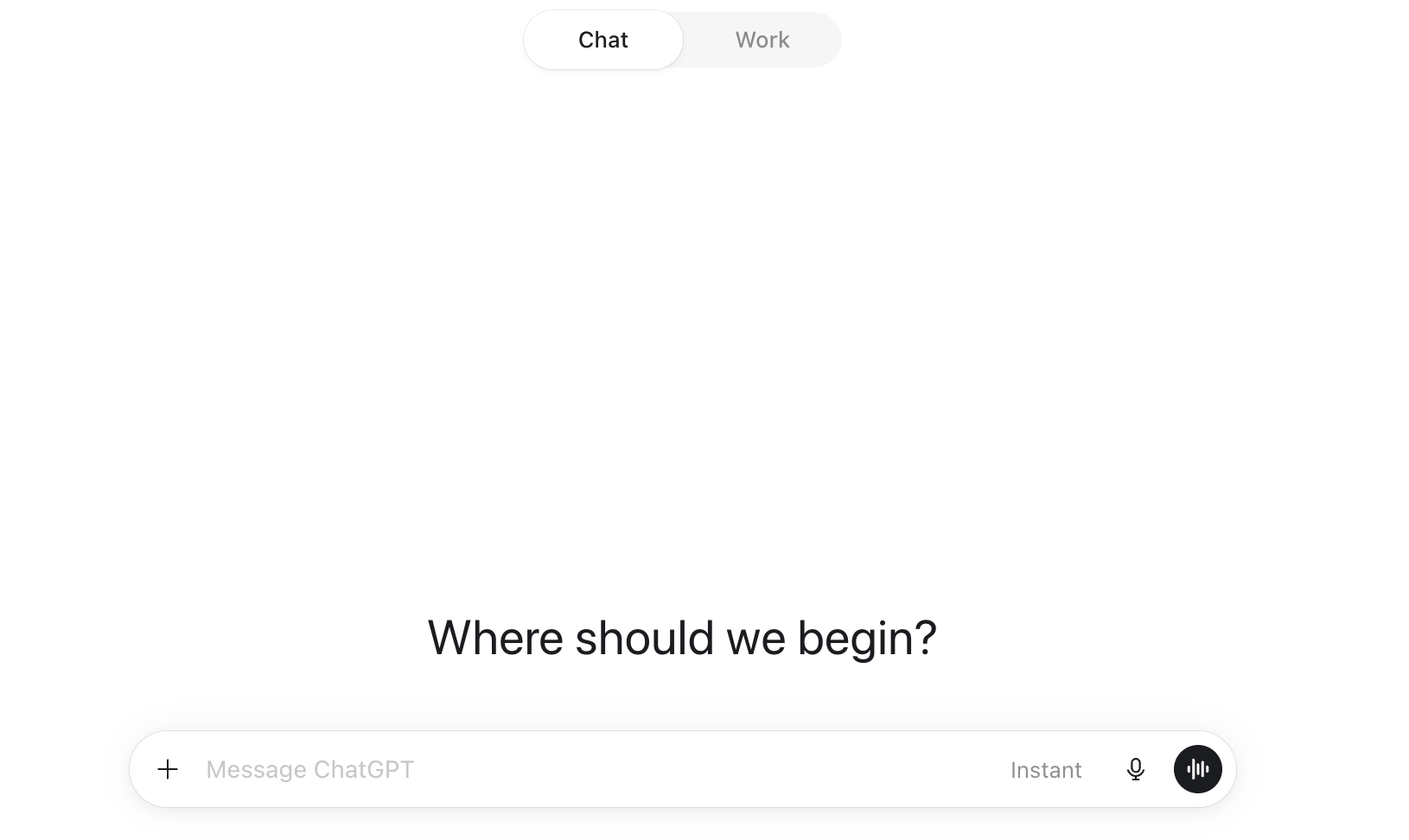
Inside ChatGPT: a toggle at the top of the page switches you between Chat and Work.
That's it. Once that clicks, the rest of the app stops feeling like it's hiding things from you.
What each one is for:
Chat is the ChatGPT you already know. Quick questions, brainstorming, searching, everyday back and forth.
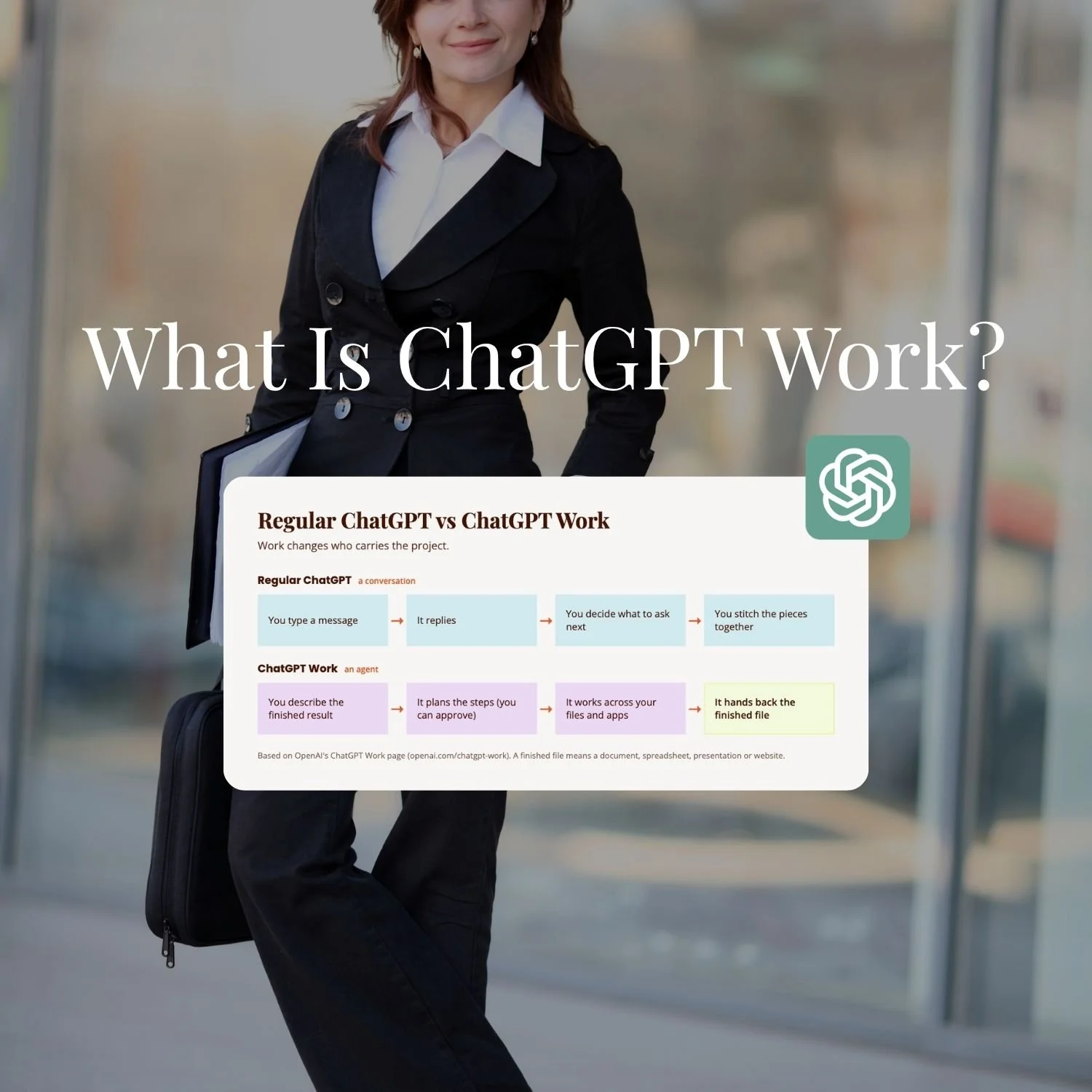
Work is the new one, and it's ChatGPT's answer to Claude Cowork. Give it a proper job instead of a question and it goes and does it: research a topic, pull the pieces together, hand you back a finished document, spreadsheet, presentation, report, or a Site.
Codex is the technical one and it stays separate on purpose. Local folders, repositories, terminals, developer tools. If you're not writing code, you can genuinely ignore it.
Then there's the second axis, which is where you're standing when you use them. This is the bit that generates most of the "why can't I see it" questions, so here it is as a grid rather than buried in a paragraph:
| Web | Mobile | Desktop app | |
|---|---|---|---|
| Chat | Yes | Yes | Yes |
| Work | Yes, cloud only | Yes, cloud only | Yes, and it can reach local files with permission |
| Codex | No | Check on a running task only | Yes, full |
One practical detail that will save you a confused afternoon: cloud Work chats sync across web, mobile and desktop, but local chats stay on the computer you started them on. Start something local on the laptop and it will not be waiting for you on your phone. That's by design, not a sync failure.
Voice is worth a line here too, because it lives in this same map. There's now a live voice interface inside Work and Codex where you can talk, interrupt naturally and ask it to start tasks, and it's desktop only, macOS and Windows. I haven't used it yet, so I can't tell you how it feels in practice, only that it exists and where it lives.
Which Plan Do You Actually Need?
I went straight to Plus and I'd do it again, but not for the reason the pricing page pushes.
Here's what each plan unlocks, priced for an Australian card, pulled from OpenAI's current pricing page rather than a guess:
| Plan | Price (AUD) | What you actually get |
|---|---|---|
| Free | $0/month | GPT-5.6 Luna in Chat, limited Work and Codex on desktop, ad-supported |
| Go | $13/month | More messages, uploads and voice chats than Free, still ad-supported |
| Plus | $30/month | Sol in Chat at Medium and High reasoning, all three models inside Work and Codex, Sites, Work across web, mobile and desktop |
| Pro | From $155/month | Everything on Plus, plus Extra High and Pro reasoning, and 5x to 20x the usage |
Plus is the answer for almost everyone reading this. It's the first tier where Work runs everywhere instead of just the desktop app, the first with real model choice inside Work, and the first with Sites. I'm on Plus and it hasn't limited me yet.
Pro exists for people running long agent tasks back to back, the way you'd think about Claude Max. Unless Plus is already hitting its ceiling on you weekly, it isn't where you start.
One thing that's changed about the free tier is that ChatGPT now shows ads, and OpenAI is clear about who sees them: Free and Go only. Plus, Pro, Business, Enterprise and Edu accounts get none. The rollout started in the US in February and has been expanding market by market since, so check OpenAI's own page for where it's landed rather than trusting a list in a blog post, including mine.
The useful part is that you have controls, and they're sitting in a settings menu almost nobody opens. Settings > Ad Controls. You can turn ad personalisation off, and if you do, you'll still see ads matched to the conversation you're in, just not ones built from your chat history, past topics and ad behaviour. There's also a free no-ads option, and the trade is real: fewer messages a day and no access to tools like image generation. Ads never appear in Temporary Chats, and OpenAI states they don't influence the answers themselves.
If ads on the free tier bother you, that's a genuine reason to go to Plus. It just isn't the only one.
Which Model and Effort Should You Pick?
There are two completely different pickers in this app and they offer you different things.
In ordinary Chat, you don't pick a model at all. You pick a reasoning level, and Sol powers all of them on paid plans. Your options are Instant, Medium, High, Extra High and Pro. On Plus you get Medium and High. Extra High and Pro are Pro-plan and above, so if you've been looking for them on Plus, they were never there. Free and Go don't get Sol at all: they get Luna, and their Think option runs on Luna too.
There's also an automatic setting worth knowing about. ChatGPT can decide to use more reasoning on a complex request while Instant is still selected, and you turn that on or off under Settings > General > Higher intelligence.
In Work and Codex, you pick an actual model. This is where Sol, Terra and Luna show up as real choices. Sol for complex, open-ended work. Terra for the balance of capability, speed and cost. Luna for fast and cheap. On Plus you get all three inside Work, and this is the single most useful thing to know about the whole picker situation:
Terra and Luna are not selectable in ordinary Chat. OpenAI says it plainly. If you've read about Terra and gone looking for it in a normal conversation, it isn't hiding. It's in Work.
What I actually use: in Work, Terra on high effort. Not the flagship. I know that sounds like the wrong answer, because everything about the naming pushes you toward Sol, but Terra with the effort turned up gets me where I want to go and gets there faster. Try Sol when a job is genuinely open-ended and you can feel Terra straining. Most of the time, it doesn't.
The Settings Worth Changing Before You Do Anything Else
Three settings, and they take about ten minutes together.
Custom instructions. This is the one that changes every conversation from here on. Say how detailed you want answers, what tone to default to, what it should check with you rather than assume, and whether you want it skipping the basics because you already know your field. Free and Go get 1,500 characters. Plus and above get 5,000. Do it properly once instead of never.
Memory. It's not something you manage line by line anymore. Per OpenAI's Memory FAQ, ChatGPT updates a lot of what it holds about you automatically, based on what you've told it across chats. Go and read it. Ask it straight out what it remembers about you, delete anything wrong, and turn it off entirely if you'd rather. Under any response, tap the book icon to see exactly what shaped it: custom instructions, memory, past chats, files. Worth doing the first time something comes back feeling off.
Two honest limits on memory. It will sometimes hold onto a temporary detail as though it were permanent, so it needs the occasional correction. And it isn't the place to store anything your business actually depends on. That belongs in a project, in a file, somewhere you control.
Data controls. In Settings, find "Improve the model for everyone" and turn it off if you don't want your chats used for training. It doesn't touch your chat history, only whether OpenAI can learn from it. One toggle, whole account.
Do those three before your first real task. Everything after this works better for it.
Your First Real Task in Work
Open Work first, even though every instinct you have says open Chat.
The thing that made Work click for me was realising I had to stop asking it questions. Not "what are my competitors charging" but "pull together a competitor pricing comparison for these five businesses and hand me a spreadsheet." Then add any files it should work from, let it run, and ask for changes in the same chat rather than starting over.
That last bit matters more than it sounds. Work is built to be corrected mid-flight. Starting a fresh chat every time it gets something slightly wrong throws away all the context you just gave it.
Pick something real for the first one. Something you'd genuinely have to do this week. A task you invented to test it will produce a result you can't judge, and you'll come away thinking it's fine rather than knowing whether it's useful.
How Projects Work in ChatGPT
This one works closer to what you already know from Claude than almost anything else in this rebuild.
A Project groups your chats, files and instructions in one place, so ChatGPT stays on topic instead of restarting cold every time. Per OpenAI's Projects documentation, Projects sit on every plan, free included, which is more generous than I expected given how much OpenAI usually gates behind Plus. Project instructions override your global custom instructions, but only inside that project, so client work can run a completely different tone and brief to your own content without the two fighting each other.
Here's what's new, and it's the part worth setting up properly. You can pull in Google Drive files and Slack channels as live sources instead of static uploads. If ChatGPT hands you a good response mid-chat, you can save it straight back into the project rather than losing it in the scroll. And from inside a project you can start either a Chat or a Work chat using that project's context, which is the detail that makes projects worth building rather than just tidy.
In the desktop app, a project can also just be a folder on your computer, and Work reads the real files sitting in it rather than a description you typed of what's in there.
Build one project per real thread of work. Same rule that makes Claude Projects worth the setup in the first place.
What About Plugins and Connecting Your Own Tools?
OpenAI folded its old App Directory into a Plugin Directory on the 9th of July. Per OpenAI's Plugins documentation, a plugin is just a bundle: a skill, an app connection, sometimes both, packaged so you install one thing instead of wiring three pieces together yourself. Everyone can browse the directory. Whether you can install a given plugin comes down to your plan, your role, your region and what that plugin needs underneath it.
Here's the honest gap, and it's a real one. Connecting your own custom MCP server isn't open on an individual account yet. Per OpenAI's documentation on developer mode and MCP apps, full MCP support is in beta for Business, Enterprise and Edu workspaces only, and even there it takes an admin or someone specifically authorised to switch it on. If you're running ChatGPT solo on Plus, that particular door isn't open yet. It already is in Claude.
What you can do right now on an individual plan: browse the Plugin Directory and connect the apps already built for you, which is the equivalent of Claude's pre-built Connectors rather than a custom one. Bringing your own MCP server across is on the roadmap, not the menu.
The Feature That Actually Won Me Over: Sites
I love, love, love Sites. It's the one feature in this entire rebuild that I think genuinely beats what Claude currently offers for the same job, and I don't say that lightly given where my loyalty sits.
You describe the website. ChatGPT builds it, shows you a preview, and publishes it to a real, live URL when you're happy. Not a code snippet you then have to go and host yourself. An actual working link, with custom domain support if you already own one. Per OpenAI's Sites documentation, you trigger it inside Work by asking for a "website" or by mentioning @Sites directly, and OpenAI names dashboards, project trackers, launch calendars and internal portals as the intended use cases.
The bit that got me is how close the finished thing is to actually usable. I've asked Claude Artifacts to do similar jobs before and always ended up exporting the code somewhere else to make it live. Sites skips that entire step. Ask, review the preview, publish, done.
Three things to know before you go looking for it:
Sites is in public beta for Plus, Pro and workspace accounts, so if you're on Plus and can't see it, it may simply not have reached your account yet.
There are usage limits per account, and hitting one can stop you creating new Sites, adding storage, or keeping a busy Site publicly available.
And a new Site starts private: it's limited to you until you go into the sharing controls and choose who sees it, with public publishing as a deliberate step rather than the default.
That last one is a good design decision, and it does catch people out when they expect a link to just work.
On custom domains, one practical limit: Sites won't register a domain for you. You need to already own it and be able to edit its DNS records.
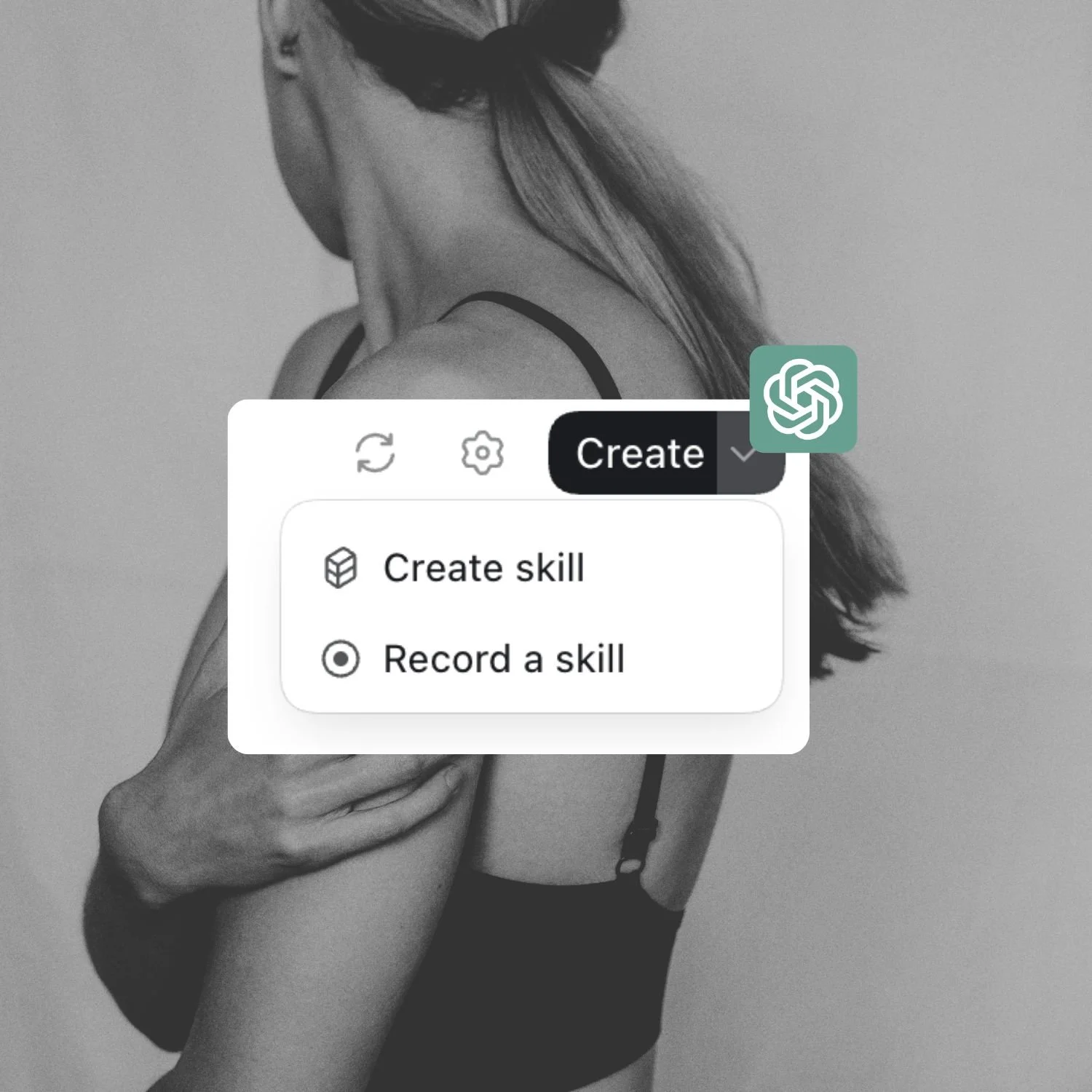
One thing this post hasn't gone deep on: ChatGPT's Skills system runs on the same open standard as Claude's, so a workflow you've already built for one can, in theory, move across to the other. That's its own rabbit hole, and I've already gone down it for you.
Want my free ChatGPT Skills Guide?
I've put together a free ChatGPT Skills guide: what they are, where to find them, how they work, how they compare to Custom GPTs, the skills I think you should build first, and how to bring your Claude Skills across.
Scheduled Tasks, and the Triggers I Haven't Tried Yet
This is the one most people came here for. It's also the specific feature that sent a lot of people running to Claude in the first place, so it's worth walking through properly instead of waving at it.
Two ways in. Open the Scheduled page from the sidebar, on web, mobile or desktop, and select New task. Or skip the page entirely and just ask inside a normal chat: "let me know when my package gets delivered," and ChatGPT builds the task out of that sentence.
One catch worth knowing before you set one up: a task created inside a project that has files attached can't actually reach those files. If the job needs them, build it outside the project.
Notifications are their own separate permission. Push and email both live under Settings > Notifications, and on desktop you may need to allow browser notifications separately. ChatGPT flags it in the chat if it hasn't got permission yet. To manage an existing task, click the task pill in the chat that created it, or go to Settings > Notifications > Manage tasks for the full list, where you can pause, edit or delete anything.
The number that actually matters is how many you can run at once, and it's tighter than you'd think. Per OpenAI's Scheduled Tasks documentation, Go users get three active tasks, Plus users five, Business and Edu ten, Pro and Enterprise fifteen. Hit that ceiling and nothing new gets created until you pause or delete something. Voice chats and GPTs aren't supported inside a task at all, and oddly, neither are Pro's own reasoning models, which is a strange gap for the plan that's meant to be the top tier.
Then there's the part I didn't know about until I went looking for this post. Work can also run on a trigger rather than a schedule. Per OpenAI's own documentation, eligible Plus, Pro, Business, Enterprise and Edu users can have a task fire when something happens in a connected app: a new Gmail message, a new Slack channel message, GitHub pull request activity. You open the task to review its Trigger, Condition and Prompt, and manage it from the Scheduled page.
Event triggers aren't available on Free or Go, and you create or edit them on web or mobile, because the desktop app can display them but can't edit their trigger conditions.
How Much Access Should You Give It?
For connected apps (Gmail, Drive, Slack, whatever you've linked), OpenAI's default is called Important actions: it reads freely, but stops and asks before anything that changes something outside ChatGPT, exposes anything sensitive, or is hard to undo. You can loosen that to Always ask, Any changes, or Never ask, depending on how much you trust a given app.
For Codex, it's a different system entirely: sandbox modes, not permission levels. Read-only looks at your code and answers questions without touching anything. Auto reads, edits and runs commands inside your own project, but stops to ask before it writes outside that boundary or touches the network. Full access is exactly what it sounds like, and it's the one I wouldn't hand over without actually thinking about it first, rather than clicking through a prompt to make it stop asking.
The default setting is the sensible one in both cases. Change it because you decided to, not because a task nagged you into loosening it.
Where It Still Falls Short
Not everything in this rebuild landed.
Scheduled Tasks is the one that annoyed me most, and the mechanics above aren't where it loses. The setup isn't hard once you find it. Finding it is the friction. It lives under its own page in the sidebar, away from wherever you were actually working when the idea to automate something occurred to you. Claude's version sits closer to where you're already thinking. This one makes you go looking, and the tight active-task limits mean you'll hit a wall faster than you'd expect if automation is central to how you want to work.
I'll flag the honest caveat on my own verdict here: event-triggered tasks might change that picture, and I haven't tested them. If they work as documented, the gap is narrower than my experience of it suggests.
The naming is the other thing. Sol, Terra, Luna, Instant, Medium, High, Extra High, Pro, Chat, Work, Codex. Some of those are models, some are reasoning levels, some are whole environments, and nothing in the interface tells you which is which. That's not a small complaint on a tool people are meant to pick up and use.
And the model picker splitting across two different systems, one in Chat and one in Work, is the single thing I'd fix first if anyone asked me.
Is It Worth Switching Back On?
For writing and research, yes. GPT-5.6 earned that back, and Sites alone is worth having a Plus subscription open for, even if it just sits next to Claude rather than replacing it.
For anything you'd automate and walk away from, I'd still reach for Claude first. The gap isn't in what ChatGPT can technically do, it's in how much friction sits between you and doing it. Scheduled Tasks work. They're just not where I'd want to live day to day, and I'm holding that verdict loosely until I've tried the trigger side.
The honest answer is that you don't have to pick one anymore, if you ever really did. I run both. Claude does the heavy systems work, and ChatGPT has earned a real seat back at the table for writing, research and anything I want turned into an actual website by the end of the conversation.
Your First Week With the New ChatGPT
If you only do one pass at this, do it in this order. It's the order I'd use if I were setting it up again from scratch.
Open the desktop app and find your bearings. Top-left menu for ChatGPT and Codex, toggle at the top of the page for Chat and Work. Thirty seconds, and it saves you the confusion I had.
Do the three settings. Custom instructions, memory, data controls. Ten minutes, and every conversation after this is better for it.
Read what it already remembers about you and delete anything wrong.
Run one real job in Work. Something you'd genuinely have to do this week, described as an outcome, with the files attached.
Set your model. In Work, try Terra on high effort before you reach for Sol.
Connect the apps you actually use and leave the permission level on the default.
Build one Site. Even a small one. It's the fastest way to understand why I changed my mind.
FAQ
Is ChatGPT better than Claude now?
Not across the board, but it's genuinely competitive again in ways it wasn't a year ago. GPT-5.6 closed the writing and reasoning gap that opened up around GPT-5, and Sites does something Claude doesn't currently do as cleanly: publish a finished, live website from a prompt. Claude still leads on automation and how intuitive its agentic tools feel to set up.
What is ChatGPT Work?
Work is an agent inside ChatGPT built for longer, multi-step tasks that end in a finished deliverable: a document, spreadsheet, presentation, report, or a published Site. It's the closest thing ChatGPT has to Claude Cowork, and it's available on web, mobile and the desktop app for Plus, Pro, Business and Enterprise plans.
Why can't I select GPT-5.6 Terra or Luna in ChatGPT?
Because they aren't offered in ordinary Chat. In a standard conversation you choose a reasoning level (Instant, Medium, High, and higher options on Pro plans) and Sol powers all of them on paid plans. Terra and Luna are selectable inside Work and Codex, where you pick an actual model rather than a reasoning level.
Do I need Codex if I'm not a developer?
No. Codex is built for software development specifically, working with local repositories, terminals and code. If your work is research, writing or documents, Work is the mode to use instead.
What plan do I actually need to try this properly?
Plus, at $30 a month for an Australian account. It's the first tier with Work across every surface rather than just the desktop app, real model choice inside Work, and Sites access. Free and Go will show you the shape of it, but you'll hit limits fast, and they're the only tiers that carry ads.
Why can't I see ChatGPT Sites?
It's in public beta for Plus, Pro and workspace accounts, and it isn't on Free or Go. If you're on an eligible plan and still can't see it, OpenAI's own guidance is that it may not have finished rolling out to your account yet. Availability can change during a public beta, so check your own account rather than trusting a date in an article.
What to Do Next
If any of this has you curious about actually using ChatGPT properly rather than just poking at it occasionally, that's exactly the kind of system-building work I teach inside SheScales.
SheScales is where I hand members a real system every single month, the same one I'm actually running in my own business, built and delivered as a full component kit.
It includes the ChatGPT Unlocked training alongside Claude Unlocked, two live calls a month, and the Heartbeat community, so whichever platform you're actually building on, the system-building thinking (the Architect Method) works the same way underneath it.
Wherever you're up to with this, whether you're still deciding if it's worth the second look or you've already got ChatGPT and Claude both open in tabs like I do, I'm glad you're here. 😊
MEET THE AUTHOR

HEY, I'M SHERISE
I'm an AI strategist and educator based on the Central Coast of NSW, Australia. I help solo founders install AI systems that scale their business without scaling their workload and remove low-value work from their business so they can spend more time in strategy, creativity, and the work that actually moves the needle.
I run SheScales, the AI implementation community built for the person who IS the business and the whole team. I'm the founder behind 40+ AI assistants across ChatGPT and Claude, the Brand Playbook App, and a growing library of skills and systems used daily by hundreds of solo businesses.
I teach the Architect Method: the shift from chatting with AI to giving AI a job. It's the thinking framework for spotting where AI can genuinely help in your business, knowing how to architect the system, and deciding whether something should be a Skill, a Project, a GPT, an automation, a combination of these, or stay manual.
I'm not here to inspire you. I'm here to hand you the architecture.