How to Build a Claude Project (Step by Step, With Real Business Examples)
Last updated August 2026
![Photo of a person typing on a laptop on their lap, overlaid with a Claude Project mockup titled "[SA] Marketing Workspace" showing its chat history, Memory and Instructions panels and a Files list, plus the orange Claude logo.](https://images.squarespace-cdn.com/content/v1/6508e9f23f99976b8995c93c/e2ef3b3e-1c74-44a8-a2c8-33542d5808d2/how-to-build-a-claude-project-blog-cover.jpg)
Most people use Claude the same way: open a new chat, explain the context, get the output, copy the output, close the tab. Do it again tomorrow.
The problem isn’t Claude. It’s that you’re doing all the setup work over and over again. Every session, from scratch.
Claude Projects fix this. You add all of your context to the knowledge base, and every conversation inside that Project starts with all of it intact. And, even better, the longer you use the project, the better it knows you. (If you’re just getting started with Claude altogether, the post on what I wished I’d known sooner covers the foundation first.)
A Claude Project is a permanent workspace with instructions and knowledge files that carry your business context into every conversation automatically — so Claude already knows your business before you type a word.
By the end of this post, you’ll have:
A clear picture of how Projects are structured and why they work
A starter instruction template you can copy and customise right now
A knowledge files checklist so you know exactly what to gather
Three real business setups you can model immediately
New here? This blog is for the solo founder who wears every hat in the business, and wants real AI systems and workflows running things, not just piecing it together in the chat. Start here →
Here’s what we’ll be covering:
What a Claude Project Actually Is
Think of it like a folder in Google Drive. If you had an accounting folder, everything related to your accounting would live inside it. Projects work the same way. Each one is a dedicated workspace for a specific function in your business, with everything relevant to that function built in.
![Screenshot of a Claude Project called "[OS] Pinterest Operating System", showing the chat box, chat history, a Memory panel, an Instructions panel and a Files list containing pinterest-operating-system.md.](https://images.squarespace-cdn.com/content/v1/6508e9f23f99976b8995c93c/79492e77-dba1-46ec-8c09-66f9767be35f/claude-project-pinterest-operating-system-screenshot.png)
The key difference from a regular chat is persistent context. Every conversation inside a Project starts with your instructions and knowledge files already loaded. A regular Claude chat starts from zero, every time.
If you’ve used Custom GPTs in ChatGPT, this will feel familiar. The main difference: a Custom GPT resets every time you open it. A Claude Project compounds. You’re not building a tool. You’re building a system. I covered the full comparison in ChatGPT vs Claude for Business.
One thing worth knowing upfront: you can’t share a Claude Project the way you can share a Custom GPT. There’s no link you send someone to drop them straight in. Your instructions and knowledge files can be shared separately, but the Project itself stays private. Worth knowing before you’re mid-build and realise it.
Here’s what lives inside every Project:
Every Claude Project contains:
Instructions
└─ The role, rules, and context Claude brings to every conversation
Knowledge files
└─ brand-voice-guide.docx
└─ offer-details.docx
└─ ideal-client-profile.docx
└─ [any document that changes how Claude should behave]
All of this persists. Every new conversation inside the Project.
Step 1: Create Your Project
Go to Projects in the Claude sidebar, then click New Project in the top right. Give it a name and a short description — the description is just for your own reference. Click Create Project. Leave the memory section blank; Claude fills that in on its own as you work.
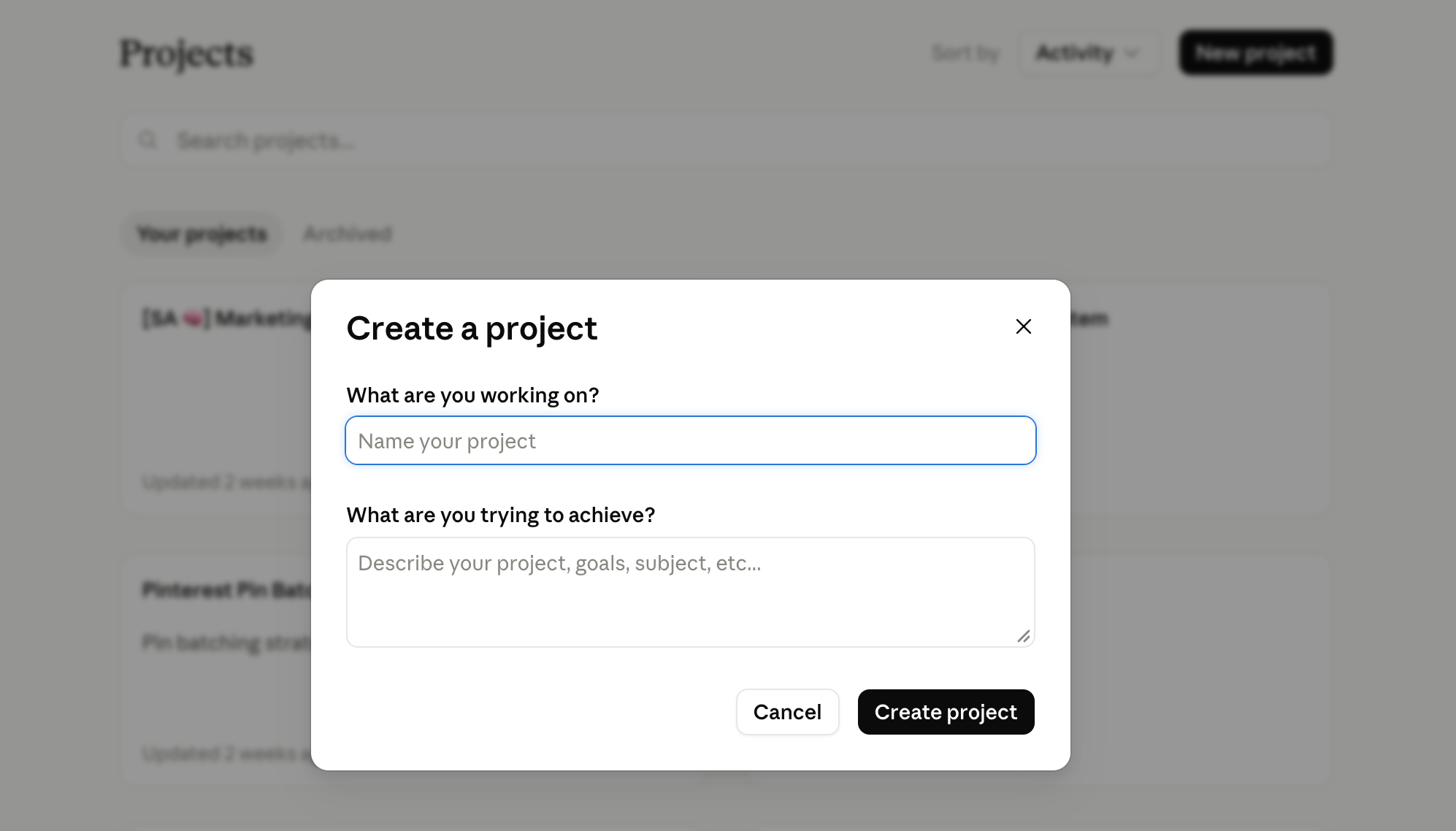
Name it after the function it performs, not the topic it covers.
✓ Content Writing
✓ Client Onboarding
✓ Offer Development
✓ Pinterest System
✗ Claude
✗ Business
✗ My Stuff
When you have six Projects running, the function-based name tells you exactly which one to open without having to click in and check.
Step 2: Write Your Project Instructions
This is the most important part of building a Project, and the one most people either skip or underdo. Your instructions are what Claude runs on inside this workspace. Every conversation starts with them.
What to include:
Claude’s role in this specific Project
Your business context: who you are, what you sell, who you serve
Voice and tone: how you sound, what language to use and avoid
Standing instructions: things Claude should always do in this Project
Hard limits: things Claude should never do here
Recurring formats it should know (caption structure, email length, etc.)
Copy this starter template and customise it for your Project:
You are my [ROLE] for [YOUR BUSINESS / OFFER NAME].

About my business:
[WHO YOU ARE, WHAT YOU SELL, WHO YOU SERVE — 2-3 sentences]

Your role in this Project:
[WHAT CLAUDE SHOULD HELP YOU WITH HERE]

Voice and communication:
[HOW YOU SOUND, WHAT LANGUAGE TO USE/AVOID, SPECIFIC FORMATTING RULES]

Always:
- [STANDING INSTRUCTION 1]
- [STANDING INSTRUCTION 2]
- [STANDING INSTRUCTION 3]

Never:
- [BOUNDARY 1]
- [BOUNDARY 2]
- [BOUNDARY 3]
A real example (Content Writing Project for a solo founder):
You are my content writing system for SheScales.

About my business:
I help solo founders build AI systems that scale their business without scaling their workload. My primary offer is SheScales ($77/month). My front-end offer is Claude Unlocked ($47).

Your role in this Project:
Write captions, emails, and social content in my voice, for my offers, to my ideal client (solo founders who are the entire team in their business).

Voice: Direct, specific, no fluff. Australian English. No em dashes. Lead with a direct statement, not a question.

Always:
- Use the brand voice guide and ideal client profile before writing anything
- Include a single CTA at the end of every caption
- Keep captions under 200 words unless instructed otherwise

Never:
- Use hype language (unlock, unleash, game-changer)
- Use fake intimacy phrases (I see you, you’re not alone)
- Write a summary paragraph at the end of content
The most useful trick once your Project is running: when, after some back and forth, you get a response you were after, ask Claude: “What would need to be in my instructions for you to produce this on the first try?” It will tell you exactly what was missing. Paste that into your instructions and close that gap permanently.
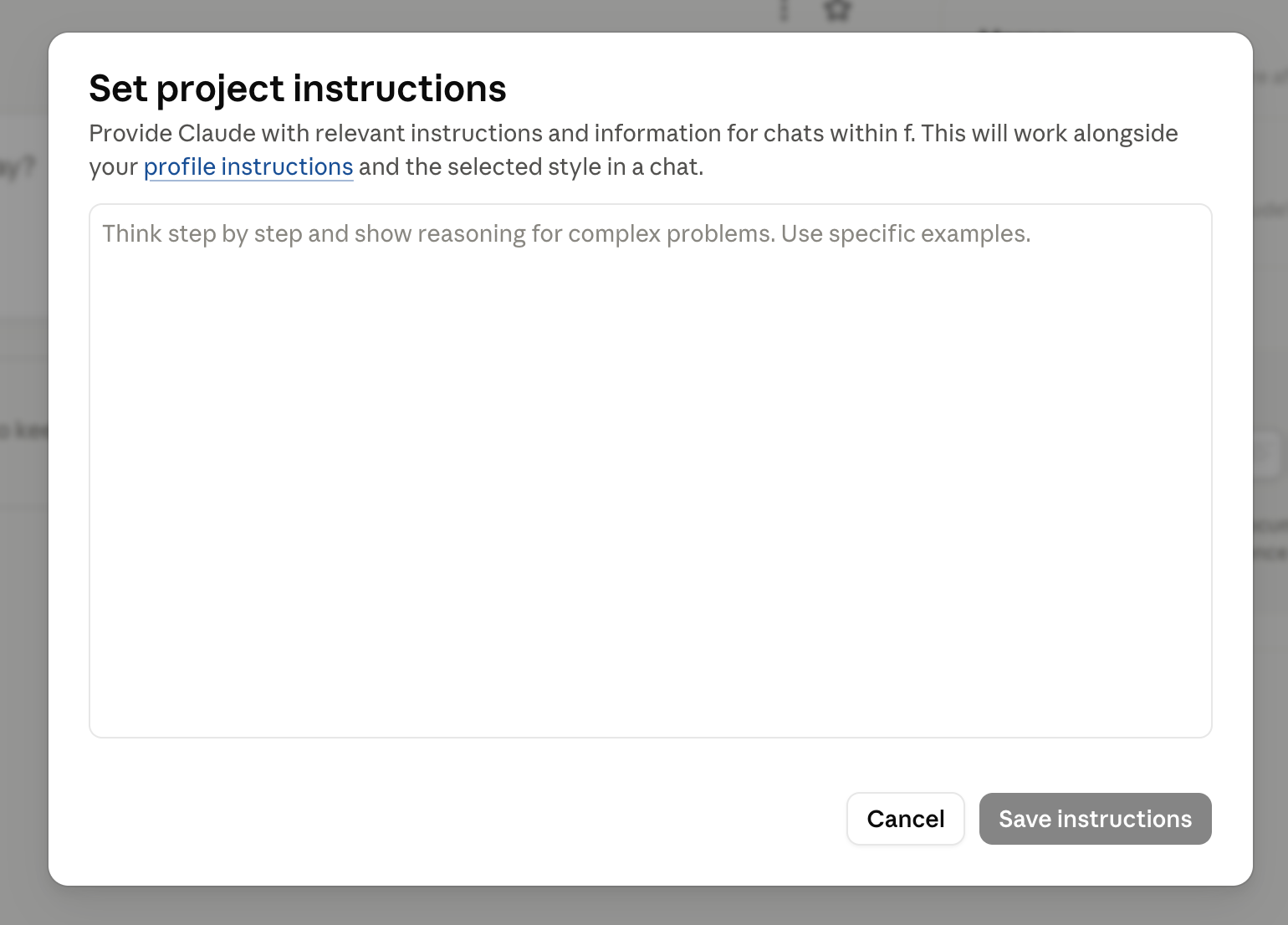

Getting Claude to actually work for your business starts with setting it up correctly.
This free kit walks you through the full process, from turning on the right settings to understanding how Projects, Skills, and connectors work. It also includes the exact prompt to export your ChatGPT memory so you're not starting from scratch.
It's the guide I wish I had when I started.
Step 3: Add Your Knowledge Files
Instructions tell Claude how to behave. Knowledge files give it the actual material to work with. There’s no point asking Claude to write about your offer if it doesn’t know what makes that offer different.
A content writing Project might look like this:
📁 Content Writing Project — Knowledge Files
└─ brand-voice-guide.docx
└─ ideal-client-profile.docx
└─ offer-details-shescales.docx
└─ offer-details-claude-unlocked.docx
└─ caption-examples.docx
![Screenshot of a Claude Project called "[SA] Marketing Workspace", showing the chat box, a list of past chats, a Memory panel describing Sherise Adkins, an Instructions panel and a Files list at 84% of project capacity.](https://images.squarespace-cdn.com/content/v1/6508e9f23f99976b8995c93c/3ca6ea72-f663-4c7b-983d-1cd17d9badfe/marketing-workspace-claude-project-screenshot.png)
How to add files — three options:
Upload from your device — .md or .txt files work best. PDFs are supported but harder for Claude to read accurately.
Google Drive — if you have Drive connected, pull documents straight from there without downloading first.
Add Text Content — for anything that isn’t saved as a file. Click Add Text Content, give it a title, paste the content in.
One rule: treat your knowledge files as living documents. When an offer changes, update the file. When your brand voice evolves, update the guide. Stale files produce stale output — this is the most common reason a well-built Project starts to drift.
Step 4: Using Your Project Day to Day
Open your Project and start a new conversation. Your instructions and all your knowledge files are already loaded. Claude doesn’t need to be briefed.
Fresh conversation vs continuing an existing one:
Fresh conversation — best when starting a new task or switching topics. Keeps threads focused. Instructions and files carry through automatically.
Continuing a thread — best when you’re iterating on something specific and want Claude to have the conversation history from that thread.
The mistake that trips people up most: running a conversation outside the Project. If you open a regular Claude chat or the wrong Project, none of your context is there. If the output feels generic or off-brief, that’s usually why.
Also worth knowing: the Project builds its own memory from your conversations over time — picking up patterns, preferences, and what’s coming up in your business. You can view and edit this memory inside the Project settings if anything needs correcting.
What This Looks Like in Three Real Businesses
The same structure works for any recurring function. Here’s how it looks across three common setups:
Content Writing
📁 Content Writing Project
What Claude knows: your brand voice, your offers, your ideal client, your content formats and standing rules
Knowledge files: brand voice guide, ideal client profile, offer details (one file per offer), caption and email examples
What it replaced: briefing Claude from scratch every content session, rewriting outputs that don’t sound like you
Client Work
📁 [Client Name] Project — one per client
What Claude knows: client tone, their audience, delivery standards, how you communicate with them
Knowledge files: client brief, intake form answers, scope of work, examples of past deliverables they loved
What it replaced: rebuilding context each session, accidentally mixing up details between clients
Offer Development
📁 Offer Development Project
What Claude knows: your full offer suite, how each product connects, your pricing philosophy, your audience’s real language
Knowledge files: all sales pages, launch assets, voice-of-customer data, positioning statements
What it replaced: five-paragraph briefings before every session, losing context between development conversations
Start with whichever function you use Claude for most often. You’ve probably already got most of the knowledge files sitting somewhere.
Inside SheScales, my AI implementation community for solo founders, members get the full instruction files for builds like these — ready to customise for their own business, not starting from a blank template.
Common Mistakes That Make Projects Underperform
Building one ‘everything’ Project. One Project, one function. When a Project is supposed to handle content AND client work AND offer development, the instructions get vague and the output suffers. Separate workspaces for separate jobs.
Writing instructions about outputs instead of context. “Always write engaging, on-brand captions” tells Claude nothing. “Always use Australian English, avoid em dashes, lead with a direct statement, end with a single CTA” gives it something real to work with.
Never updating knowledge files. Your offer details from six months ago might be outdated. Your brand voice may have evolved. A Project is only as current as the files inside it.
Running conversations outside the Project. If you’re in a regular chat or the wrong Project, Claude has none of your context. Ninety percent of the time, generic output means you’re in the wrong place.
For the broader view of how Claude works before you dive into Projects, the post on how to actually use Claude for business covers the foundational setup that makes everything else work better.
Key Takeaways
The short version of everything above:
Projects persist, regular chats don’t: Every conversation inside a Project starts with your instructions and files intact. Regular chats start blank.
Instructions are the most important component: The quality of your output inside a Project is determined by how specifically you’ve told Claude about your business, your voice, and your rules. Vague instructions produce vague output.
One Project per function, not one for everything: Specificity is what makes a Project consistently useful. A catch-all Project leads to catch-all results.
Knowledge files need updating: When an offer changes, update the file. Stale knowledge files are the most common reason a well-built Project drifts over time.
Use the feedback loop: When you get a response you love, ask Claude what should be in your instructions to produce it from the start. Then add it. That’s how Projects improve.
Frequently Asked Questions
Can I have multiple Claude Projects?
Yes — and you should. One Project per function is the right approach. A content Project, a client Project, and an offer development Project are three separate workspaces with different instructions and different files. They don’t share context, which is the point — you don’t want your client’s details showing up in your general content work.
How is a Claude Project different from a Claude Skill?
Projects are conversational workspaces; Skills are reusable instruction sets for specific tasks. A Project gives Claude a permanent role and business context. A Skill gives Claude a specific procedure to follow when you need a particular type of output — like a structured caption format or a blog outline process. Skills can live inside Projects to make them even more precise.
Skills are the layer that sits on top of this. How to Use Claude Skills covers what they're made of and how to install one.
Do Projects remember my previous conversations?
Instructions and knowledge files persist across every conversation. Individual conversation history lives within each thread, but a new conversation inside the same Project starts fresh from a chat perspective while still having access to all your instructions and files. Claude also builds memory from patterns it notices over time, which you can view and edit inside Project settings.
How many Projects should I build?
Start with two or three for the functions you use Claude for most often. Content writing, client communications, and offer development are the most common starting points. Add more when you notice yourself briefing Claude the same way repeatedly across multiple chats. That’s a clear signal the function needs its own Project.
Ready to Build Yours?
Projects are one component of a properly built Claude system. Once you have a few running, the next step is connecting them with Skills — reusable instruction files that give Claude a specific procedure to follow so the output is consistent, not just when you happen to brief it well.
Claude Skills vs Custom GPTs covers how Skills work, how they differ from GPTs, and how to build your first one.
When you're ready to connect Claude to the tools you already use — Gmail, Drive, Canva, and more — What Are Claude Connectors covers which ones to set up first.
And if you want the thinking framework for how Projects, Skills, and Connectors fit together into a full AI system for your business, What Is an AI Architect covers the bigger picture.
Claude Unlocked covers the full architecture: how to write Project instructions that work, how to create Skills for your recurring tasks, how to connect Claude to the tools you already use, and how to use Cowork for the work that used to need a separate person. $47, self-paced, and built entirely for the solo founder who wants to stop tinkering and start building.
MEET THE AUTHOR

HEY, I'M SHERISE
I'm an AI strategist and educator based on the Central Coast of NSW, Australia. I help solo founders install AI systems that scale their business without scaling their workload and remove low-value work from their business so they can spend more time in strategy, creativity, and the work that actually moves the needle.
I run SheScales, the AI implementation community built for the person who IS the business and the whole team. I'm the founder behind 40+ AI assistants across ChatGPT and Claude, the Brand Playbook App, and a growing library of skills and systems used daily by hundreds of solo businesses.
I teach the Architect Method: the shift from chatting with AI to giving AI a job. It's the thinking framework for spotting where AI can genuinely help in your business, knowing how to architect the system, and deciding whether something should be a Skill, a Project, a GPT, an automation, a combination of these, or stay manual.
I'm not here to inspire you. I'm here to hand you the architecture.