Last updated August 2026
If you’ve used Custom GPTs and you’re trying to figure out if Claude Skills are actually any different, the first instinct is usually: same thing, different platform. Both are AI configurations. Both have instructions. Both do a specific job.
That assumption is close enough to seem right and wrong enough to matter. I made it too, for what it’s worth 😉
I’ve built more than 40 Custom GPTs and I build Skills regularly inside my own business and for my community. They’re not the same thing. They don’t do the same job.
A Custom GPT is a standalone assistant with its own built-in identity — instructions, knowledge, personality, all packaged together in one place. A Skill is job training. A documented procedure, workflow or SOP that runs on top of the AI you’re already using and does the job just the way you want it to every single time.
One is an assistant you open. The other is a procedure that fires automatically when the task calls for it.
This post breaks down both properly — what they’re each made of, how they work, where they fit, and what the combination actually looks like in practice. If you’re also getting your head around how Projects fit into all of this, the post on how to actually use Claude for business is a good place to start.
A Custom GPT is a standalone AI assistant with its own identity, instructions, and knowledge, built in ChatGPT. A Claude Skill is job training: a documented workflow Claude runs automatically whenever the task calls for it. Write a Skill once and it travels across every conversation, every Project, and every Claude tool in your account.
By the end of this post, you’ll have:
Exactly what a Custom GPT is and what it’s made of
Exactly what a Claude Skill is, in language that actually makes sense
How the two compare across the things that matter for a solo business
What changes when Skills and Projects work together (this is the part most people miss)
Which to reach for when, and what getting it wrong looks like
New here? This blog is for the solo founder who wears every hat in the business, and wants real AI systems and workflows running things, not just piecing it together in the chat. Start here →
What Is a Custom GPT?
A Custom GPT is a standalone AI assistant you configure inside ChatGPT. Give it a name, a set of instructions, and optionally some files to draw from, and it lives in your GPT library ready to use or share.
What defines a GPT is its identity: it has a configured role, a tone, a defined scope. When someone opens your GPT, they’re opening a conversation with an assistant who already knows what it’s there to do.
That self-contained design is exactly what makes GPTs good for certain jobs. If you’ve ever sent a client a GPT link and watched them start using it immediately (no setup or explanation, they’re just in it), that’s the distribution layer doing its job. The whole thing is packaged and portable.
The limitation worth understanding before we compare anything: a GPT resets every session. No memory of previous conversations. Every time someone opens it, the only knowledge it has is what’s in its instructions and its uploaded files. Nothing compounds, nothing carries forward.
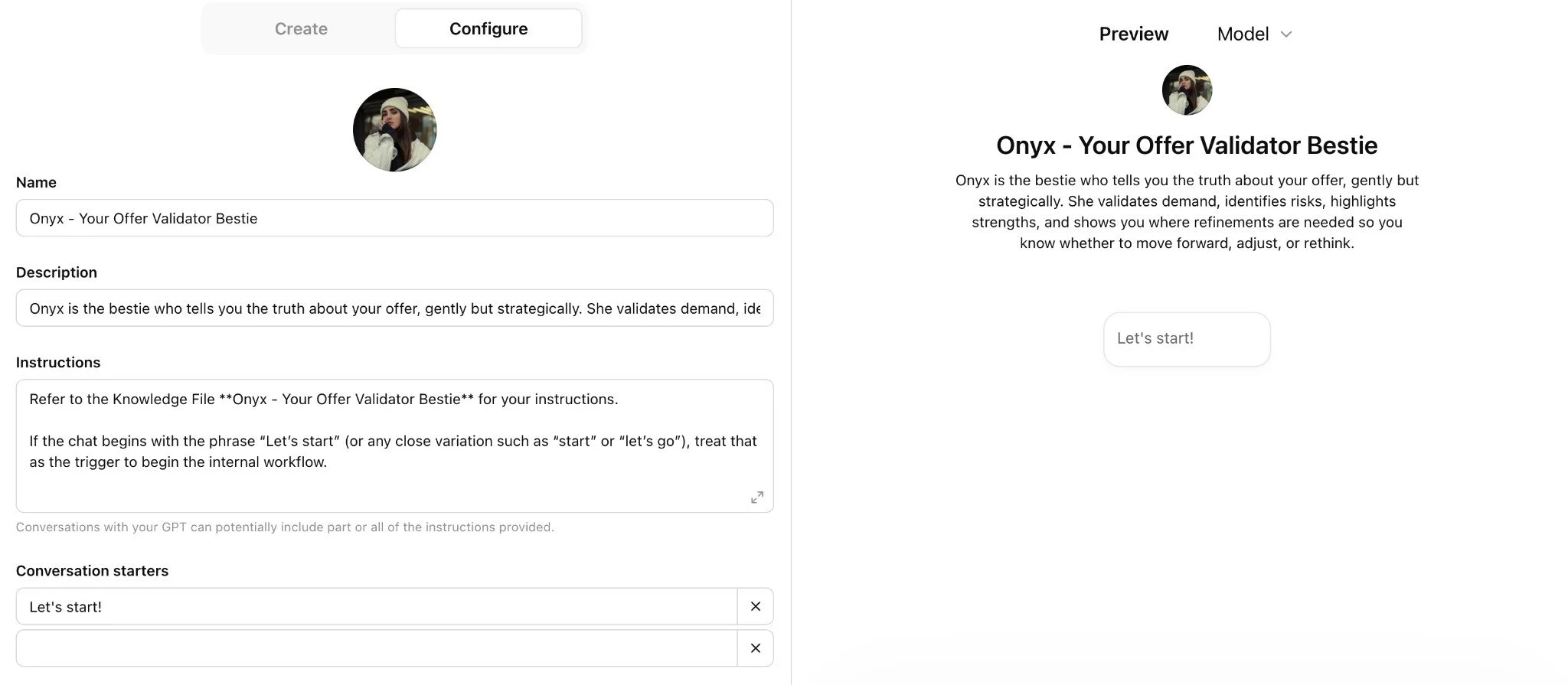
A Custom GPT has three components:
Component 1: The configuration layer
The instructions (system prompt), name, avatar (image), and settings.
This defines who the GPT is, what it knows, and how it behaves in every conversation.
Component 2: The knowledge layer
Uploaded files the GPT can draw from when responding, like documents, guides, brand materials and data. They are fixed at build time, meaning users can’t update them mid-conversation.
Component 3: The distribution layer
The shareable link. One URL sends anyone (clients, customers, collaborators) straight into the GPT without needing access to your account. This is the thing Skills genuinely can’t do.
That third component is the real architectural differentiator. It’s what makes GPTs the right format for anything that needs to travel. Shareability isn’t a setting you turn on — it’s baked into what a GPT is.
What Is a Claude Skill?
Think of it as job training. Without Skills, Claude is brilliant but generic. It knows a lot about everything and nothing specific about your business. A Skill changes that by handing Claude a training manual for a specific part of how you work.
A Skill is a structured set of instructions, rules, and reference materials that Claude can access whenever they’re relevant to what you’re asking. It’s not an identity. It’s a workflow. The how: how you like a blog structured, how you want research done before you write, how meeting notes get formatted before they go to a client. The operational knowledge that lives in your head and usually has to be re-explained every single session.
You build a Skill once, install it, and it’s available across every conversation and every Project in your account. You never re-explain from zero. (Once you’ve experienced that, briefing Claude from scratch in a regular chat feels like a step backwards.)
If writing the instruction file is the part that stalls you, recording the Skill instead is faster. How to Record a Skill in Claude shows the recorded route. If you'd rather write it, How to Build Your First Claude Skill shows the written route.
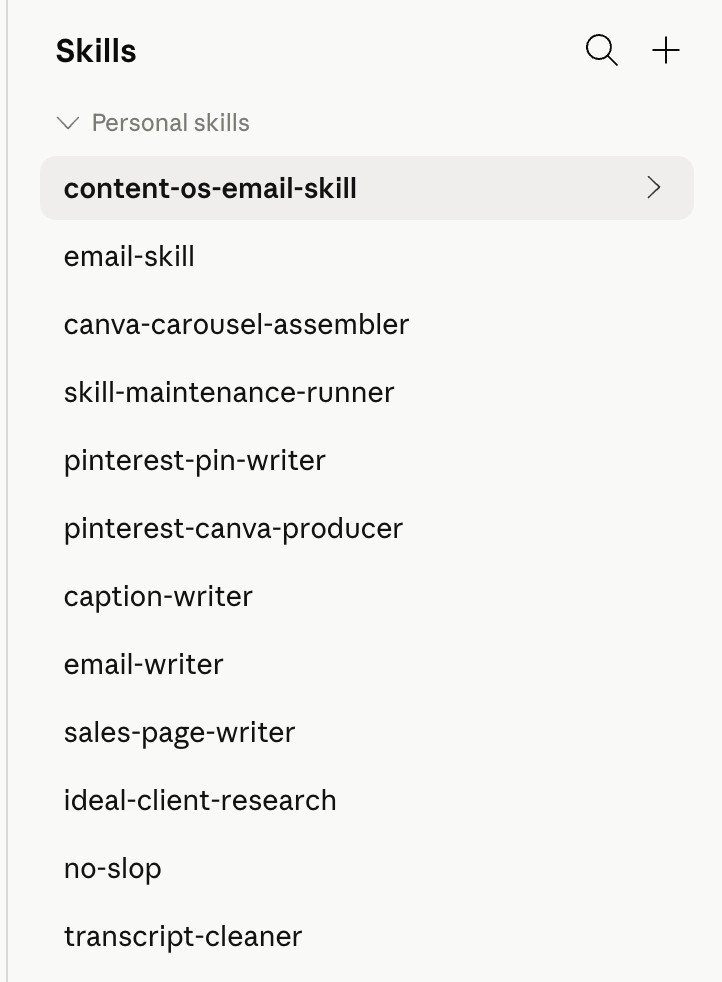
The way Claude loads a Skill is clever too: it reads the Skill name and description, decides whether it’s relevant to what you’ve asked, and if so loads the full instructions. If the Skill isn’t relevant, it ignores it entirely. So you can have 10 Skills installed and Claude isn’t dragging all of them into a conversation about something unrelated and using up all your tokens.
It loads what it needs, when it needs it. Nothing more. This is called progressive disclosure, and it’s what makes Skills fundamentally different from pasting a long system prompt into every chat.
A Claude Skill has three layers:
Layer 1: The name and description
The only part Claude reads all the time. It sits in the background of every conversation and tells Claude when to trigger the Skill and when not to.
Think of it as the label on a filing cabinet. Claude reads the label, decides if it needs what’s inside, and either opens the drawer or moves on. It doesn’t drag the whole cabinet into every conversation. That would be chaos.
Layer 2: The SKILL.md file
The actual instruction set: the workflow steps, decision points, formatting rules, tone guidance. The full SOP inside the drawer.
Layer 3: Reference files
Supporting documents Claude pulls in only when the Skill calls for them, like examples, brand guidelines, templates, and research.
They aren’t loaded unless needed for this specific step. That’s what keeps things efficient even when there’s a lot of Skill depth in the background.
Skills also work everywhere in Claude: regular chat, Projects, Cowork, Claude Code. Build it once and it travels.
Your account already has Skills in it, whether or not you built any. How to Use Claude Skills covers which ones are built in, where to switch them on, and how to install a custom Skill someone hands you.
ChatGPT has Skills now too, on the same open standard. That is a separate question with a separate answer, and Does ChatGPT Have Skills Like Claude covers it properly: where they live in ChatGPT, whether a Skill moves between the two platforms, and what breaks when it does.
Want the full Claude setup laid out step by step?
This free kit covers every setting worth turning on, how Projects and Skills work, and the exact prompt to export your ChatGPT memory so you're not starting from scratch.
It’s the guide I wish I had when I started!

How Do Custom GPTs and Claude Skills Compare?
Claude Projects come into this comparison because they’re what give Skills their full power — the next section explains that. But it helps to see all three side by side first, so you can see where each one sits before we get to how they work together.
| Custom GPT | Claude Skill | Claude Project | |
|---|---|---|---|
| What it is | Standalone AI assistant with a configured identity | Job training: a workflow and rules for a specific task | A workspace that holds business context and memory |
| Core function | Be a specific assistant with specific knowledge | Run a consistent procedure to a consistent standard | Hold context across all conversations for one function |
| Has a defined identity? | Yes — name, avatar, tone, personality | No — it's a procedure, not a character | No — it's a workspace |
| Remembers past sessions? | No — resets every time | N/A — not session-based | Yes — builds over time |
| Shareable via link? | Yes — anyone can access it | No — stays in your account | No — stays in your account |
| Holds knowledge files? | Yes — built into the GPT | Optionally, as reference files | Yes — this is its core job |
| Works across tools? | ChatGPT only | Everywhere in Claude | Claude conversations only |
| Best used for | Being retired by OpenAI. Not a format to build in now. | Repeatable internal workflows | Context-rich ongoing work |
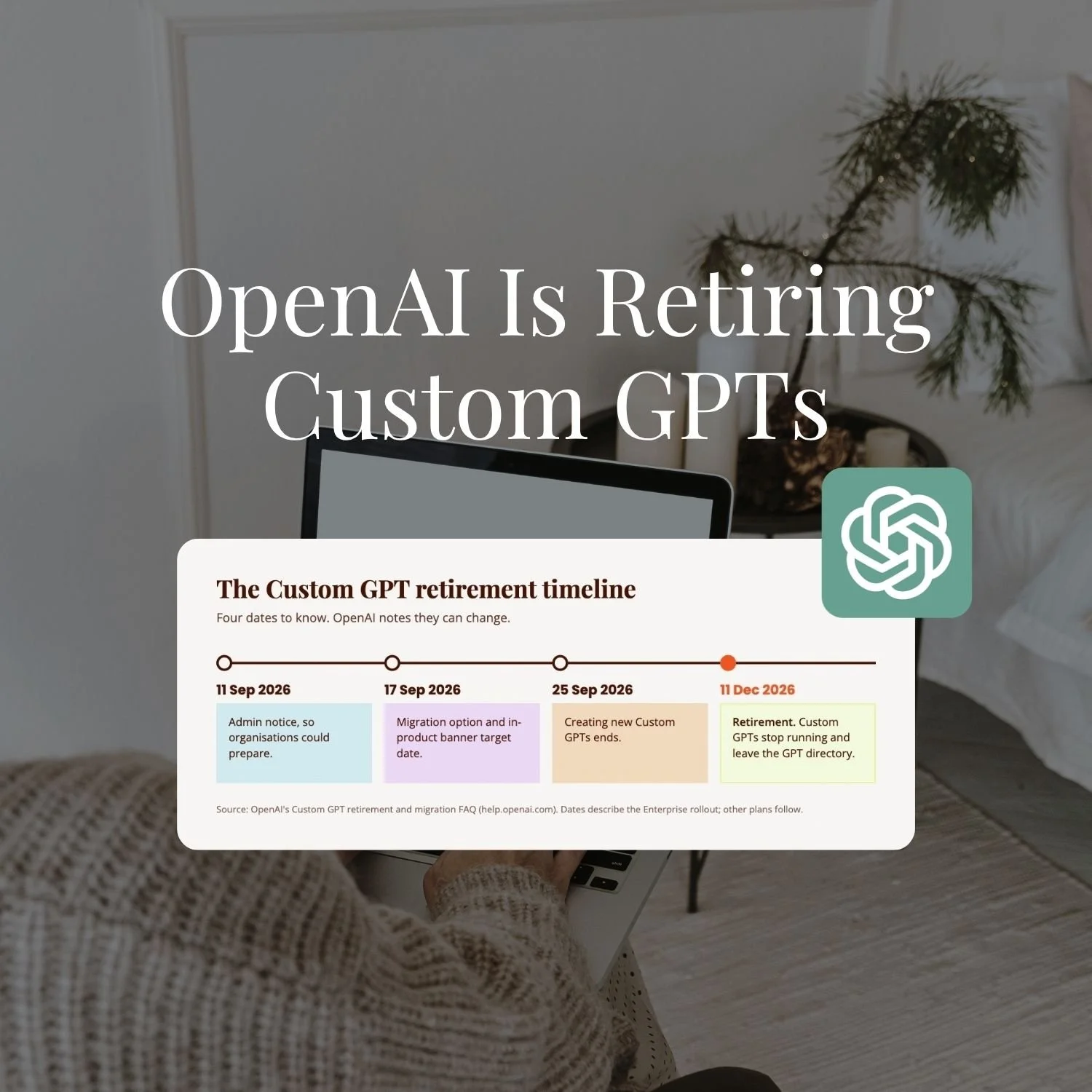
One thing to note is that OpenAI is retiring Custom GPTs. If you're deciding what to build today, a Custom GPT isn't a live option any more, whatever job it would once have suited. If you already have one, keep reading. The next section is your rebuild plan.
What's the Claude Project Equivalent of a Custom GPT?
If you've built Custom GPTs and you're moving across to Claude, the real question underneath "Skill or GPT" is usually more practical: where does my GPT actually go? You built an assistant with instructions and knowledge files. What holds that in Claude?
The answer is a Project, not a Skill. A Custom GPT and a Claude Project are the two things that hold persistent context about one specific job, so your GPT's setup maps almost directly onto a Project's.
| Custom GPT | Claude Project |
|---|---|
| The instructions (system prompt) | The Project's custom instructions |
| Uploaded knowledge files | The Project's knowledge base |
| The name and defined scope | The Project's name and instructions |
| The shareable link | No equivalent. A Project stays in your account. |
The mapping is clean everywhere except the last row, and that row used to be the whole reason both formats existed. A Custom GPT could be handed to a client with a link. A Project can't do that, and it doesn't need to compete with a GPT that can any more, because OpenAI is retiring Custom GPTs. If your GPT was really a workspace you used yourself, a Project does the same job and gets better over time as its context builds. If distribution was the actual reason it existed, that job still needs solving, just not with a GPT.
Claude has no Custom GPT builder, so there's no button that turns a GPT into a shareable Claude tool. What you rebuild instead is a Project for the context, plus a Skill for any repeatable procedure that used to sit inside the GPT's instructions. How to Migrate a Custom GPT to a Claude Project walks through that rebuild.
What Happens When You Confuse a GPT With a Skill?
Two failure modes come up most often, and both are completely understandable given how similar the two things look from the outside.
Treating a Skill like a self-contained GPT. Someone builds a Skill and loads it with everything: brand voice, audience profile, business context, offer details, and the actual procedure, all in one place. It kind of works, but the Skill becomes unwieldy, and when anything changes, they’re editing one enormous file rather than updating the right layer in the right place.
Running a Skill without a Project underneath it. The Skill fires, Claude follows the procedure, and the output is structurally correct but still feels generic. What happened: the Skill ran exactly as designed. It just had no business context to run on. No brand voice, no audience specifics, no offer details. The procedure knew how to build the content. It just didn’t know anything about the business the content was for.
A Skill without a Project is a recipe without ingredients.
For the full step-by-step guide to setting up a Project so your Skills have the business context they need, read How to Build a Claude Project.
On the GPT side, the equivalent mistake is trying to build Skills-style workflow consistency inside a GPT — wanting it to behave differently based on project, or to share context with another GPT. Self-contained is the feature. If you need procedures that stack on shared context, that’s what Skills and Projects are for.
Which should you build?
Build a Skill when it's a repeatable procedure you want run the same way across many chats, like a blog structure or a research process.
Build a Project when it's a body of context that needs to be present through a whole working session, like your brand, your offers, or one area of your business.
Don't build a new Custom GPT. OpenAI is retiring them, so anything you build there now has a shelf life you can already see the end of. If you've got an existing GPT, migrating it into a Project (and a Skill, where the job is really a procedure) is the move. How to Migrate a Custom GPT to a Claude Project walks through the rebuild.
Most solo founder setups run a Project holding the context, with Skills running inside it.
Key Takeaways
The short version of everything above:
A Custom GPT is an assistant; a Claude Skill is a procedure. A GPT tells Claude who to be and what to know. A Skill tells Claude how to do a specific task, every time, to a specific standard. Different jobs, different architectures.
GPTs are self-contained and shareable; Skills are layered and contextual. The GPT’s self-contained design is what makes it portable. The Skill’s layered design is what makes it intelligent when there’s a Project underneath it.
The main difference: a Custom GPT resets every time you open it. A Claude Project compounds. That distinction is the reason people make the move, and it’s the reason Skills inside Projects produce fundamentally different output from Skills in standalone chat.
Skills need a Project to reach their full potential. A Skill on its own is a procedure without context. A Skill running inside a Project that has your business context loaded produces output that knows both the how and the who.
Build Skills and Projects, not new GPTs. Skills and Projects are for internal workflow consistency. Custom GPTs used to be the answer for shareable products and client-facing tools, but OpenAI is retiring them, so that job needs a different answer now. See How to Migrate a Custom GPT to a Claude Project if you've got one to move.
If you want the strategic framework for deciding what to build across your whole AI layer, What Is an AI Architect connects the thinking behind all of it.
Frequently Asked Questions
Can I turn a Custom GPT into a Claude Skill?
You sure can. It really just depends on its functionality, whether you turn it into a Project or a Skill. If it’s a repeatable workflow that you want Claude to be able to use in any chat, then a Skill makes sense. If it’s actually a GPT that’s more contextual and serves a wider purpose than a specific job, then a Project might make more sense. The full migration process is in How to Migrate a Custom GPT to a Claude Project.
Do Skills work outside of Projects?
Yes, but they work best inside Projects. In a regular chat, a Skill gives Claude the procedure. In a Project with your business context loaded, the Skill can personalise that procedure to your specific business. The steps are the same either way; the output is more specific when there’s a Project underneath.
Can I have multiple Skills running in one Project?
Yes, and that’s where the real power is. A Content Writing Project might have a Blog Post Skill, a Caption Skill, and an Email Skill — each one a different procedure for a different content type, all drawing on the same shared Project context. Skills can even reference each other: a blog writer Skill can tell Claude to pull in the Brand Playbook Skill for voice rules rather than duplicating that content.
Is a Claude Skill the same as a Claude Project?
No — different layers of the same system. A Project is a workspace: it holds context, remembers conversations, and gives Claude the who and the what of your business. A Skill is a procedure: it gives Claude the how for a specific type of task. The Project is the environment; the Skill is a tool that runs inside it.
Can you create Custom GPTs in Claude?
Not in the way ChatGPT means it. Claude has no Custom GPT builder and no shareable-assistant link. The closest equivalent is a Project, which holds the same instructions and knowledge files a GPT would, for your own use. A Project still can't travel to a client by link the way a GPT could, and OpenAI is retiring Custom GPTs, so that gap needs a different fix now rather than a GPT filling it.
What's the Claude equivalent of a Custom GPT?
A Project for the context and knowledge, plus a Skill for any repeatable procedure the GPT used to run. A Custom GPT bundles identity, knowledge and a shareable link into one thing. Claude splits that across a Project (the workspace) and a Skill (the procedure), and keeps both inside your account rather than behind a link.
Ready to Build Yours?
Understanding how Skills and Projects work together is the foundation. Building them in a way that actually connects — Projects supplying the context, Skills supplying the procedures, both running automatically — is where the output difference becomes real.
Claude Unlocked covers the full architecture: how to set up Projects that hold your business context properly, how to build Skills for your most repeated tasks, how to connect Claude to the tools you already use, and how to use Cowork for the work that used to require a separate person. $47, self-paced, built entirely for the solo founder who wants to stop tinkering and start building.
MEET THE AUTHOR

HEY, I'M SHERISE
I'm an AI strategist and educator based on the Central Coast of NSW, Australia. I help solo founders install AI systems that scale their business without scaling their workload and remove low-value work from their business so they can spend more time in strategy, creativity, and the work that actually moves the needle.
I run SheScales, the AI implementation community built for the person who IS the business and the whole team. I'm the founder behind 40+ AI assistants across ChatGPT and Claude, the Brand Playbook App, and a growing library of skills and systems used daily by hundreds of solo businesses.
I teach the Architect Method: the shift from chatting with AI to giving AI a job. It's the thinking framework for spotting where AI can genuinely help in your business, knowing how to architect the system, and deciding whether something should be a Skill, a Project, a GPT, an automation, a combination of these, or stay manual.
I'm not here to inspire you. I'm here to hand you the architecture.