How Claude Projects, Skills, Cowork and Scheduled Tasks Work Together
Last updated August 2026
Most people I talk to are running Claude on one layer.
Open a chat, write a prompt, get something useful back, copy it into wherever it needed to go. That is genuinely useful and I am not going to be sniffy about it, because it is where I started too. But every session begins cold, and nothing happens unless you are the one who starts it.
What changed my business was the week four of Claude's features stopped being separate things I used and started being one thing that runs.
Claude Projects hold your business context, Skills hold your methodology, Cowork gives Claude access to your real files, and Scheduled Tasks decide when it all fires. Any one of them on its own is a better tool. Together, they are a system that produces work while you are doing something else.
TL;DR:
Projects give Claude persistent context, so it knows your business, voice and standards without a re-brief every session.
Skills give Claude a job description for a recurring task, installed once and reused everywhere.
Cowork gives Claude access to your actual files and the ability to act on them, not a sandbox copy.
Scheduled Tasks remove you from the trigger, which is the layer that turns a good workflow into something that runs without you.
The four questions worth asking of any recurring job in your business: does it need standing context, a written method, file access, and a timer?
New here? This blog is for the solo founder who wears every hat in the business and wants real AI systems and workflows running things, not just piecing it together in the chat. Start here →
Here’s what we’ll be covering:
What Does Each of the Four Actually Do?
Claude Projects, Skills, Cowork and Scheduled Tasks each solve a different problem, and the reason they are worth understanding together is that each one is nearly useless at the job the others do.
Each of the points below are deliberately short. The deep how-to for each lives in its own post and I have linked them.
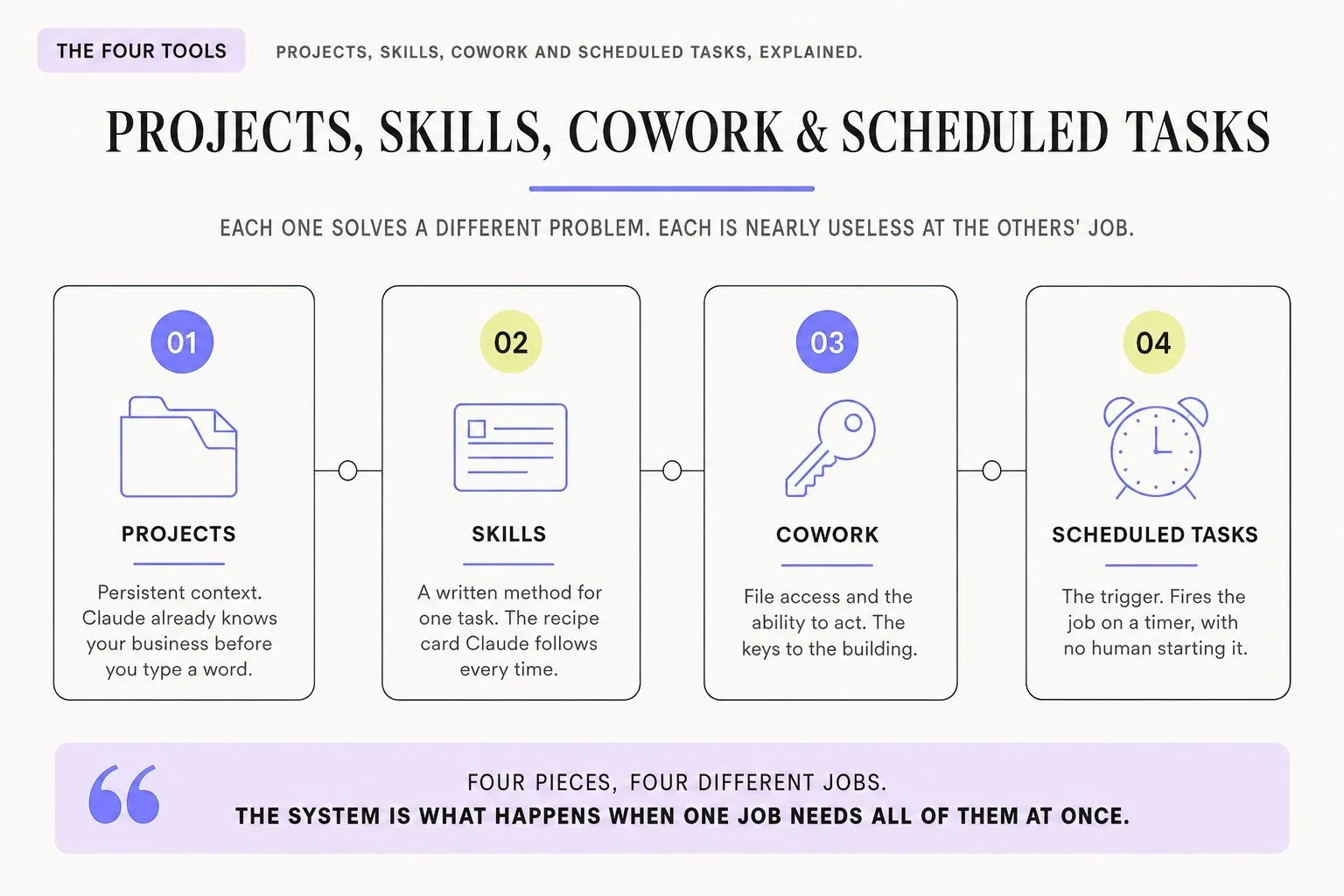
Projects: persistent context. The induction file.
I stopped re-explaining my business to Claude the day I built my first one. Before that, every session started from zero: my offers, my voice, my standards, typed out again like I hadn't already said it the day before. A Project holds all of that as standing context, so Claude already knows it before I've written a word. It's what a new hire reads on day one, not what you're still repeating in week three. Here is how to build a Claude Project properly.
Skills: a job description for one recurring task. The recipe card.
A Skill is a written method Claude installs once and applies whenever that task comes up: how you write a caption, how you run a report, what "finished" looks like. Where a Project knows your business, a Skill knows your process. If you have not built one, start with what Skills are and how to install them.
Cowork: file access and the ability to act. The keys to the building.
This is the one that actually changes what "done" means. Cowork opens, reads and writes the real files on your computer and in your connected tools, so nothing has to be copied and pasted out of a chat window afterward. Brief someone brilliantly and then leave them standing outside your files, and none of that briefing did any real work. This is the layer that turns output into work actually done.
Scheduled Tasks: the trigger. The alarm clock.
A Scheduled Task fires a job on a timer with no human starting it, and keeps firing on that timer whether your laptop is open or asleep in a bag, confirmed directly against Anthropic's own docs, not left as a guess. It is the smallest of the four and the one that changes the most, because it is the difference between a workflow you run and a workflow that runs.
Four pieces, four different jobs. The system is what happens when one job needs all of them at once.
What They Look Like Working Together: My Weekly Blog Report
The clearest example I can give you is the report that tells me how my blog is performing, because I did not write it, run it, or open a session for it, and it is the reason my search traffic went where it went.
Here is what happens.
A Scheduled Task fires on its own. It triggers a Skill inside my Cowork Blog Project that knows how to run this specific report: which numbers matter, how to compare them, what shape the write-up takes. That Skill reads the Project knowledge: my standing blog context, every published post, what each one was built to rank for, what I have already tried. Cowork gives the whole thing access to my local files and my connected accounts, so it pulls live Google Analytics session data and Search Console impressions for every published post, compares this week to last, and flags what is ranking and what is slipping. Then it writes the full report, drops a summary into Slack, and updates the standing files so next week's run starts from what it learned this week.
No prompt written. No session opened. The report is just there when I go looking.
The first time this whole system ran, and I was delivered a full report that I could act on without having to do the groundwork, was magical.
That report is behind my blog clicks going from 463 to just over 1,000, measured across two consecutive 27-day windows. It’s worth being precise about what it does and does not do. It tells me what to fix. I still do the fixing. It has never published or edited a live post, and it never will.
Take away any one of the four and it stops. No Project and it does not know which posts are mine. No Skill and it does not know what a good report looks like. No Cowork and it cannot reach the data. No Scheduled Task and it sits there waiting for me on a Monday I am too busy to remember it.
The Claude Setup Kit covers the groundwork all four of these sit on: the settings worth turning on, how Projects and Skills actually fit together, Cowork, and the prompt to bring your ChatGPT memory across.
It's free, and it is the fastest way to feel the difference between a chat and a setup.

The Other Systems Running on the Same Four Pieces
The first time I built one of these I thought I had made a clever one-off. Then I built the next thing and it came out the same shape. This is what some of my systems running on all four layers look like now:
The Content OS: A daily scan looks at what people in my space are publishing, scores each item, and flags where I should make something similar. A trends scan runs alongside it. Both feed a Notion board where content gets drafted for me, based on my voice, my takes, and actual things I’ve said. It does the intelligence and the drafting. The publishing is still mine, and I want it that way.
The Pinterest system: Turns a published blog post into pins, produces the graphics, and schedules them out through Make.com.
The sales logger. Three times a day, six in the morning, midday and six in the evening, it logs what sold. Small, boring, and I never have to go and look. 😅
Build request triage. When a SheScales member asks for something to be built, this sorts it before I look at it. It is the one that most directly protects my week, because triage is the job that expands to fill whatever time you give it.
These are the same four pieces pointed at different jobs.
The Four Questions to Ask of Any Recurring Job
When something in your business keeps coming back, four questions tell you what it needs. Answer those and you have specified the system instead of guessing at it.
Does it need to know things about my business? If the job would go wrong when handed to a capable stranger with no briefing, it needs a Project.
Does it need a method? If you do it the same way every time and could describe the steps, that is a Skill.
Does it need to touch real files or tools? If the output has to land somewhere specific, a document, a spreadsheet, a folder, a draft email, it needs Cowork. If you are happy copying text out of a chat, you do not.
Does it need to happen on a rhythm without me?Weekly, daily, monthly. If yes, it wants a Scheduled Task. If it happens once, leave it as a conversation.
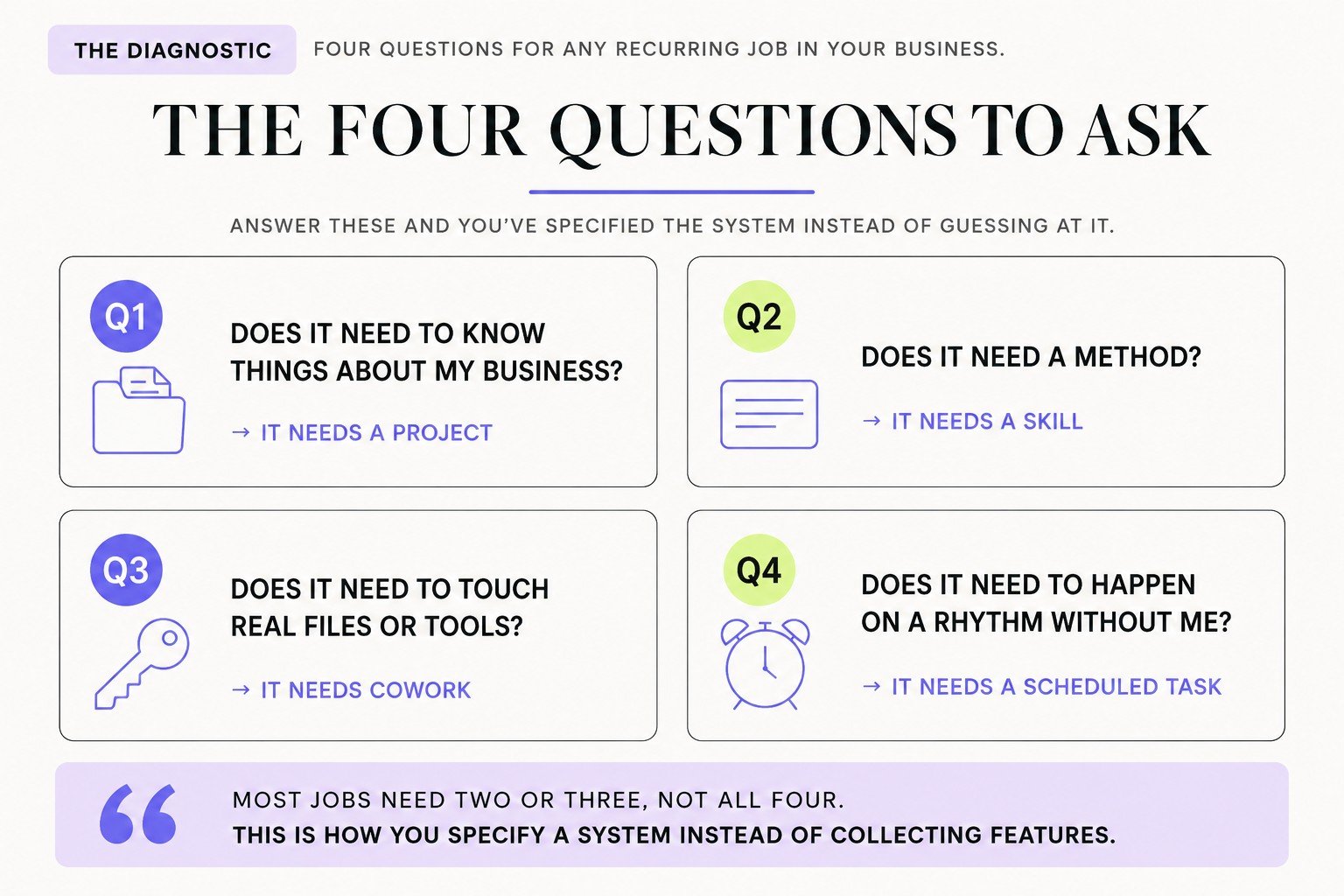
Most jobs need two or three, not all four. A caption workflow might want a Project and a Skill and nothing else.
Being able to answer these is what moves you from collecting Claude features to specifying a system, which is the shift I spend most of my time teaching. It is one part of the wider Architect Method, not the whole of it.
Where Do Most People Actually Get Stuck?
Almost everyone I watch gets stuck in the same place: they build the trigger before they have built the context.
The Scheduled Task is the exciting one, so it goes first, and then it fires every Monday producing something nobody wants to read.
The order that works is the reverse. Context first, so Claude knows the business. Then the method, written down properly, which usually means running the job by hand a few times and noticing what you never articulated. Then file access. The timer last, once the job has already run cleanly with you watching.
The other place people stall is trying to build all four at once, for a job that only needed two. If a caption workflow does not touch your files, do not bolt Cowork onto it because the diagram looked neater with four boxes.
Build the thing that runs once a week and matters. One system that works beats four that half work.
Key Takeaways
Projects hold context, Skills hold method, Cowork gives access, Scheduled Tasks remove you from the trigger. Each one is close to useless at the others' jobs.
A real system usually needs several of them at once. My weekly blog report stops working if any single one of the four is missing.
Build in order: context, method, access, timer. The timer goes last, after the job has run cleanly with you watching.
Most jobs need two or three pieces, not four. Adding a piece a job does not need is how builds get abandoned.
State what your systems actually do and what you still handle. Mine draft, report and sort. None of them publish.
Frequently Asked Questions
What is the difference between a Claude Project and a Claude Skill?
A Project holds standing context about your business: your offers, your voice, your customers, your standards. A Skill holds a method for one recurring task, like how you write a caption or run a report. A Project knows who you are. A Skill knows how you do a particular job.
Do I need Cowork to use Skills and Projects?
No. Projects and Skills work perfectly well in normal Claude chat. Cowork adds the ability to read and write your actual files and act inside your connected tools, which matters when the output needs to land somewhere rather than be copied out of a conversation.
In what order should I set these up?
Context first, then method, then file access, then the timer. Build a Project so Claude knows your business, write a Skill for the job you repeat, connect Cowork if the job touches real files, and add a Scheduled Task only once the job has run cleanly by hand.
Can a Scheduled Task use a Skill and a Project at the same time?
Yes, and that combination is where most of the value sits. A task can fire a Skill that reads a Project and works through Cowork, which is exactly how my weekly blog report runs.
Do I need to be technical to build this?
No, and I am not. None of the four require code. What they require is being able to write down how you do a job clearly enough that somebody else could follow it, which is a writing problem rather than a technical one.
How long does it take to build a system like this?
The first one takes longer than you expect because you are writing down process you have never articulated. Later ones are quick, because the Project already exists and you are only adding a method and a trigger.
What to Do Next
If you want to build these properly alongside other people doing the same thing, that is SheScales, my AI implementation community. Every month I take a real system running inside my own business, the sort described above, pull it apart, explain every decision, including the ones that did not work, and hand over every component: the Skill files, the Project instructions, the workflows.
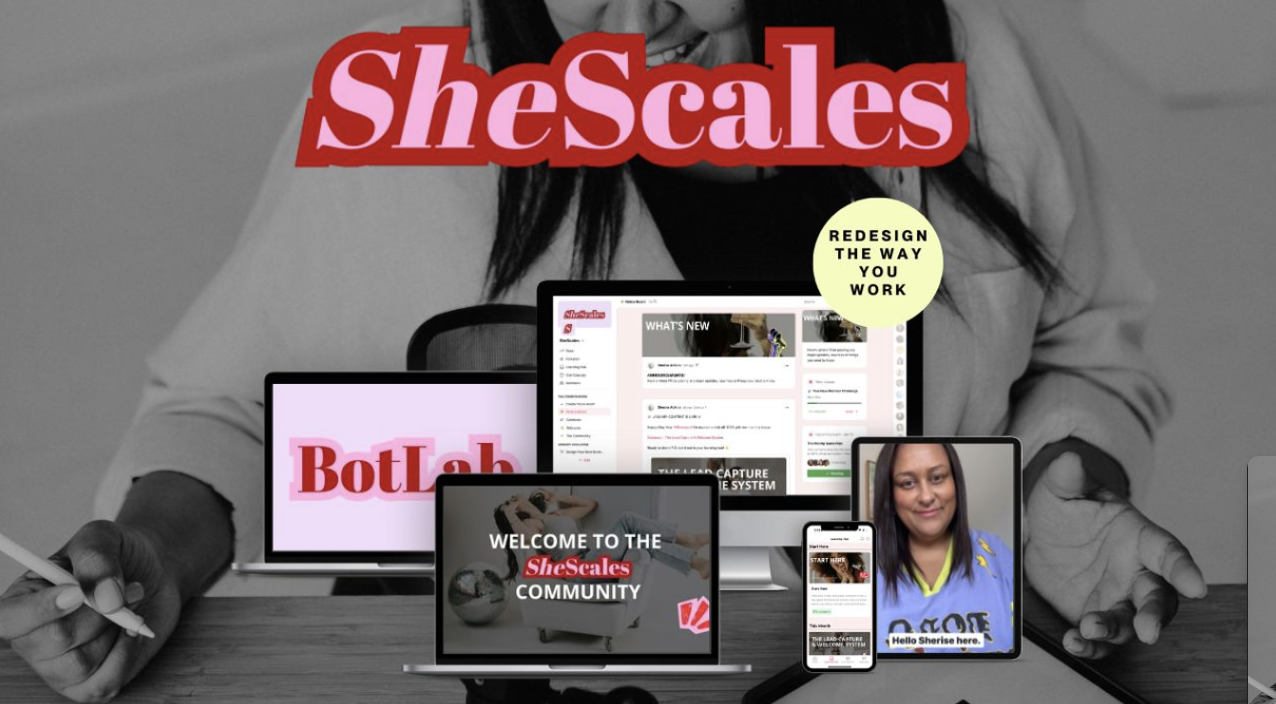
I walk you through it on live calls, I'm in the community daily answering questions, and you've got a room full of solo founders building alongside you.
The kind of room where things actually get done instead of bookmarked.
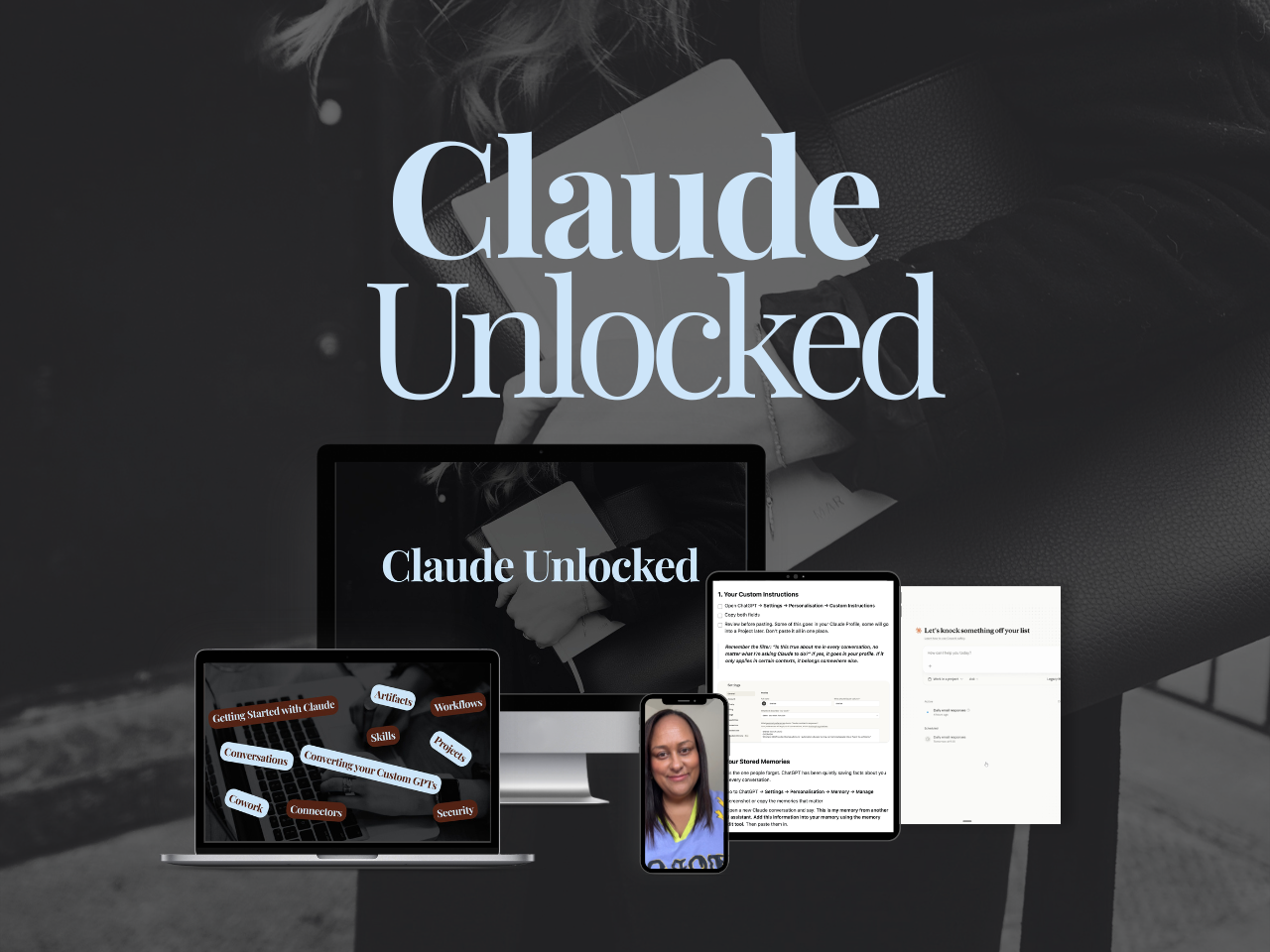
If you are earlier than that and want the four pieces set up correctly first, Claude Unlocked walks through Projects, Skills, Connectors and Cowork in the order that actually matters for a business owner.
It's $47, it takes an afternoon to complete, and the setup is yours to use indefinitely.
Pick the job you keep meaning to do on Mondays. Start there. 👌🏽
MEET THE AUTHOR

HEY, I'M SHERISE
I'm an AI strategist and educator based on the Central Coast of NSW, Australia. I help solo founders install AI systems that scale their business without scaling their workload and remove low-value work from their business so they can spend more time in strategy, creativity, and the work that actually moves the needle.
I run SheScales, the AI implementation community built for the person who IS the business and the whole team. I'm the founder behind 40+ AI assistants across ChatGPT and Claude, the Brand Playbook App, and a growing library of skills and systems used daily by hundreds of solo businesses.
I teach the Architect Method: the shift from chatting with AI to giving AI a job. It's the thinking framework for spotting where AI can genuinely help in your business, knowing how to architect the system, and deciding whether something should be a Skill, a Project, a GPT, an automation, a combination of these, or stay manual.
I'm not here to inspire you. I'm here to hand you the architecture.