What Is Claude Cowork? A Guide for Business Owners
Last updated August 2026
Your week as a solo founder is a stack of small jobs that all need doing and all land on you: sort the folder that's become chaos, write and create your content, turn a page of messy notes into a proper document, work through the replies sitting in your inbox.
Most of it isn't hard. It's just yours, and there's nobody to hand it to. That's where Claude Cowork steps in, and actually does the work you never thought would be possible with AI.
Claude Cowork is a mode inside Claude where you hand over a whole job instead of asking a question. It works inside your actual files and the tools you've connected, does the steps itself, and saves the finished result where you told it to go.
If you've used Claude in a normal chat, you already know the other way of working: you ask, it answers in text, and then you copy that text out and go do something with it yourself. Cowork is the version where Claude does the doing.
TL;DR:
Cowork does the job; chat answers the question: in a normal Claude chat you get text to copy out yourself; in Cowork, Claude opens your files, does the work, and saves the result where you told it to.
You hand over an outcome, not a prompt: you describe what "done" looks like, Claude plans the steps, shows you the plan, then carries it out.
It's built for real jobs: sorting files, pulling reports together, creating documents and spreadsheets, and running the same task automatically on a schedule.
It runs in the background: a Cowork task works on Anthropic's servers, so it keeps going after you've closed your laptop.
Setting it up takes an afternoon and it's five steps: get access, point it at a folder, tell it about your business, run one real job, then put it on a schedule.
New here? This blog is for the solo founder who wears every hat in the business and wants real AI systems and workflows running things, not just piecing it together in the chat. Start here →
Here’s what we’ll be covering:
What Is Claude Cowork?
Cowork is a separate mode inside Claude, sitting right next to the chat you already know, built for jobs rather than questions. It runs on the same underlying engine as Anthropic's coding agent (Claude Code), pointed at everyday knowledge work instead of code, which is a technical way of saying it can be trusted with a task that has several steps and left to work through them. It can also carry out work with the files on your computer, making it insanely more useful than a normal chat.
Using it looks like this:
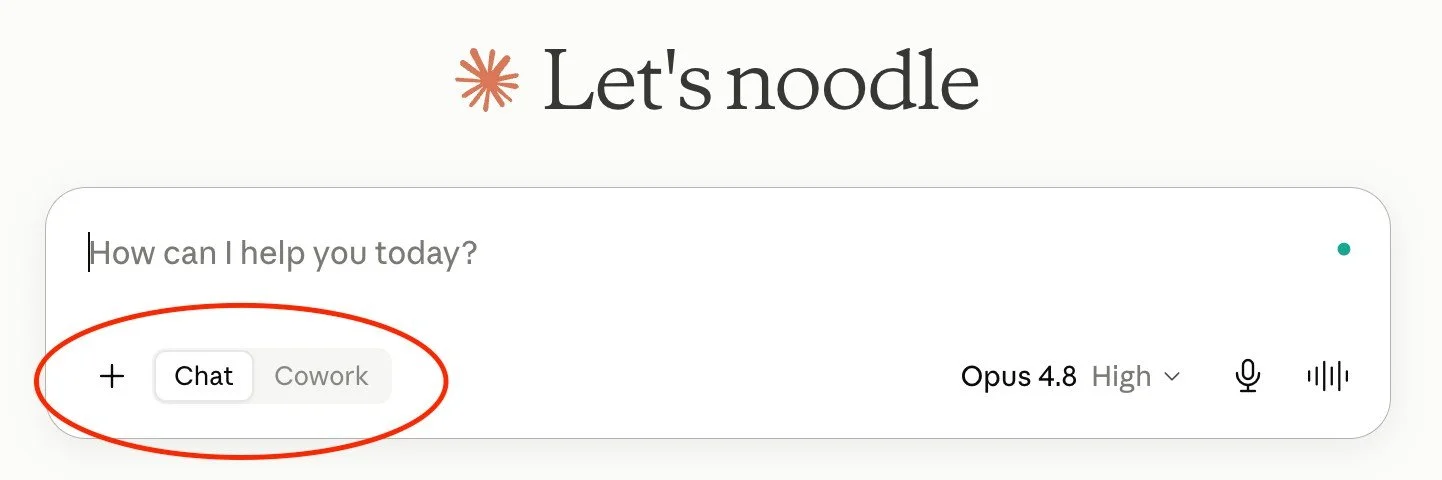
You select "Cowork" next to "Chat" in the message box, describe the outcome you want, and Claude plans the job, shows you the plan, then carries it out. You point it at a folder on your computer, and it can access its contents, as well as save new files there, giving it the ability to do a complete job from start to finish, rather than just helping you and leaving you to do all the copying and pasting.
There's one recent change worth knowing too, because it's shifted how people actually use it.
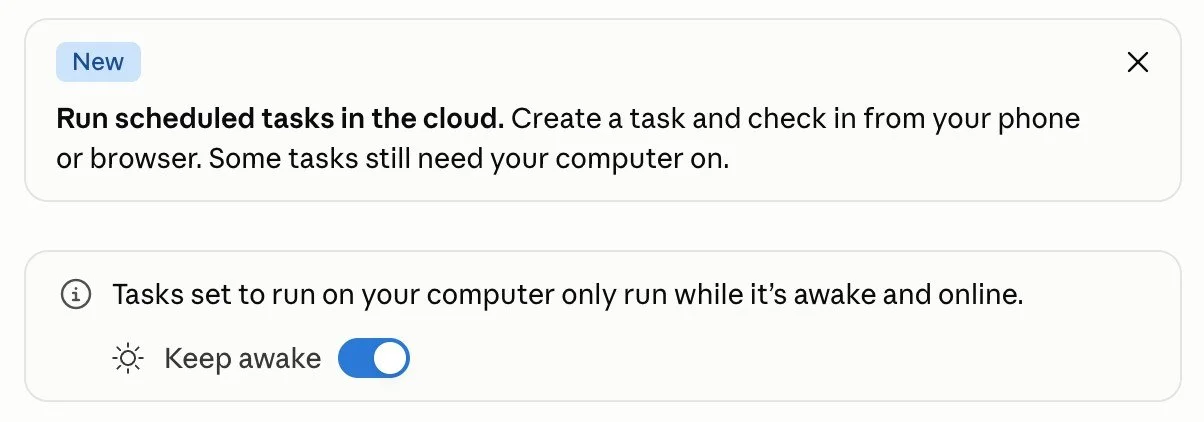
Until 7 July 2026, Cowork only lived in the Claude desktop app, so starting a task or checking on one meant being at that specific computer, or the computer being turned on. Anthropic has since rolled Cowork out to the web at claude.ai and to the iOS and Android apps, in beta, starting with Max plan subscribers and expanding from there.
How Is Cowork Different From a Regular Claude Chat?
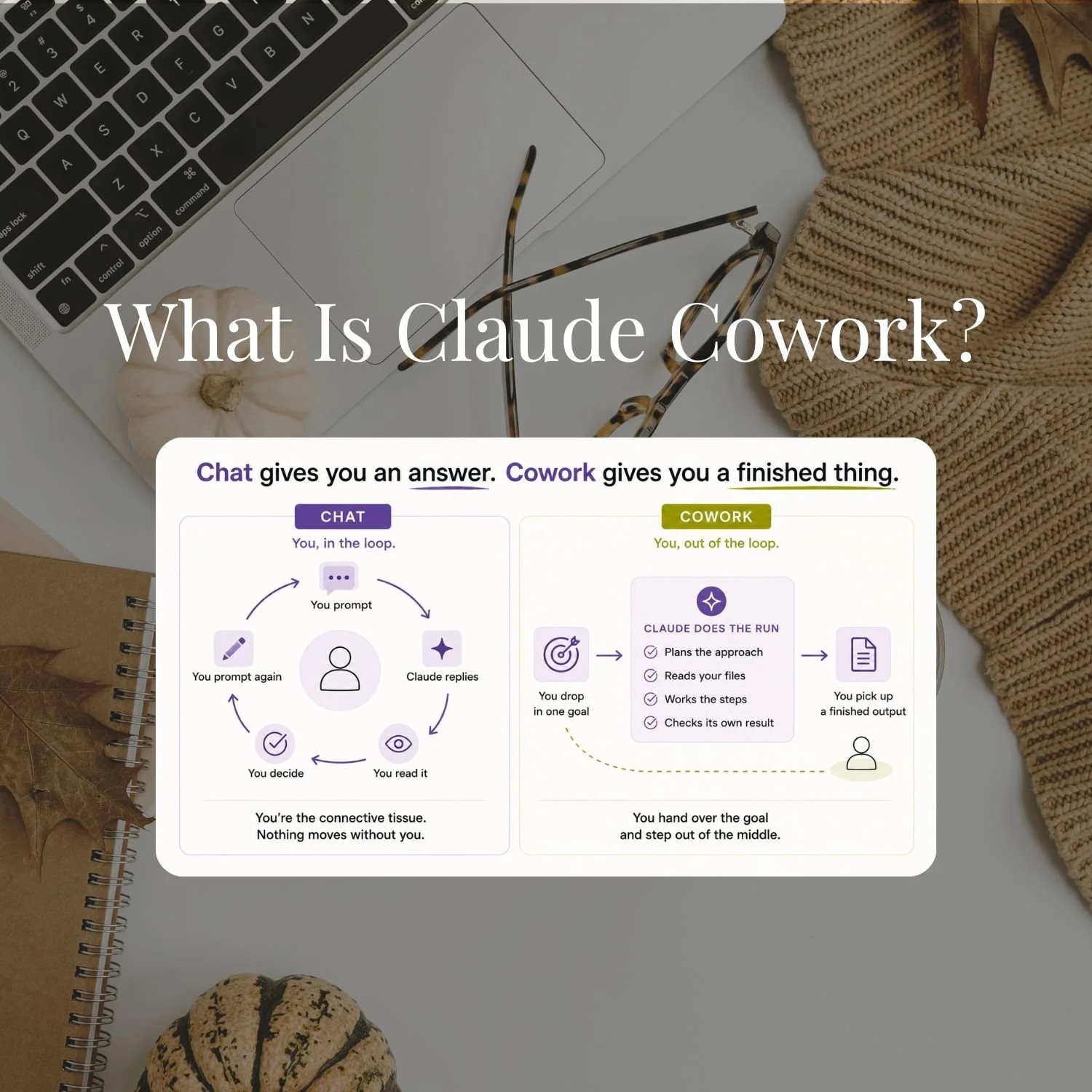
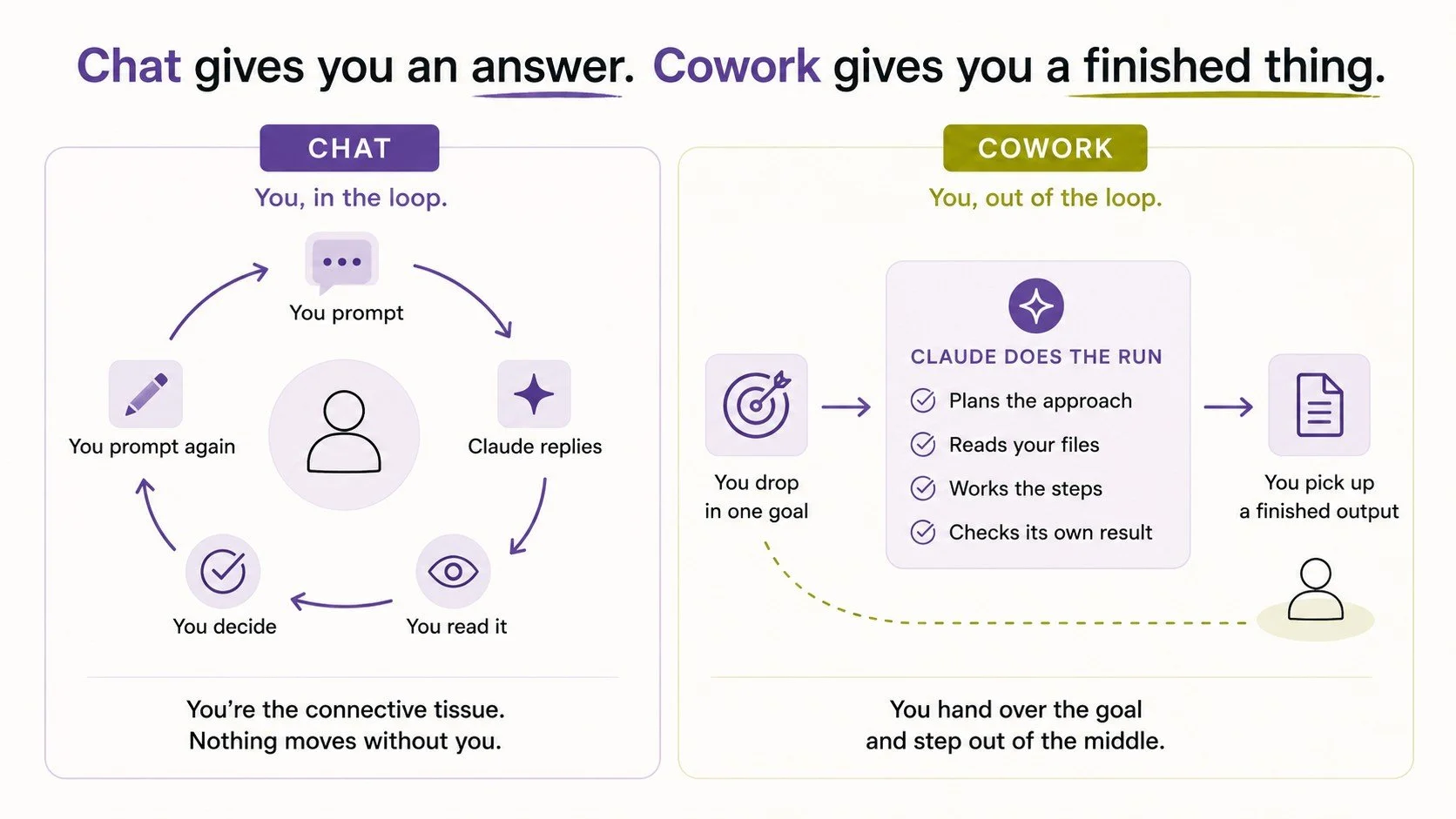
Chat gives you an answer. Cowork gives you a finished thing.
Ask Claude in a normal conversation to organise your Downloads folder, and it'll tell you how, in a numbered list, that you then go and do yourself. Give the same job to Cowork, and it opens the folder, sorts the files, and hands you back a summary of what moved where.
The difference shows up most in what your own role becomes. In Chat, you hold it all together. You prompt, read what comes back, decide what happens next, and prompt again. You're the connective tissue between Claude's output and wherever it actually needs to go.
In Cowork, you hand over the goal instead. Claude builds a plan, reads your files, works through the steps, checks its own result against what you asked for, and comes back when it's done. You step out of the middle and pick up a finished output.
That's a huge shift, and really levels the playing field for solo founders to be able to compete with bigger businesses!
Cowork keeps a session, reads the tools you've connected it to, and acts inside it directly. It also runs on its own clock. That's what makes a scheduled task, a job Cowork runs automatically every Monday morning or every day at 6am, genuinely different from a saved prompt. A saved prompt still needs you to open it and hit send. A scheduled Cowork task doesn't.
Once you've used it, going back to describing what you want and copy-pasting the result yourself feels like a downgrade.
What Can You Actually Do With Claude Cowork?
The honest answer is: whatever you'd otherwise hand to a VA or lose an evening doing yourself, that can be easily explained and is completed the same way each time. A few of the jobs people are actually running through it right now:
File organisation. Point it at a folder that's turned into chaos and tell it the logic (by type, by date, by client) and it sorts, renames, and files everything without you touching a single one.
Data extraction. A folder of receipt screenshots goes in. A clean expense spreadsheet comes out, because Claude reads every image and pulls the numbers itself.
Report generation and research synthesis. Point it at meeting notes, research documents, or a pile of PDFs and ask for a synthesised brief. You get a formatted document that actually pulls from everything, not a summary of the first three files it opened.
Document creation. Real Word documents, PowerPoint decks, PDFs, and spreadsheets land in your folder. Not text in a chat window you then have to format yourself.
Batch work. Fifty files that need converting, renaming to a convention, or having key paragraphs extracted. Queue it, walk away.
Recording a Skill. Newer, and genuinely clever: in the desktop app's + menu there's now Record a Skill. You do a task on your screen once, talking through what you're doing as you go, and Claude turns the recording into a reusable Skill it can run again. It's the fastest way to hand Claude a repeatable job without writing anything up. Just be deliberate about what's on screen when you record, because it captures whatever it can see. (Available on Pro, Max, and Team plans.)
Scheduled tasks. The category that changes the most once web and mobile are in the picture, because the job can now fire off, hit a snag, and ping your phone for a decision instead of sitting there waiting for you to open your laptop.
One of my scheduled tasks reports on my blog's search performance every Monday morning: what's moving, what's not, what to do about it. I read it with coffee. In just one month that I acted on what it told me, organic clicks went from 463 to 1,017. I didn't open a chat window or write a single prompt for any of those Mondays. The report was just there.
Why This Matters More for a One-Person Business
Every job in that list above used to mean one of three things: you did it yourself, you paid someone to do it, or it didn't get done.
Most AI content aimed at "business owners" quietly assumes there's a team behind the founder: someone in marketing, someone in ops, someone to hand the messy folder to. That assumption is exactly the gap solo founders keep falling into.
You're not delegating a task to a person when you hand something to Cowork. You're running the report yourself, at 6am, without opening your laptop. That's a different economics problem entirely. A weekly report that used to require paying a developer to build and maintain always-on infrastructure is now a feature inside a subscription you probably already have.
The Canva moment is the one that actually got me. The first time Claude opened my Canva templates itself and updated them, it wasn't writing copy for me to paste in. It wasn't describing what the slide should say. It made the actual change and moved on. That's the difference between a tool you operate and a system that runs a function in your business.
How to Set Up Claude Cowork, in Five Steps
Five steps, and the order matters more than the detail. You can be through all five in an afternoon:
Get access. A paid plan, with Pro as the realistic floor, because Free won't get you far. Then the desktop app if you want local file access, browser use, or computer use rather than just the cloud-connected version. Web and mobile work for anything that only touches your connected apps.
Point it at a folder. One folder on your computer that Cowork is allowed to open. Not your whole drive, and not a client's folder. Pick somewhere bounded, grant permission once, and everything after this happens inside it.
Tell it about your business. This is the step that decides whether the first session goes well or badly, and it's the one almost everyone skips. Cowork can see your files; it can't see you. So you write down the standing rules it follows everywhere, the job description for what it's allowed to decide alone, the facts about your business it should already know, and a record of what you've already told it. Four things, mostly plain text files sitting in that folder. How to Set Up Claude Cowork (So It Knows Your Business) covers exactly what goes in each one.
Run one real job. Not a test. Something you were going to do anyway this week: sort the folder, pull the numbers out of the receipts, turn the notes into a document. Watch the plan it shows you before it acts, and correct it there rather than after.
Put it on a schedule. Once a job has run cleanly by hand, it can run without you. Start with something small and boring on a weekly cadence, and let it earn the right to bigger things.
Want the full Cowork setup laid out step by step for Claude Cowork specifically?
The Cowork Setup Kit walks you through getting Cowork set up properly, the guardrails to put in place before you give it access to anything, and your first real task.
It's free, and it's the guide I built because there wasn't one.

What Cowork Cannot Do
Cowork is genuinely capable, and it's still worth knowing where the edges are before you build anything on top of it. Three limits matter most:
It can't touch your actual computer without the desktop app open. Reading and writing local files, using your browser, or taking over your screen all require the Claude desktop app running on that machine at the exact moment it does that part of the job. Set a task up from your phone and it still needs the desktop app open somewhere for the local part to run.
It isn't unsupervised. Cowork shows you a plan before it acts on anything complex, and how much it checks in with you is a setting you control. Left on the loosest setting with no guardrails, it will happily do exactly what you asked, including the parts you didn't think through.
It doesn't make relationship calls. It'll draft the reply to the client who's gone quiet. It shouldn't be the one to hit send. That line is one you set once, clearly, and it holds.
It doesn't carry Project-specific memory between unrelated jobs. As of Anthropic's 25 August 2026 update, your general memory (what Claude picks up about you in normal chat) now does carry into Cowork, and the reverse. But what a specific Cowork Project remembers about that one job still only builds from work done inside that Project. Anything you want a particular Project to know has to be written into a file it reads at the start, or built up by working inside it.
It's the same list of limits a new hire has in their first week, and they are there for a reason.
Is Claude Cowork Worth It?
Yes, and specifically because of what it removes rather than what it adds.
It's not another tool competing for a slot in your stack. It's the thing that turns the reports you mean to run, the folders you mean to sort, and the drafts you mean to write into work that happens without you opening anything.
The value tracks the setup, though, and that's not a hedge. A Cowork task with no context behaves like a new hire nobody briefed. The same task with the four things from step three behaves like someone who has worked for you for a year.
Key Takeaways
The short version of everything above:
Cowork does the job, not just describes it: it opens your files, runs the task, and saves the result, rather than handing you text to act on yourself.
It's remote by default: Cowork sessions run on Anthropic's servers, so a task can keep going after you've closed your laptop.
Setting it up is five steps, not one: get access, point it at a folder, tell it about your business, run one real job, then put it on a schedule.
The payoff is proportional to the setup: a Cowork task with no context and no folder structure behaves like an unsupervised new hire; a properly set up one behaves like a system.
Guardrails come before the first real task, not after: what Cowork is and isn't allowed to do needs to be decided in writing before you give it access to anything that matters.
FAQs
What is Claude Cowork?
Claude Cowork is a mode inside Claude built to run whole jobs rather than answer individual prompts. Instead of chatting back and forth, you describe an outcome and Cowork works inside your actual files and connected tools to produce it, running remotely so the task can continue after you've closed your laptop.
How do I set up Claude Cowork for my business?
Five steps: get a paid plan and the desktop app, point Cowork at one bounded folder on your computer, write down what it needs to know about your business, run one real job by hand, then put that job on a schedule. The third step is the one people skip and the one that decides whether the rest works.
How is Claude Cowork different from Claude chat?
Chat produces text you then act on yourself. Cowork acts directly: it reads files, writes documents, and saves finished work to a location you specify, without you copying anything out of the conversation.
Can Claude Cowork access files on my computer?
Yes, but only while the Claude desktop app is open and running on that computer. This applies even to scheduled tasks: if a task needs to touch local files, the desktop app has to be open at the moment it fires, regardless of where the task was set up.
Do I need the desktop app to use Claude Cowork?
Not for every task. Anything that only touches your connected apps (Drive, Gmail, Notion, Canva, and similar) can run fully through the web or mobile app. Local file access, Claude in Chrome, and computer use are desktop-only.
Is Claude Cowork available on mobile and in the browser?
Yes, as of 7 July 2026. It's rolling out gradually, starting with Max plan subscribers, so it may not have reached your account yet. Everything Cowork can do is still available through the desktop app in the meantime.
Is Claude Cowork worth it for a small business or solo founder?
For a solo founder specifically, yes, because it replaces work that previously had no owner: the report nobody ran, the folder nobody sorted, the follow-up nobody sent. The value depends heavily on setup; an unsorted, context-free Cowork task underperforms an unsorted, context-free VA in exactly the same ways.
MEET THE AUTHOR

HEY, I'M SHERISE
I'm an AI strategist and educator based on the Central Coast of NSW, Australia. I help solo founders install AI systems that scale their business without scaling their workload and remove low-value work from their business so they can spend more time in strategy, creativity, and the work that actually moves the needle.
I run SheScales, the AI implementation community built for the person who IS the business and the whole team. I'm the founder behind 40+ AI assistants across ChatGPT and Claude, the Brand Playbook App, and a growing library of skills and systems used daily by hundreds of solo businesses.
I teach the Architect Method: the shift from chatting with AI to giving AI a job. It's the thinking framework for spotting where AI can genuinely help in your business, knowing how to architect the system, and deciding whether something should be a Skill, a Project, a GPT, an automation, a combination of these, or stay manual.
I'm not here to inspire you. I'm here to hand you the architecture.
Do you want a step-by-step guide to getting Claude Cowork properly set up for your business?
So it can start doing actual jobs and taking the workload off you?
This free kit walks you through the whole setup: the safety settings to switch on first, giving Cowork a folder and a memory of your business, connecting the tools you already pay for, and running your first scheduled task.
It's the guide I wish I'd had when I started.

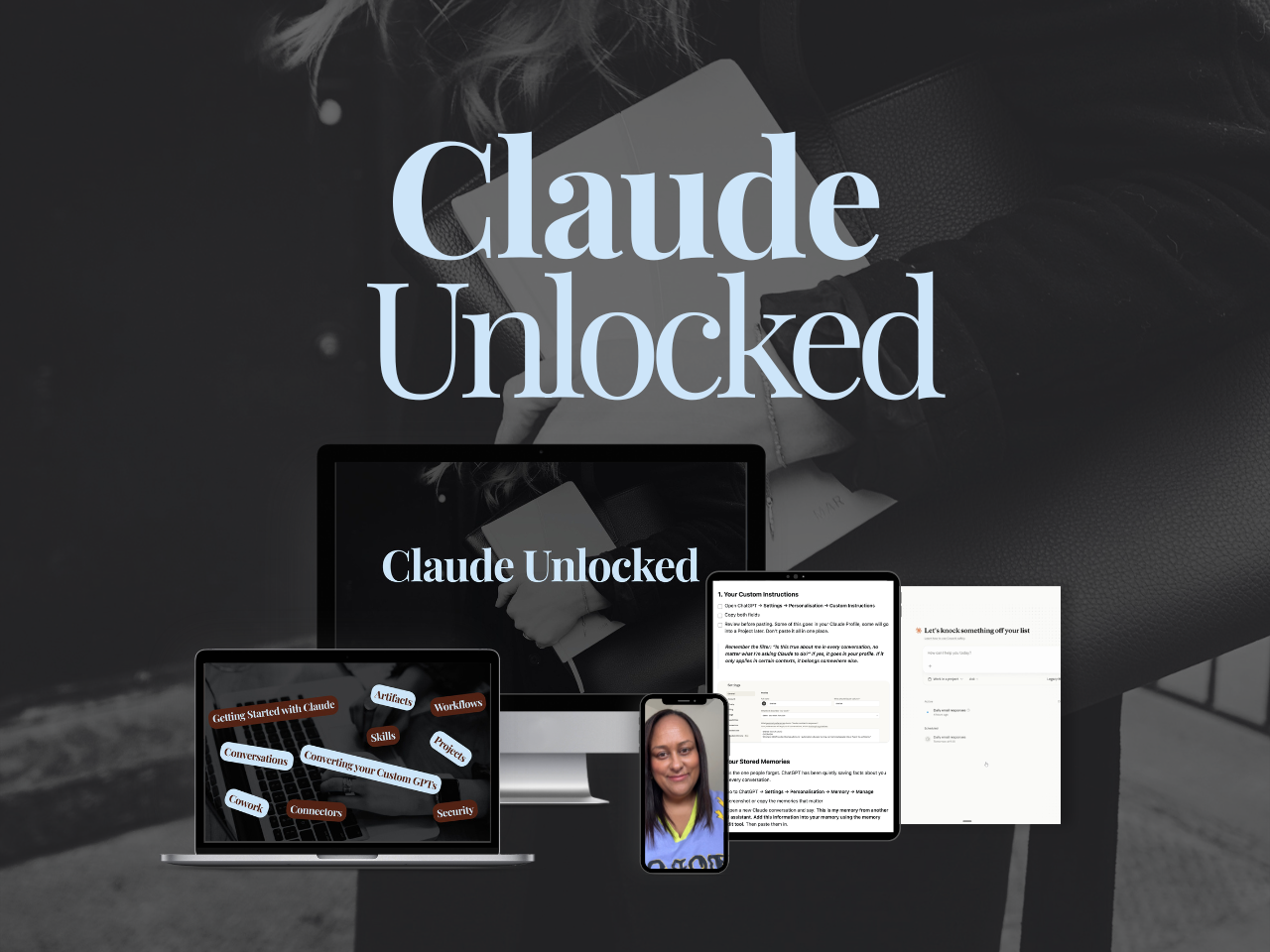
If you want the full Claude setup in one place, Projects, Skills, Cowork, and Connectors, working together rather than picked up piecemeal, Claude Unlocked is where I'd point you.
It's the fastest way to go from using Claude as a clever chat box to having it actually set up around how your business works.
Read this next:
AI for Solo Founders: The Use Cases That Actually Apply to Your Week
Claude Cowork Scheduled Tasks: The Work That Runs Before I Open My Laptop
What Is an AI Architect (And Why Every Solopreneur Needs to Become One)
How Claude Projects, Skills, Cowork and Scheduled Tasks Work Together
How to Stretch Your Claude Cowork Credits (Without Doing Less)